Always know who changed what
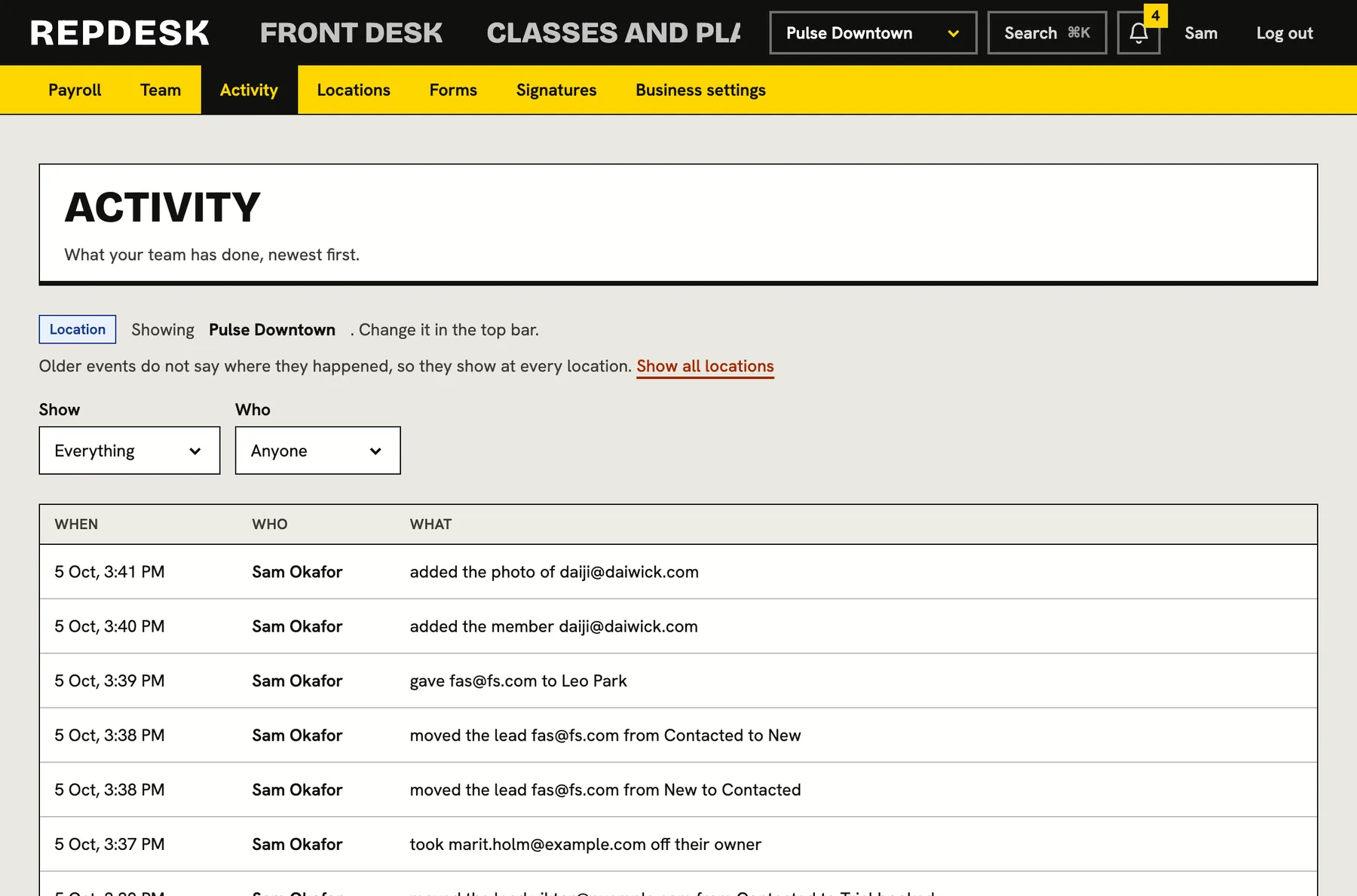
Every meaningful action by your team is written down in a sentence: who did it, to whom or what, and when. Filter by area, person or location and find the answer in seconds.
When a refund, a price or a cancelled membership is questioned, memory is not evidence.
Sentences, not codes
Each entry says what happened in words, like a team member being invited, a plan changed or a campaign sent. The newest is at the top, with the date and the person responsible.
- Who, what and when on every line
- Only actions by your team, not background noise
- Paged so long histories stay quick
Filter to the answer
Narrow by area and by team member. Areas cover the whole business, so you can trace a problem to its source.
- Team, members, plans and sales, timetable, bookings and check-ins
- Campaigns, automations, leads, referrals, reviews and forms
- Shop, payroll, rooms, courses, reports and business settings
Per location
The log follows the location switcher, so a manager of one studio sees what happened there. Older events that did not record a location show everywhere, with a note, so nothing is hidden.
- Switch to all locations for the whole picture
- Access limited to people with the right permission
- Exports of reports are logged too
Built into everything
Logging is part of how features are built here, so new tools are covered from day one. Sending a campaign, voiding a referral, changing a pipeline stage or exporting a report all leave a line.
- Handy for onboarding and training
- Settles who changed a price or a plan
- Backs up your own policies on refunds and access
Tracking down a change
-
Step 1
Open the log
Choose the location you care about.
-
Step 2
Pick an area or a person
Narrow it to plans, members, campaigns or one team member.
-
Step 3
Read what happened
Each line names who did it and when.
Works together with
Questions
Who can see it?
Owners and managers by default. Access is part of each role's permissions.
Can anyone edit or delete entries?
No. The log is written by the system as things happen and the screen is read only.
Does it cover every action?
It covers the main areas of the product listed in the filters, and new features add their own events as they ship.
Can I see activity for just one location?
Yes. It follows the location switcher.
Does it include actions by members?
No. The log is for what your team does inside the business.