Software for swim schools that fills every term and clears the waitlist
A swim school sells terms to families, and every place matters. Enrolment, waitlists, make-ups and payments run themselves, so the pool is full and the office is quiet.

What gets in the way
- Terms that sell out
- Open enrolment on a date, set a level and a capacity, and let families join a waitlist when a class is full.
- Every class has a cap
- Each class and course has its own capacity, so you never take more swimmers than you can teach.
- Missed lessons
- A swimmer who misses a week can be booked into a make-up session, and the record links the two.
- Fees across a family
- Families can pay a term in instalments, and a plan can be shared between siblings. Failed payments are chased automatically.
What you run on it
- Courses and workshops Term enrolment by level with capacity, a waitlist, make-ups and attendance every week.
- Scheduling Weekly lessons and holiday sessions with capacity limits.
- Memberships and plans Plans limited by age, and a plan that siblings or a parent and child can share.
- Payment recovery Instalments and monthly fees chased until they are paid.
- Waivers and forms Medical and consent forms signed before a swimmer's first lesson.
- Notifications Reminders and class updates by email, text and push.
- Member portal Parents see lessons, book make-ups and update a card.
- Booking widgets Term enrolment on your own website.
- Campaigns Email last term's families when the next one opens.
A morning at the pool
-
07:00
Rosters ready
Each teacher has a roster for the first lessons, with forms already signed.
-
09:00
A missed lesson
A parent books a make-up for their child from their phone.
-
10:15
A place opens up
A family cancels. The next family on the waitlist is offered the spot and told.
-
12:00
Enrolment opens
Next term goes on sale at noon. Classes fill and queue families onto the waitlist.
-
15:30
A payment fails
A card declines on an instalment. The system retries, then reminds the parent with an update link.
-
18:00
Attendance logged
Teachers mark attendance for each session and the office sees it live.
Levels, capacity and waitlists
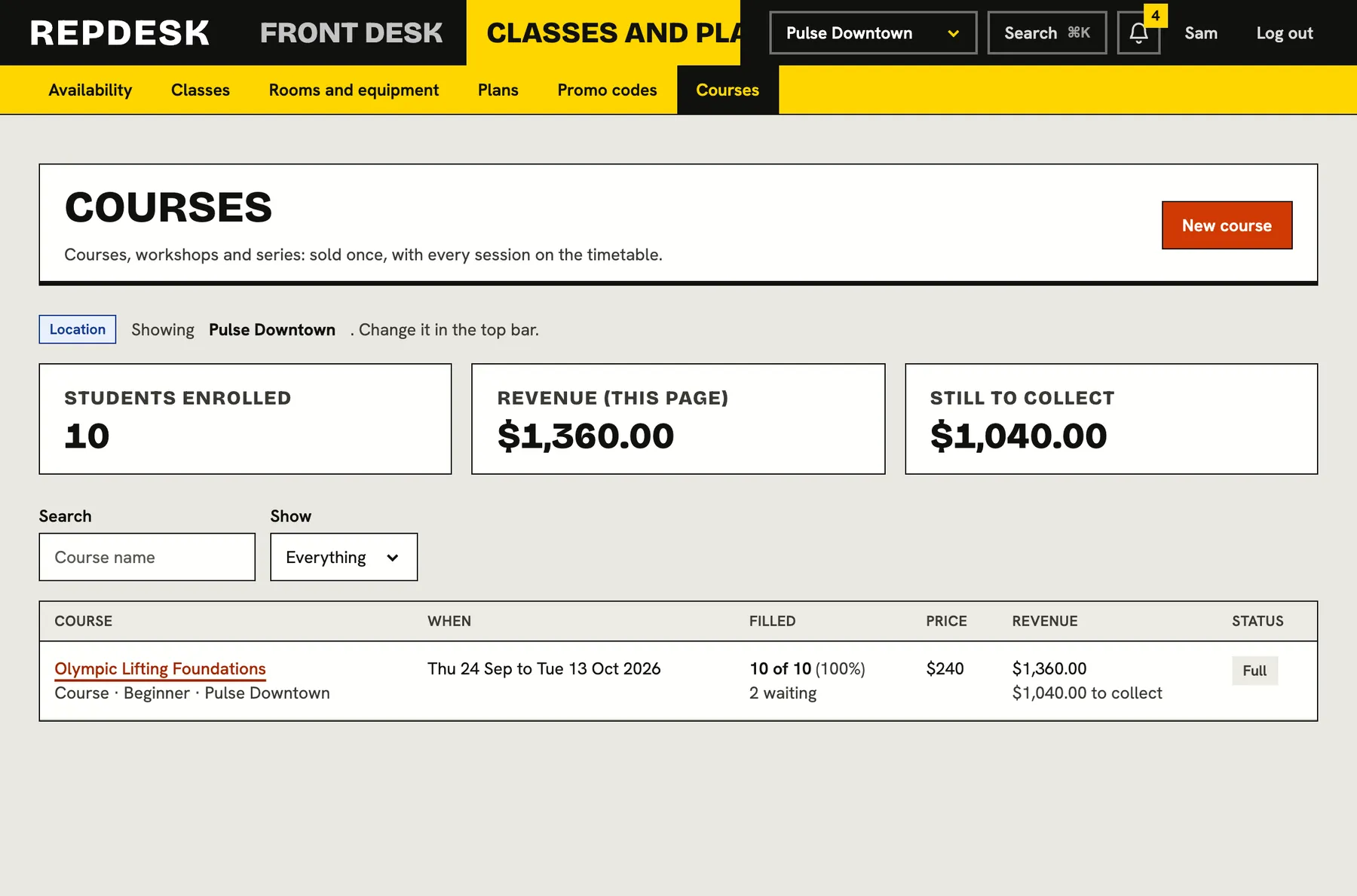
Each course has its own level, capacity and enrolment window. When it is full, families wait. When a place opens, the next family is offered it.
- Levels and capacity on every course
- Make-up sessions linked to the missed lesson
- Attendance per session
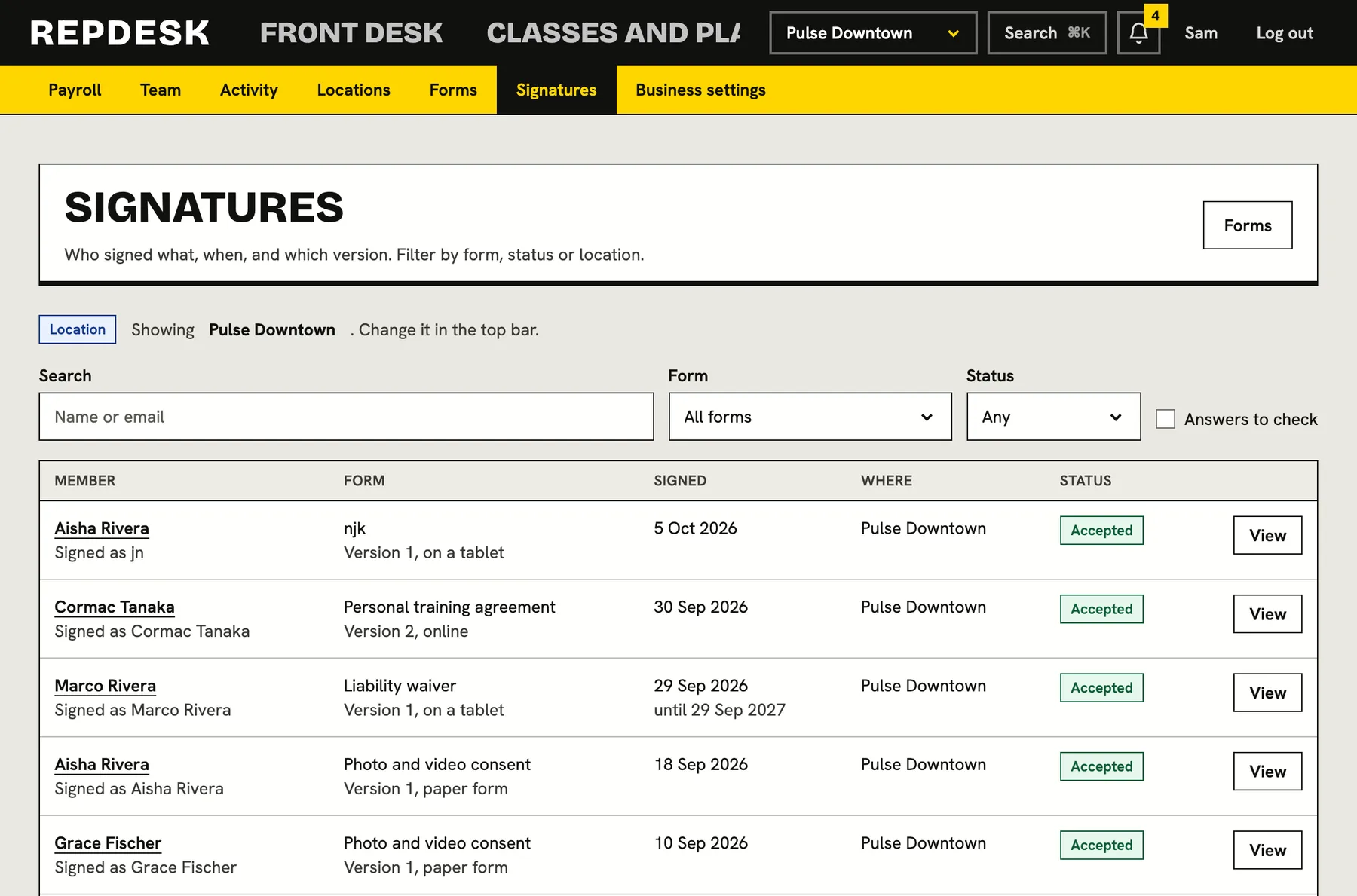
Forms signed before the first lesson
Medical questions and consent are collected online, kept against the swimmer and easy to find.
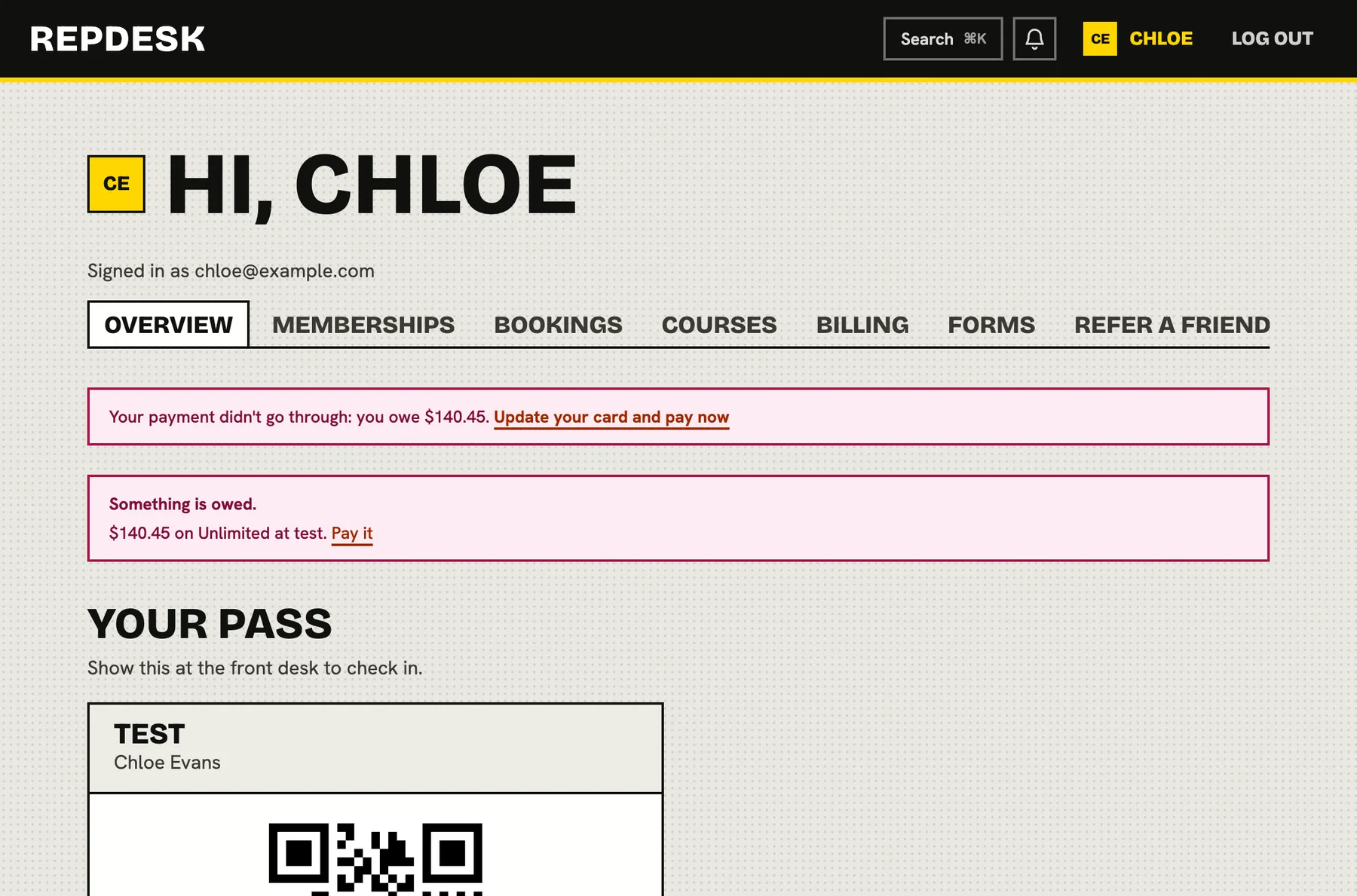
A portal for parents
Families see their lessons, update a payment method and book a make-up without calling the office.
Questions
Can you limit a class to a number of swimmers?
Yes. Every class and course has a capacity, with a waitlist when it is full. We do not model individual lanes or teacher-to-swimmer ratios.
Do you handle term enrolment?
Yes. Courses have enrolment windows, levels, capacity and a waitlist, with attendance for each session.
Can a parent pay for more than one child?
A plan can be shared, so one parent buys it and adds a child to it. Billing stays in one place.
Can we collect medical forms?
Yes. Build the form, require it before the first lesson and see who has completed it.
What happens when a payment fails?
We retry, then remind the parent by email, text and push with a link to update the card.