Every payment on paper, every tax line in order
Each charge becomes a numbered invoice with its tax broken out, kept as the permanent record of what a member owed and paid. When filing time comes, the tax report and the CSV exports are already waiting.
Tax and invoicing are where a busy studio's books come apart: a missing number here, a wrong rate there, and a stack of exports to rebuild at month end.
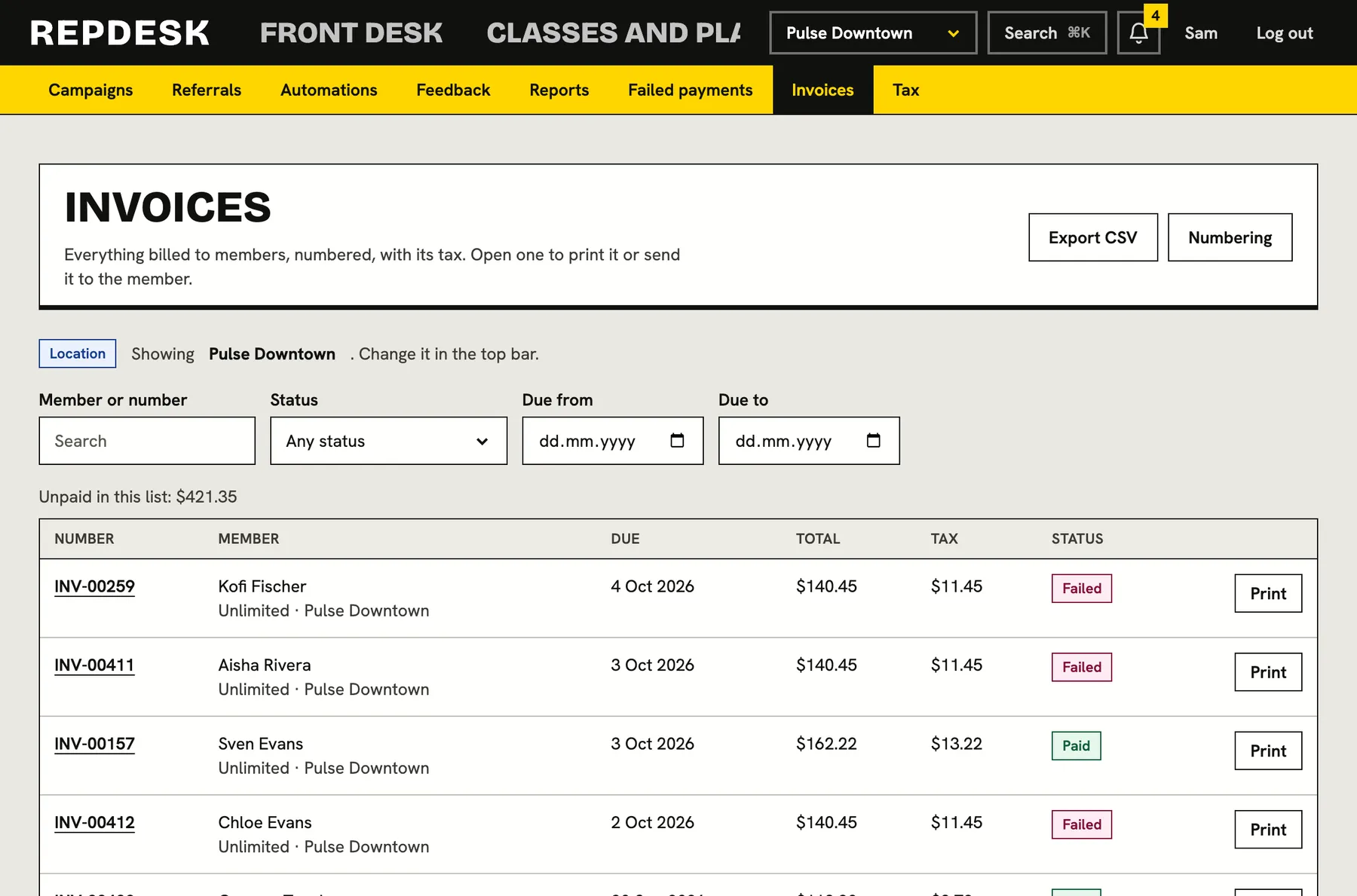
A numbered invoice for every charge
Every membership payment has an invoice with its own number, due date, subtotal, tax and total. You choose the prefix and the digits, and numbers only ever go up. A paid invoice is never rewritten, only shown.
- Your prefix, digit count and next number, with a live preview
- Your tax registration number and a footer for payment details or terms printed on every invoice
- Open any invoice and print it or save it as a PDF from the browser
- Members see their invoices and receipts in their own billing page, and can print them
Find and export in seconds
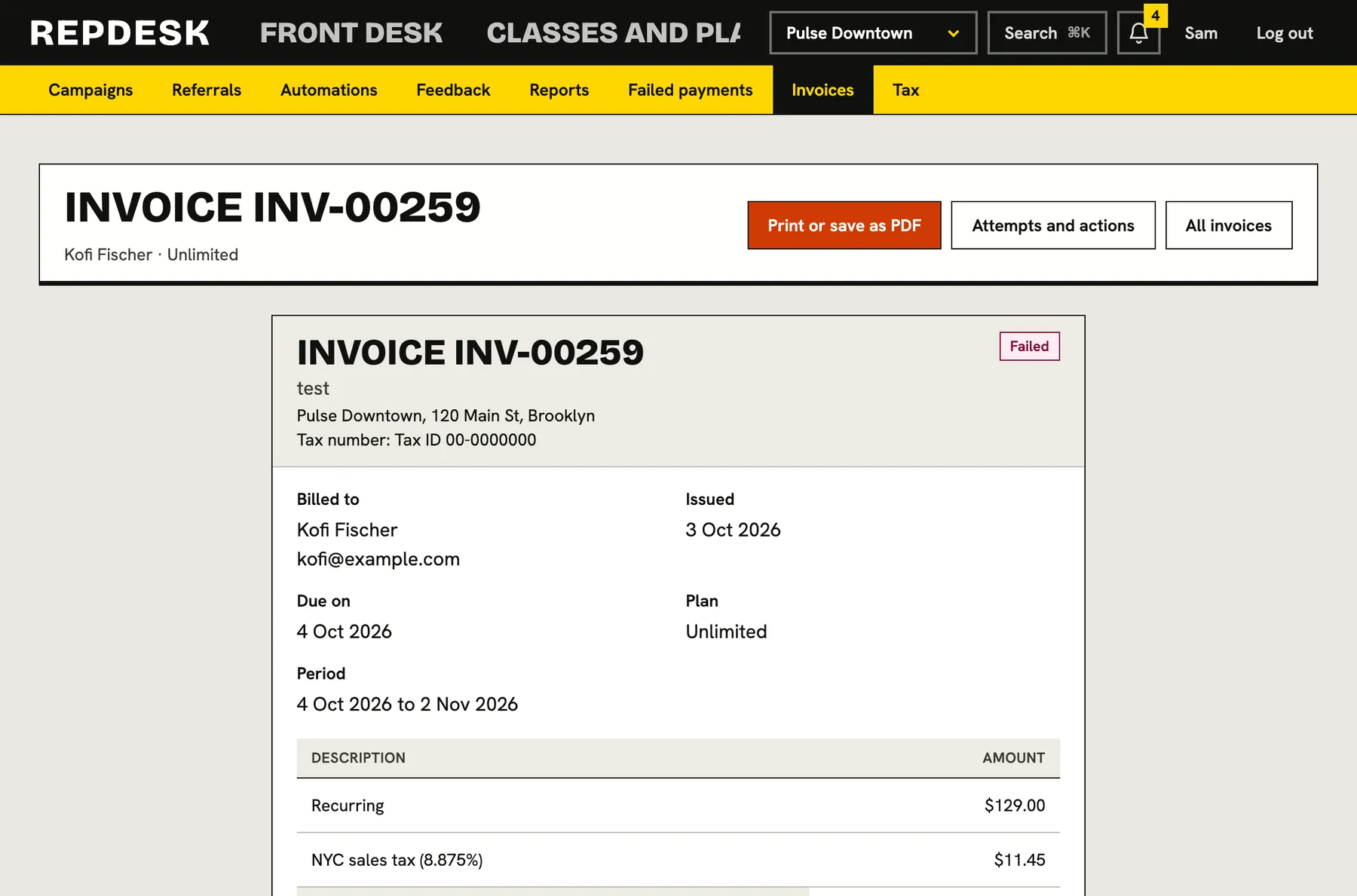
Filter every invoice by status, date range, member or search term, see what is still unpaid in the list, and export exactly what you filtered to a spreadsheet.
- Filter by unpaid, paid, failed, void or refunded
- Totals owed shown for the filtered list
- CSV with number, member, plan, location, subtotal, tax, total and how it was paid
- Exports are written to the activity log
Tax rates that match how you sell
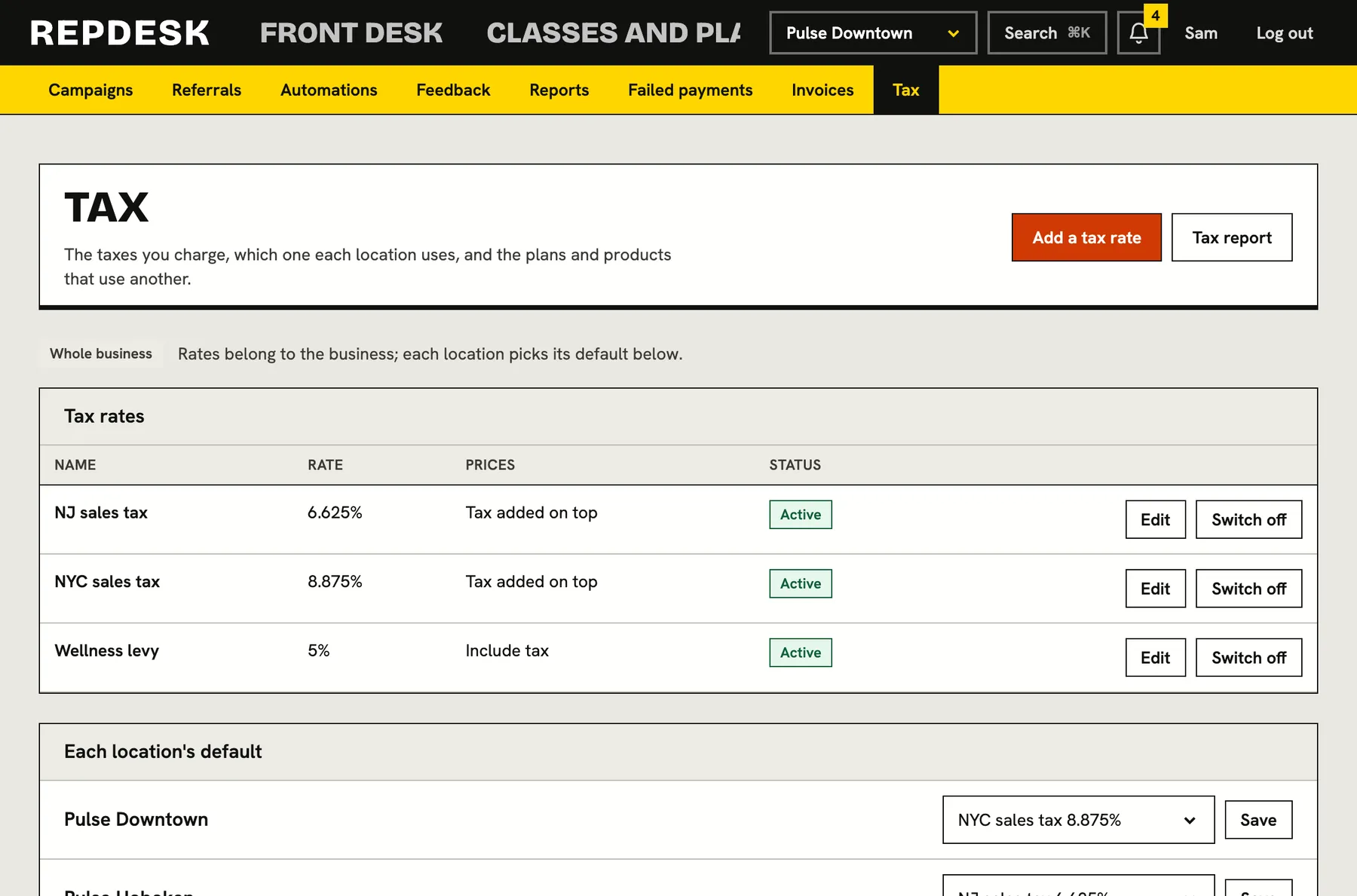
Add the rates you charge, say whether your prices include tax or add it on top, and give each location a default. A plan that is taxed differently can use its own rate.
- Prices that include tax, or tax added at checkout, shown as its own line
- A default rate for each location, and an override per plan
- Changing a rate never changes invoices or sales already made
- Switch a rate off without losing the history behind it
A tax report you can file from
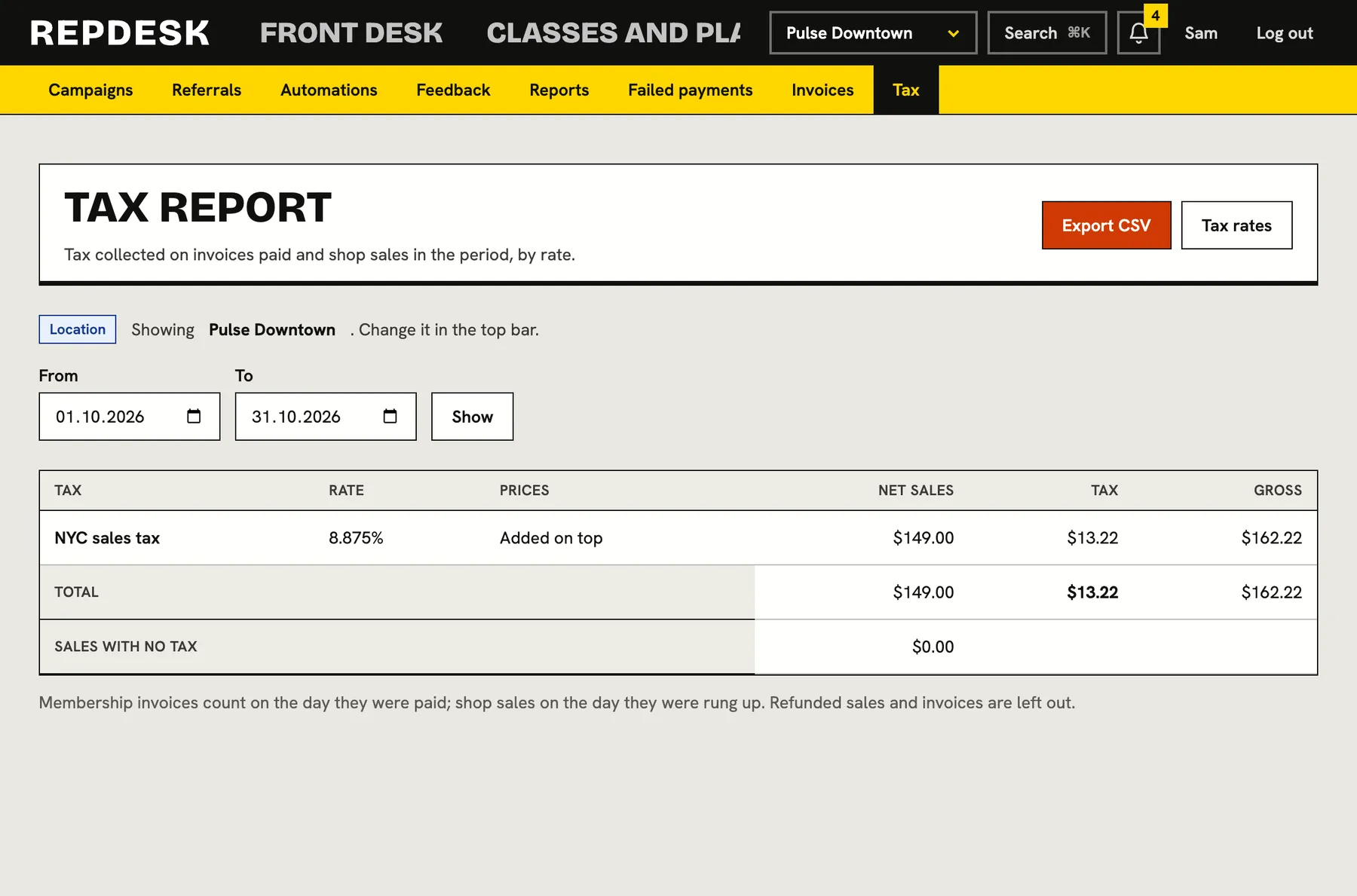
Pick a period and see the tax collected by rate, with net, tax and gross, plus sales that carried no tax. Membership invoices count on the day they were paid and shop sales on the day they were rung up. Refunded sales and invoices are left out.
- Follows your location switcher, or filter to one location
- Totals by rate, ready for the return
- Download the report as a CSV
Price changes with proper notice
Raise a plan's price without a bill shock. Choose the new price and the notice period. Every recurring member on the plan is told straight away, and each moves to the new price at their first billing date after the notice ends.
- Members already leaving are not told or moved
- See each member, what they pay now and whether they have moved
- Keep an individual member on the old price when you want to
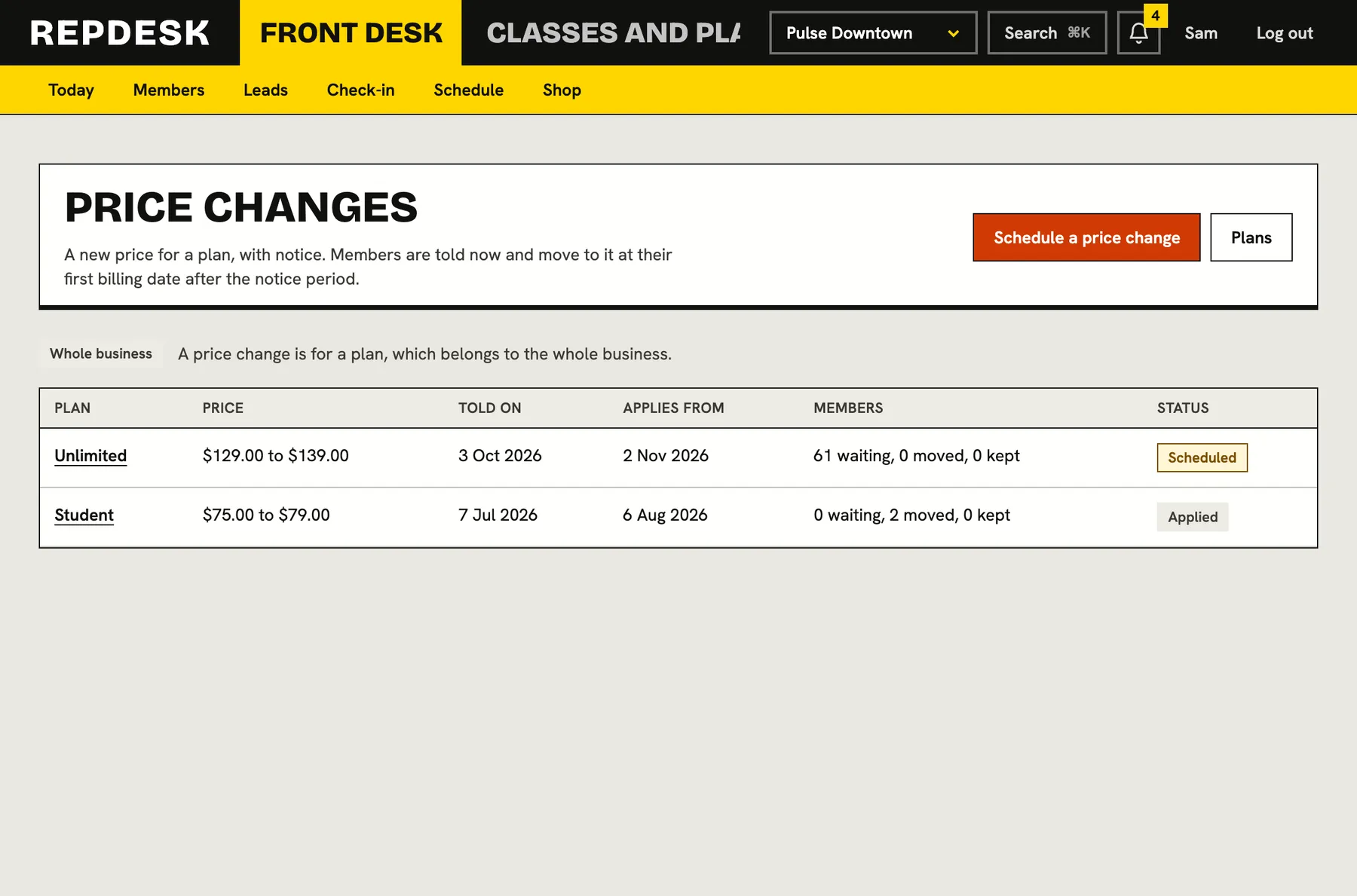
A price change with notice
-
Day 0
You schedule it
Pick the plan, the new price, the notice period and an optional note.
-
Day 0
Members are told
Everyone on the plan gets the news now, with the date it takes effect.
-
During notice
You can see who is affected
Every member is listed with their current price, and you can keep someone on the old one.
-
After notice
The new price applies
At each member's first billing date after the notice ends, the invoice is raised at the new price.
Works together with
Questions
Does the money go to us directly?
Yes. Membership payments are collected into your studio's own account and recorded against the invoice.
Can I charge tax-inclusive prices?
Yes. A rate can be set to include tax in the price or to add it on top. Either way, the tax is shown as its own line.
What if I change a tax rate?
It affects new invoices and sales only. Existing ones keep the rate they were charged.
Do refunds and voided invoices appear in the tax report?
No. Refunded sales and invoices are left out of the report.
Can members get their own receipts?
Yes. Their billing page lists every invoice with a receipt, and they can download or print it.