Software for dance studios that fills every term and every class
A dance studio sells terms, series, drop-ins and memberships at the same time, mostly to parents. Enrolment, payment plans and reminders run themselves so the term starts full and stays paid.

What gets in the way
- Selling a term, not just a class
- Courses run for a set number of weeks with their own capacity, level and price. Open enrolment on a date, close it on another, and offer an early-bird price.
- Full classes and a long list of hopefuls
- When a course is full, people join the waitlist and are offered a place when someone drops out.
- Fees paid over the term
- Let families pay a course in instalments. If a payment fails, we chase it automatically until it is settled.
- Missed sessions
- A student who misses a week can make it up in another session of the same studio, and the record shows it.
What you run on it
- Courses and workshops Terms and series with enrolment windows, levels, early-bird pricing, instalments, a waitlist and attendance per session.
- Scheduling Weekly classes and drop-ins on one timetable, with capacity and a waitlist.
- Memberships and plans Unlimited and class-pack plans, intro offers and a plan a family can share.
- Payment recovery Instalments and monthly fees that fail are followed up until paid.
- Waivers and forms Consent and emergency contact forms, signed before the first class.
- Rooms and resources Studios one and two never double-booked.
- Booking widgets Put your timetable and course enrolment on your own website.
- Campaigns Tell last term's families when enrolment opens for the next.
- Member portal Parents see sessions, update a card and book a make-up from their phone.
A Tuesday at the studio
-
08:00
Enrolment opened overnight
The new term opened at midnight. Three classes are already full and their waitlists are filling.
-
10:30
A make-up booked
A student who missed last week books a make-up session from the portal. The attendance record links the two.
-
14:00
Rooms checked
The schedule refuses to put a workshop in a room already in use.
-
16:30
Drop-ins at the door
Adults who pay as they go book and pay on their phone. Class packs deduct a visit.
-
17:15
A place opens up
A parent cancels a place. The next family on the waitlist is offered it automatically.
-
20:00
An instalment fails
A card declines. The system retries, then sends a friendly reminder with a link to update it.
Courses with everything attached
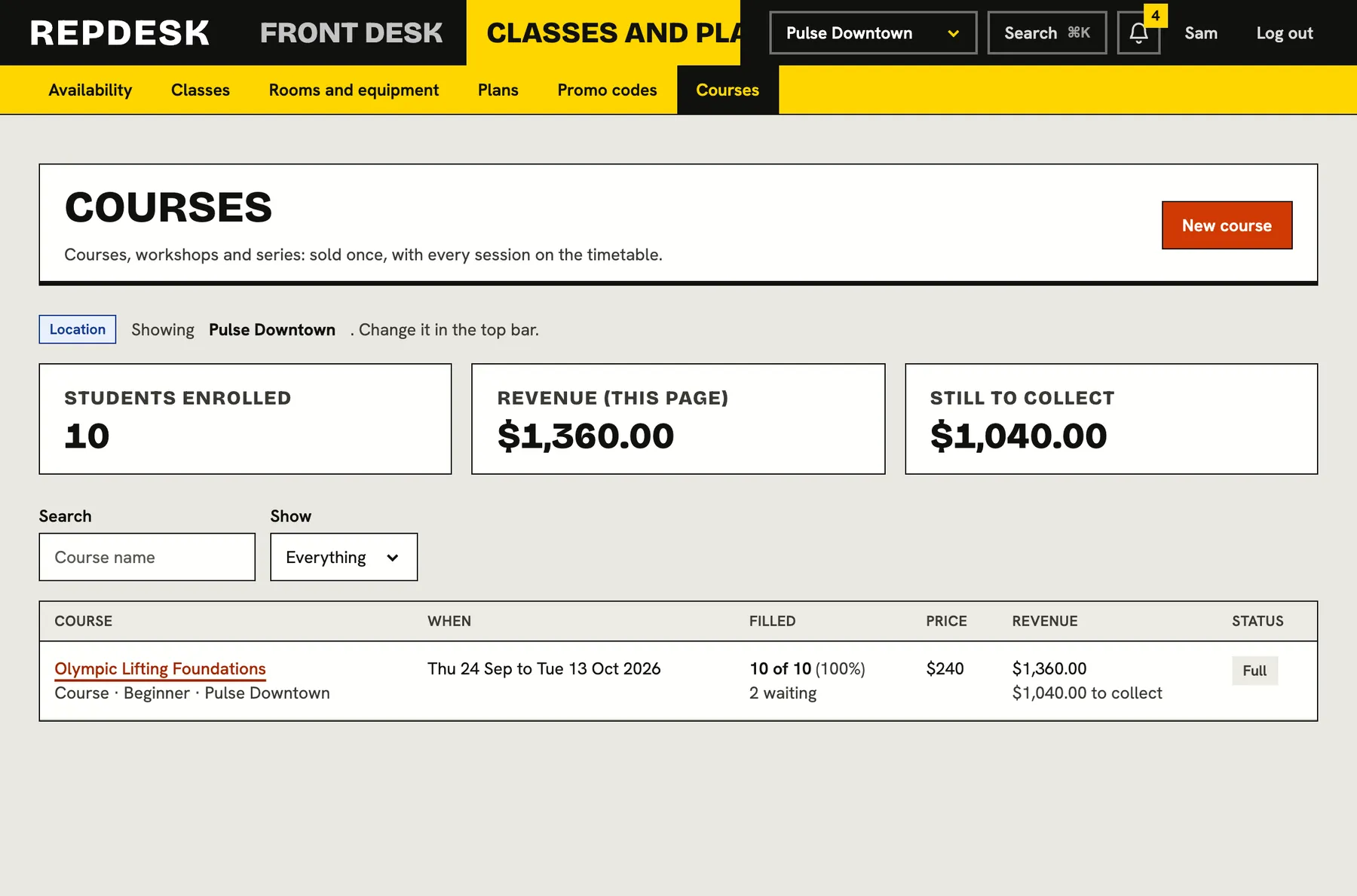
Set the dates, capacity, level, price and the days enrolment opens and closes. Students enrol online, pay in full or by instalments, and wait if it is full.
- Early-bird price until a date you choose
- Instalments with automatic follow-up
- Attendance for every session
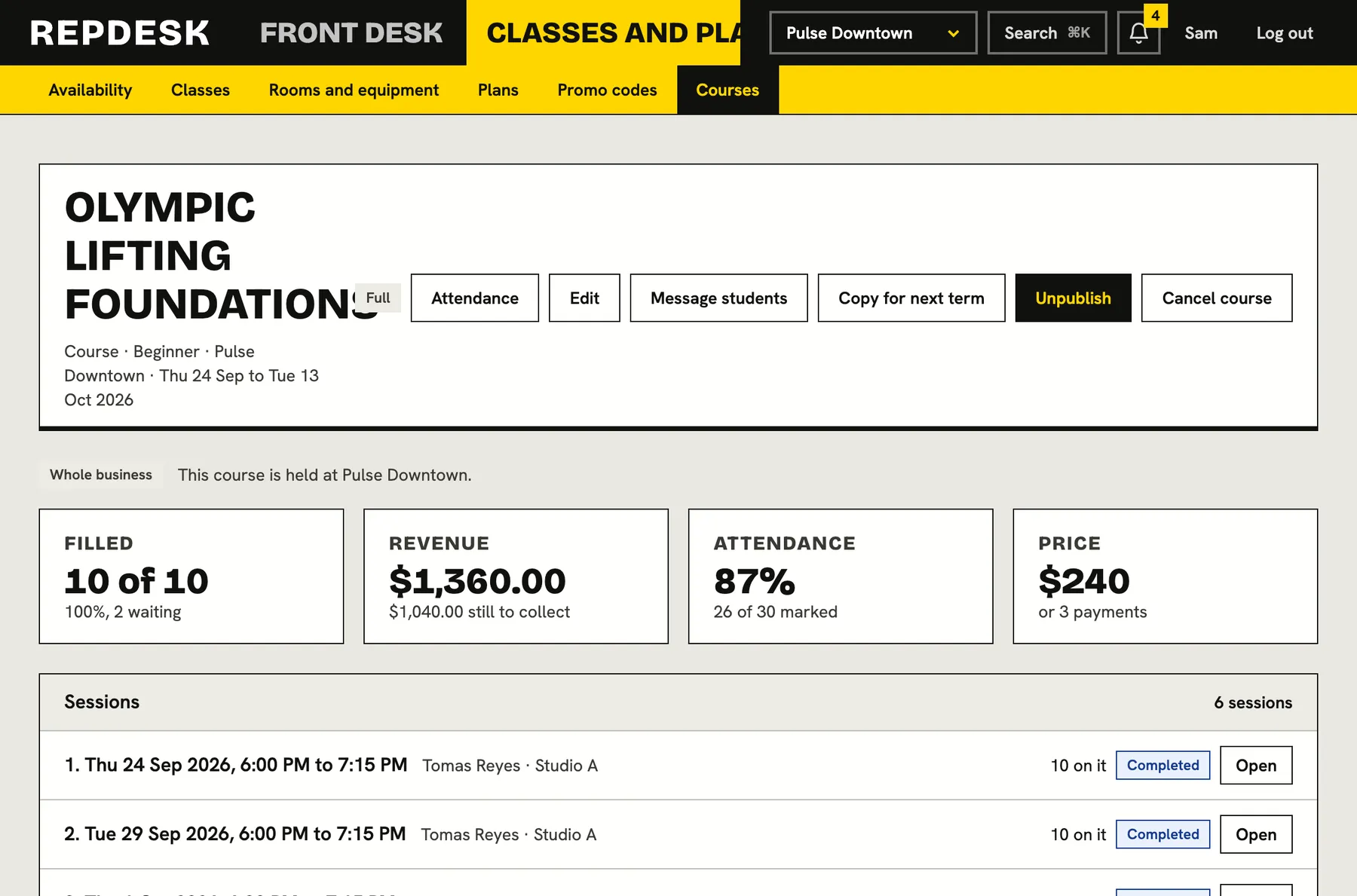
Rosters that run themselves
See who is enrolled, who is waiting and who attended each session. Teachers get a roster, not a spreadsheet.
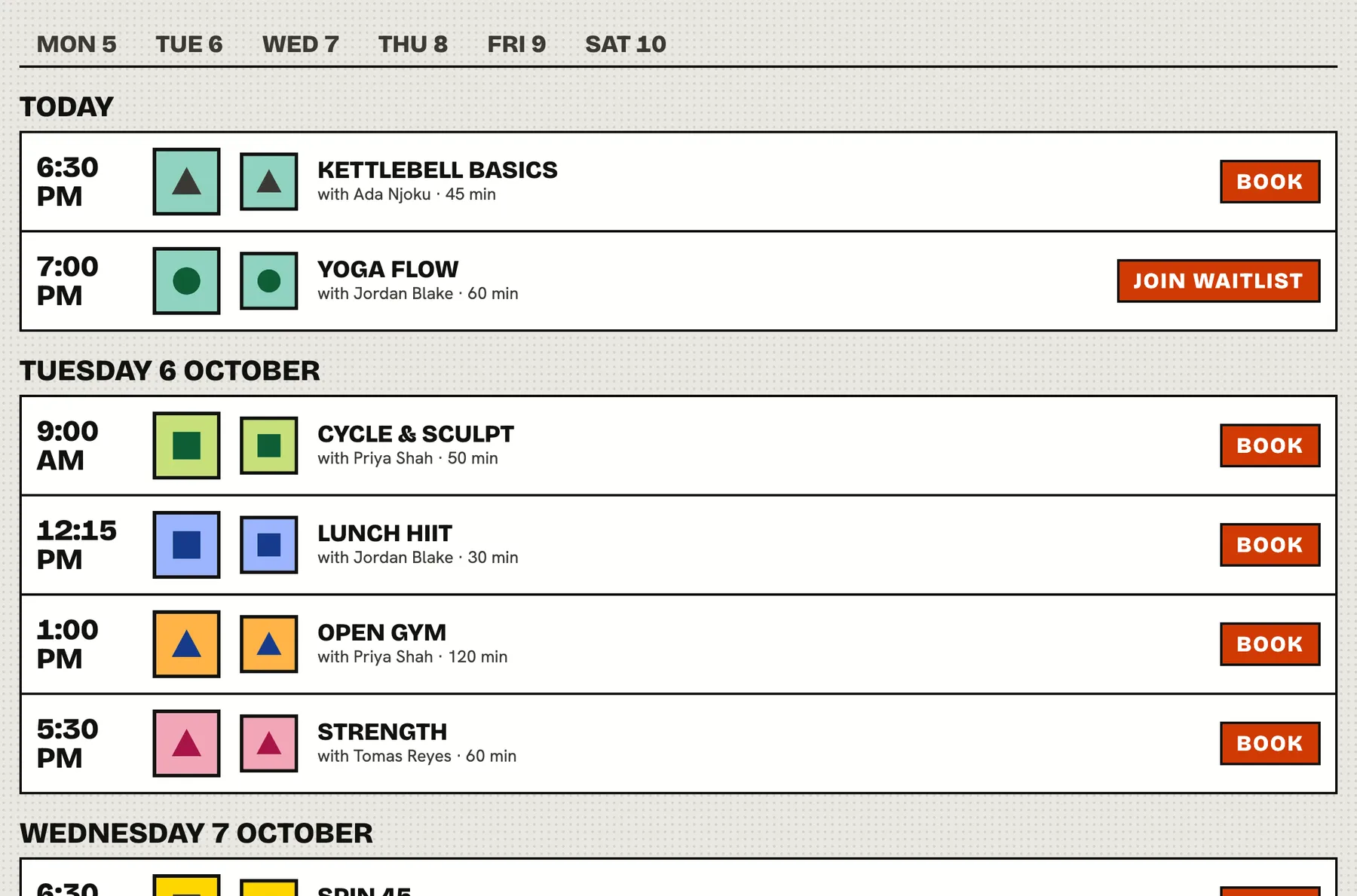
Your timetable on your own site
Embed the schedule and enrolment on your website, or send families to your studio page, so they can book without calling.
Questions
Do you handle recital planning?
No. We cover classes, enrolment, payments and communication. Plan the show with the tools you use today.
Can families pay a term in instalments?
Yes. A course can be split into instalments, and failed payments are chased automatically.
Can one parent manage several children?
A plan can be shared, so a parent can hold a membership and add a child to it. Everything is billed in one place.
How do waitlists work?
When a course or class is full, people join the waitlist. When a place opens, the next person is offered it and notified.
Can we switch mid-year?
Yes. Import your members and schedule from a spreadsheet and set up your terms at your own pace.