Know how members feel before they cancel
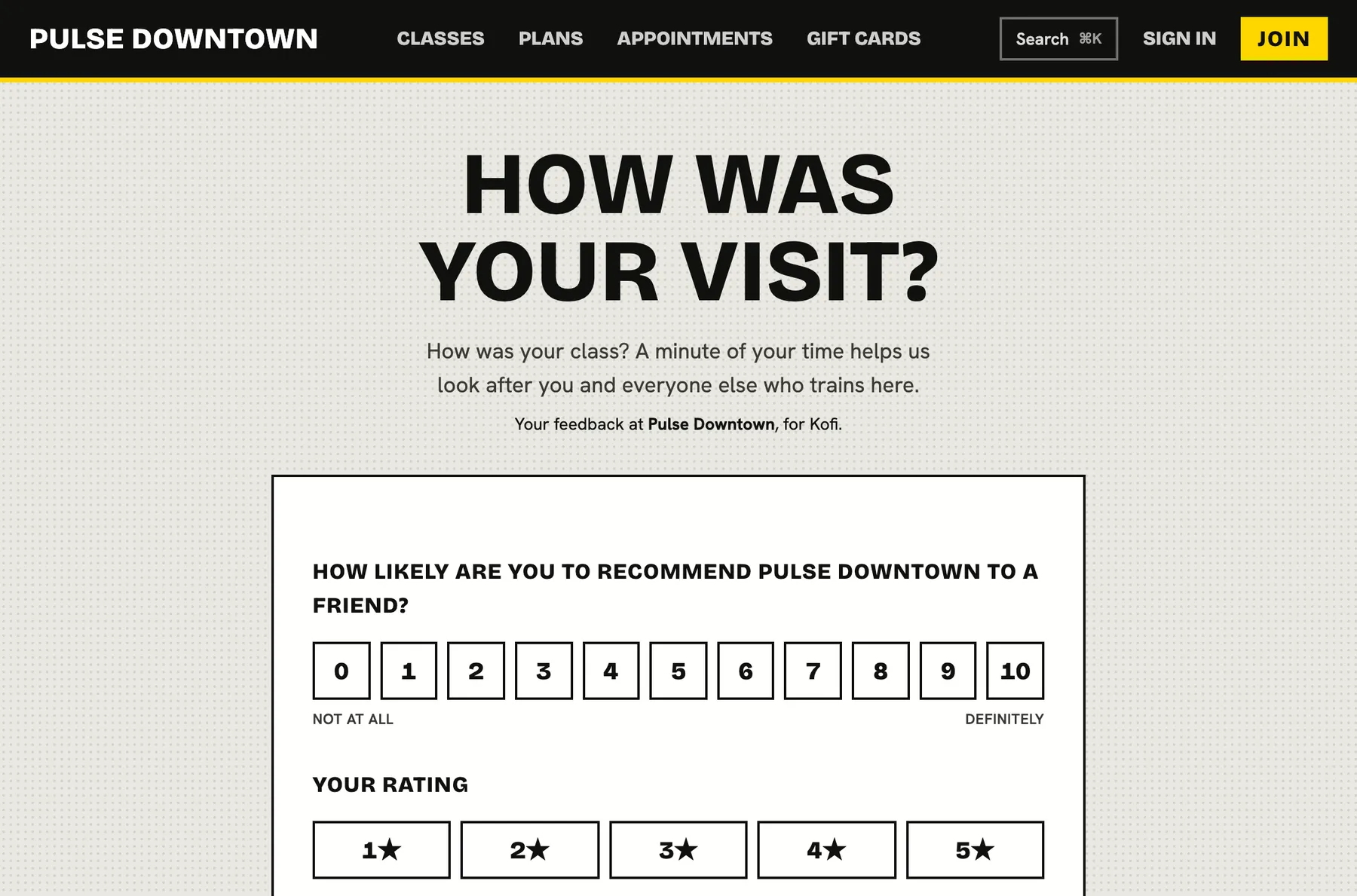
After a class, an appointment or a milestone, members are asked how it went in one tap. Happy members are invited to be shown on your studio page, and unhappy ones reach your team the same day.
Unhappy members rarely complain. They just stop coming.
Asked at the right moment
Choose what triggers the question and how long after. Members get a one-time link by email, or an in-app and push notification if they have an account.
- After a class they attended, an appointment, a check-in, or 30 days after joining
- A delay in hours, and a minimum gap so nobody is asked too often
- Your own wording, and topics members can tag
- Per location, or all of them
An inbox for what members say
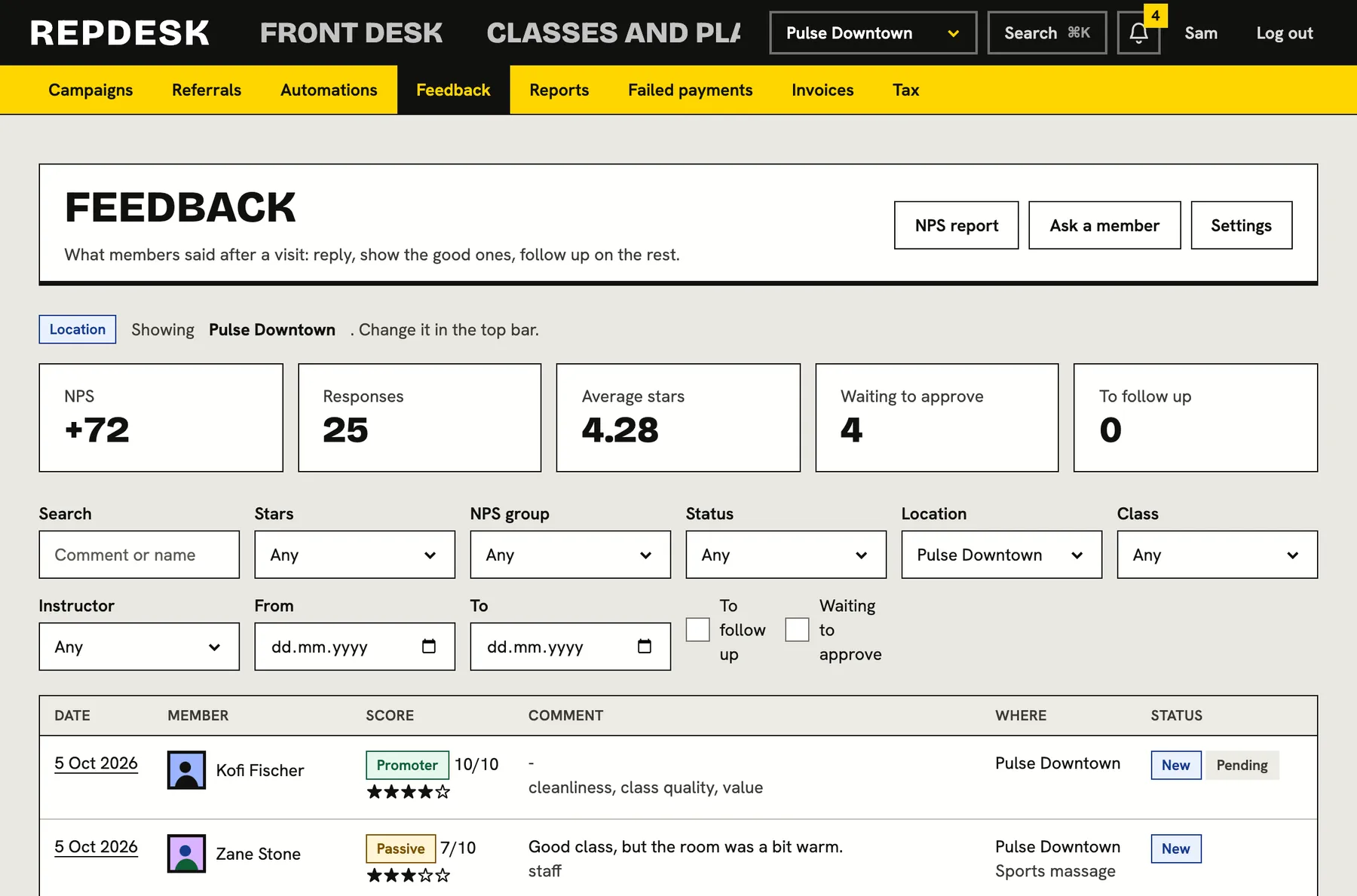
Every answer carries a score from 0 to 10, a star rating, a comment and the visit it was about. Reply to the member by email, and track each one from new to replied to resolved.
- Replies can be private or public
- Filter by score, status or location
- Waiting to approve and to follow up lists
Reviews on your studio page
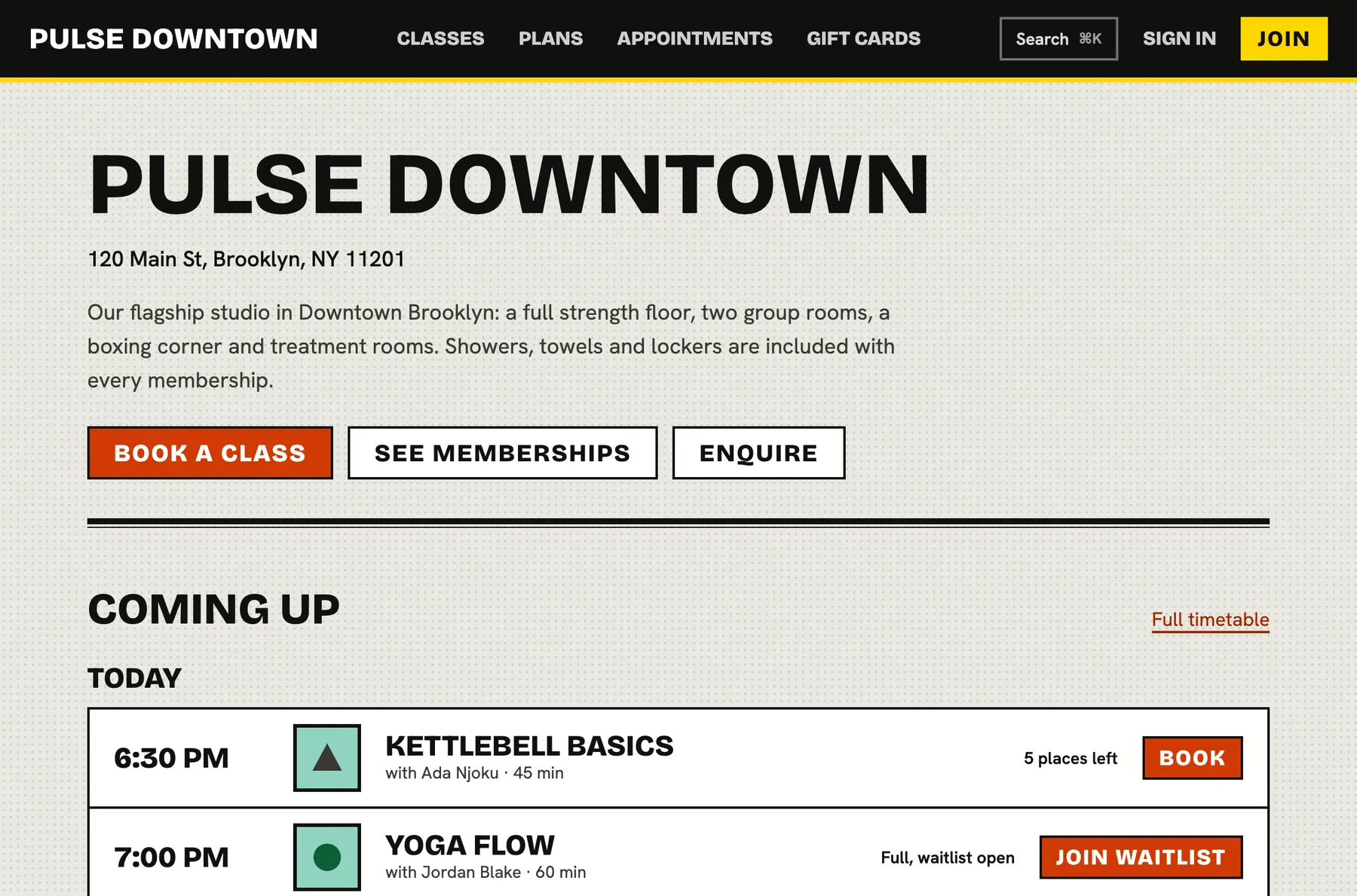
Members who agree can have their review shown publicly, once your team approves it. Approved reviews appear on your studio page with an average rating and add search friendly rating data, and happy members are pointed to a review link of your choosing.
- Nothing is public without the member's consent and your approval
- Reply under a review in your own name
- No reviews yet means no empty rating shown
An NPS report you can use
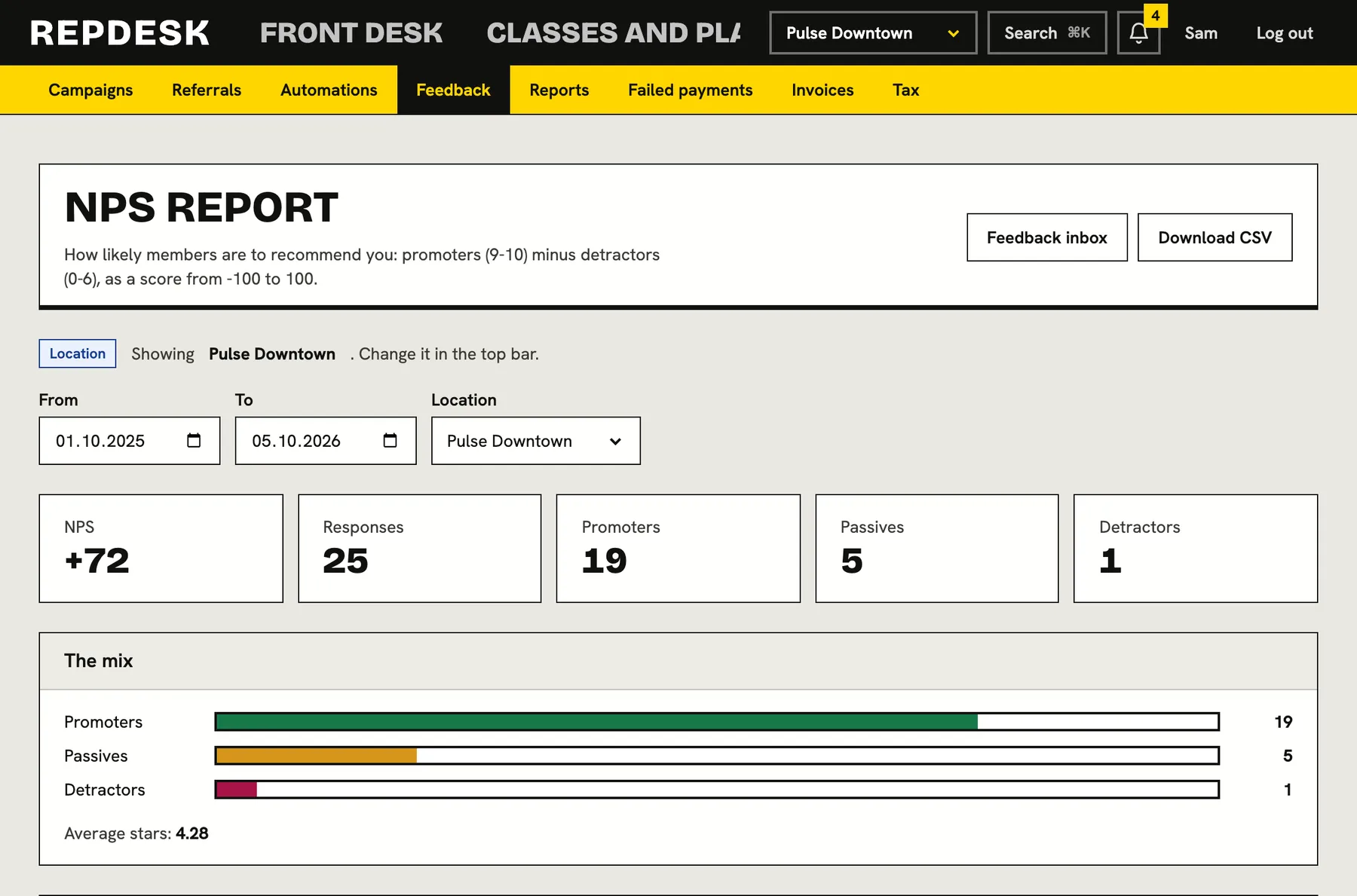
See your score by location, split into promoters, passives and detractors, with a month by month trend and the topics members tag most.
- Average stars and the mix of scores
- Compare locations side by side
- Export for your own records
When someone scores low
-
After the visit
They answer
A low score is flagged as needing follow-up.
-
Immediately
Your team is alerted
A notification goes to staff, and an automation can add a call task.
-
Next day
Someone reaches out
The reply and what you did are noted on the feedback.
-
Resolved
Mark it done
The follow-up list clears.
Works together with
Questions
Can members leave anonymous feedback?
Feedback is tied to the member and the visit so you can follow up. Publishing it on your studio page needs their consent.
Can I stop bad reviews appearing?
Public reviews are only shown after your team approves them. You can approve, hide or reply, but you cannot rewrite what a member wrote.
Will members get surveyed constantly?
No. You set a minimum number of days between asks, and links expire after the number of days you choose.
Can I follow up automatically on low scores?
Yes. A detractor leaving feedback is an automation trigger, and there is a ready made template.
Does it work for multiple locations?
Yes. Settings and reports can be limited to certain locations.