Let clients book a one-to-one without a single message to you
Set when each instructor or practitioner is available and the system works out the open times, minus everything they already have on. Clients pick a time on their phone and it is booked, with the room held and the payment taken.
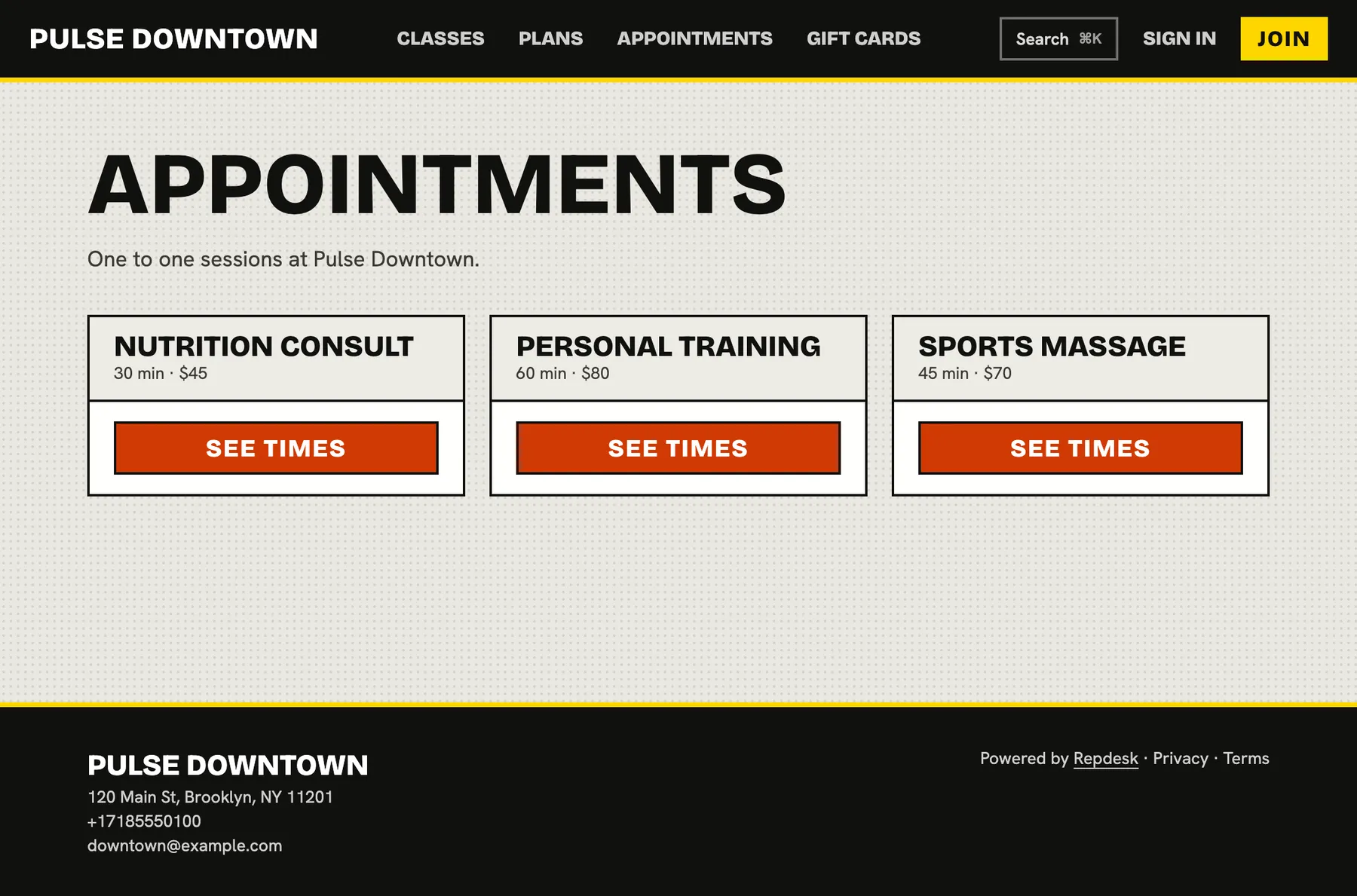
Booking private sessions by text means endless back and forth, a calendar that is always slightly wrong and the odd double booking.
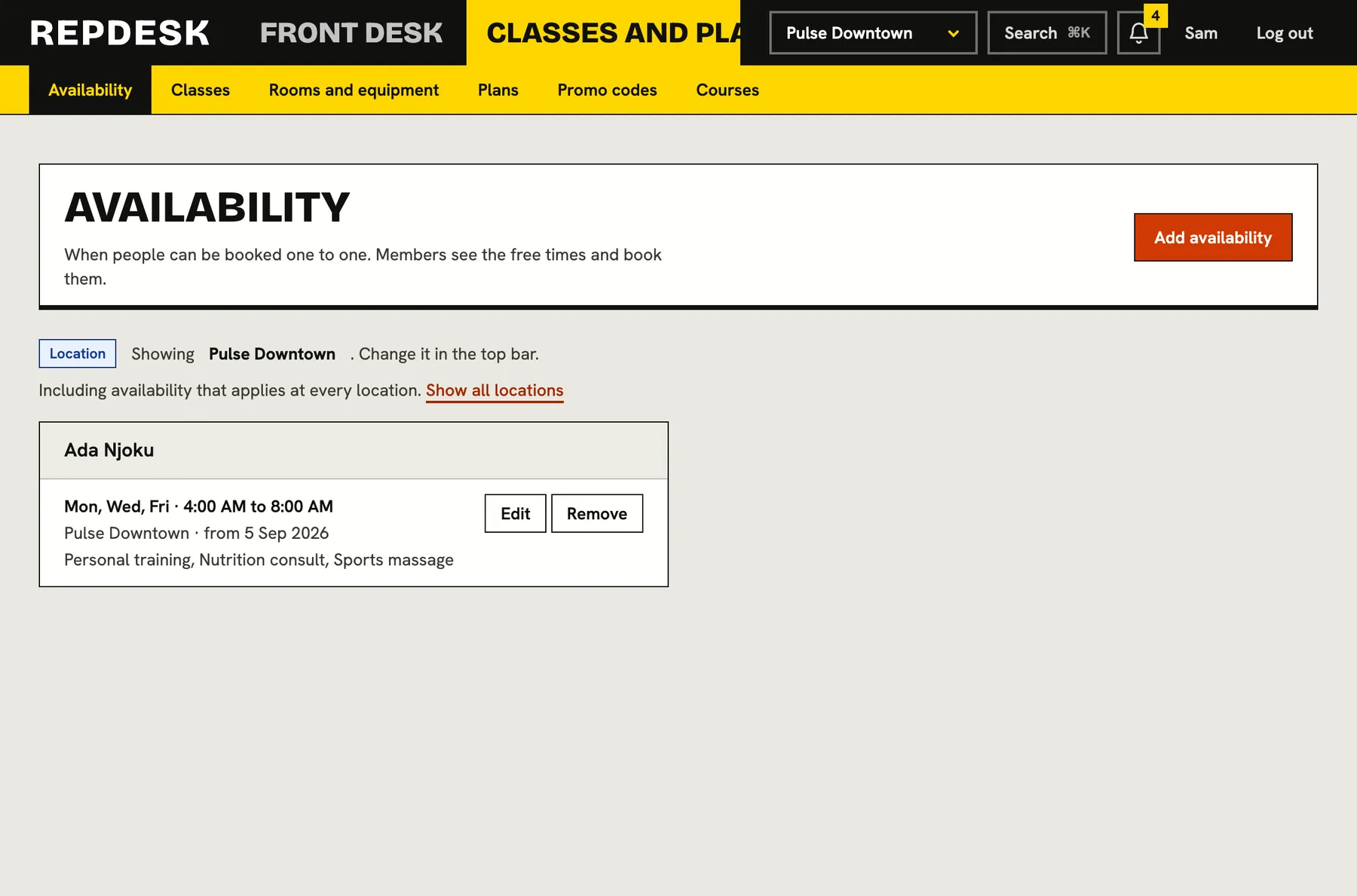
Availability you set once
Give each instructor or practitioner their availability windows: the days, the hours, a start date and an optional end date. Pause a window for a holiday and resume it later. A window can cover every appointment type or only the ones you choose.
- Windows by weekday, with start and end times
- Pause and resume without deleting anything
- Limit a window to chosen appointment types
- Only people who work for your business can be given a window
Open times worked out live
The bookable times are calculated at the moment someone looks, not stored in advance. They take the availability window, remove the classes the instructor teaches and the appointments already booked, keep the gap you want after each one, and respect how far ahead and how late the appointment can be booked.
- Start times on the quarter hour, wherever nothing is in the way
- A buffer after each appointment for resetting or notes
- A change to a window or a booking shows up at once
- Two people asking for the same time at once are taken one at a time, so the second sees it gone
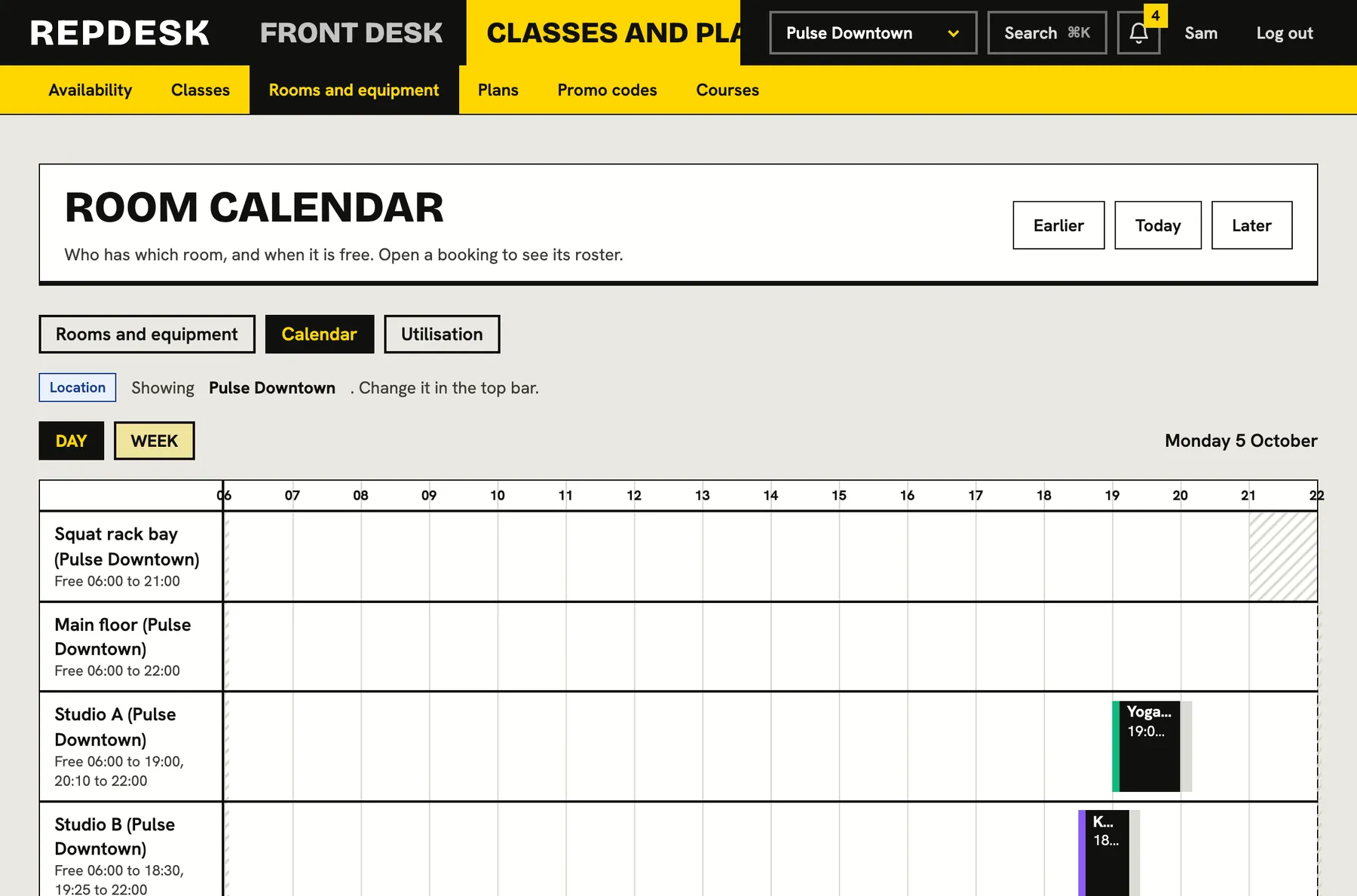
The room is held for you
An appointment can need a kind of room or equipment, such as a treatment bed. The system only offers times when one is free, takes the first free one or the one the client asked for, and holds it together with the booking. The booking and the room are made together or not at all.
- Appointments are one person at a time by design
- Rooms with their own opening hours and changeover gaps are respected
- If more than one room is free, the first is taken unless a specific one was asked for
Same rules, same money, same record
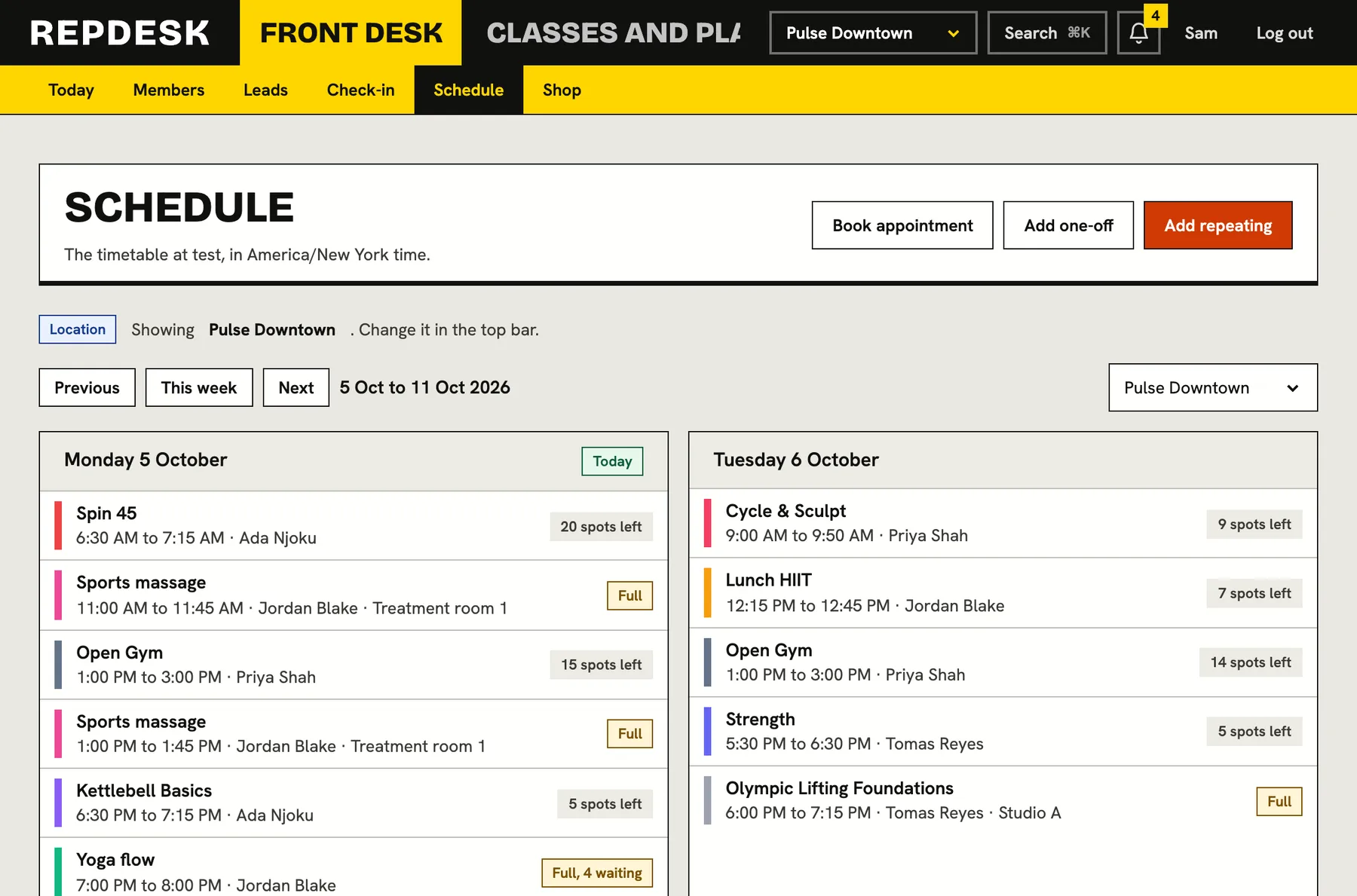
An appointment follows the same cancellation cut-off, late-cancel fee and no-show fee as a class. It can use a membership visit or be paid for as a single session from the card on file, and it appears on the member's record next to everything else they do.
- Front desk can book an appointment for a client from the schedule
- A single appointment can be priced separately for people without a membership
- Cancelling in good time returns the visit or refunds the payment
What happens when a client books
-
Step 1
They pick a service and a time
Only times that are really open are shown, for the instructor and location they chose.
-
Step 2
The checks run again
The time is confirmed against the live calendar so a stale page can never book a time that has gone.
-
Step 3
Room and person are held
A one-person slot is created, the room is reserved and the client is booked in with the usual rules.
-
Step 4
Payment is settled
A membership visit is used, or the card on file is charged for a single session. If payment fails, nothing is booked.
Works together with
Questions
Can an instructor see only their own diary?
Instructors see the schedule and the rosters for their sessions. What each role can see and change is set by the role and by the locations a person is limited to.
What if a client needs a card and has none saved?
They are asked to add one before the appointment is booked. Nothing is booked unless the payment goes through.
Can I take bookings by phone?
Yes. The front desk can book an appointment from the schedule, choosing the instructor, the time and how it was paid.
Can appointments run at more than one location?
Yes. Open times can be found per location, and a room belongs to a single location.