Never double book a room again
Every room, court, sauna, treatment bed and piece of equipment becomes something the schedule understands. Two bookings cannot take the same one at the same time, and the system tells you exactly why when they clash.
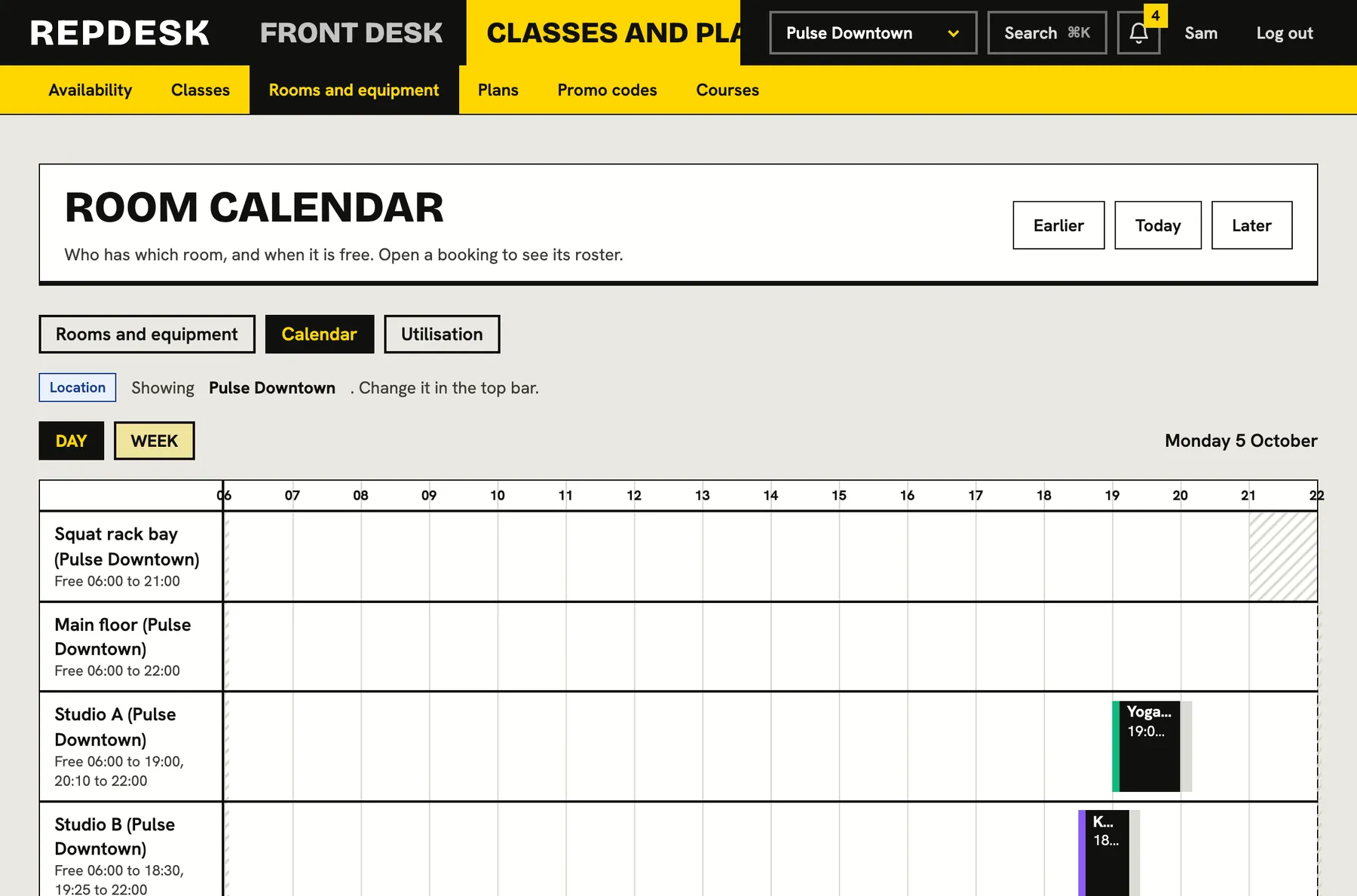
Two classes in one studio, a treatment room booked twice, a changeover that nobody allowed for: the first you hear of it is a room full of confused people.
Describe each space once
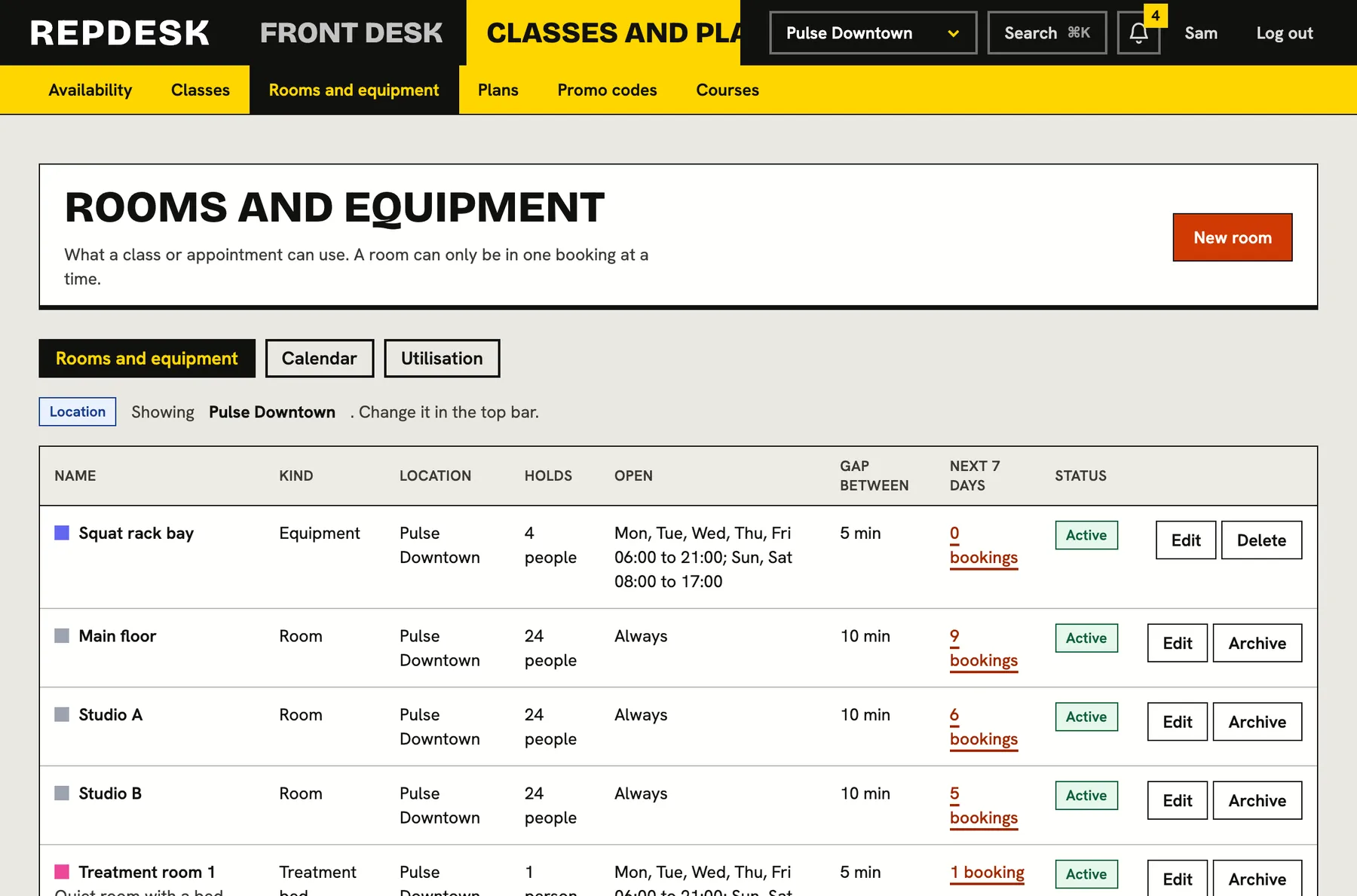
Add a room, equipment, a court, a sauna, a treatment bed or anything else people book. Each belongs to one location and can have its own capacity, its own opening hours and a gap before and after each booking for cleaning or changeover.
- Six kinds: room, equipment, court, sauna, treatment bed and other
- A capacity, so a class cannot quietly be bigger than the room
- Opening hours by day, for spaces that are not always available
- Rename a room and every upcoming booking shows the new name
Clashes caught before anyone arrives
Each booking takes its own time plus the room's gap before and after. Two bookings conflict when those spans overlap, so with a ten minute gap on each side there must be twenty minutes between two classes. A booking outside the room's opening hours is refused.
- Classes and appointments are checked against the same room
- The clash tells you which booking has the room and when
- Archived rooms can no longer be booked, and their history stays
- A room that has ever been used is archived rather than deleted
Repeating classes that tell you what did not fit
When a repeating class meets a room that is busy or closed on some date, that date is left off the timetable instead of creating a clash. A clashes page lists each date and the reason, so you can move those sessions to another room or time as one-offs.
- Nothing is silently double booked
- Each skipped date comes with its reason
- Start a one-off from the clash with its details filled in
See which spaces earn their keep
A utilisation report shows, week by week, how much of each space's open time is booked. Cancelled sessions do not count. Use it to decide where to add classes, which room to retire and when to fill the quiet hours.
- Weekly percentages per room or piece of equipment
- Based on opening hours, or 06:00 to 22:00 when none are set
- Export the figures to a spreadsheet
What happens when you book a room
-
Step 1
The room is chosen
Pick it on the class or the repeating rule, or let an appointment take the first free one of the kind it needs.
-
Step 2
Time and gaps are checked
The system looks at everything else in that room, including the changeover gaps on either side.
-
Step 3
Opening hours are checked
A room that is closed at that time is not offered.
-
Step 4
It is held, or you are told why not
Free means booked. Busy means a plain sentence naming the booking that is in the way.
Works together with
Questions
What if my class is bigger than the room?
It is allowed, since you may know better, but you are warned when you save so it is a choice rather than an accident.
Can the same room be used at two locations?
No. A room belongs to one location. If you have two studios, each has its own rooms.
Do appointments use rooms too?
Yes. An appointment can require a kind of room or equipment, and it is only offered when one of that kind is free.
Can I delete a room?
A room that has never been booked can be deleted. Otherwise it is archived, so past bookings keep pointing at something real.