Run the box. Let the software run the business.
A box has a tight schedule, capped classes, open gym hours and a coaching team to pay. Booking, memberships, check-in and payments run themselves, so coaches coach and the owner stops living in spreadsheets.

What gets in the way
- Classes cap out, members want in
- Each class has a capacity and a waitlist. When someone cancels, the next in line is booked and told, and the coach sees a full roster.
- Open gym and classes on one floor
- Open gym windows sit beside coached classes. Members with the right plan can come, and everyone checks in the same way.
- Coaches and pay
- Coaches have their own logins and permissions. Payroll shows what each is owed from the classes they run.
- The monthly drop-off
- Failed payments and quiet members are the slow leak. Retries, reminders and win-back messages run on their own.
What you run on it
- Scheduling Coached classes with capacity and waitlist, plus recurring weekly timetables.
- Memberships and plans Unlimited, limited and drop-in plans, with an intro offer to start new athletes.
- Check-in A kiosk tablet at the door and QR check-in so the whiteboard is not the system of record.
- Payment recovery Monthly dues that fail are chased automatically until paid.
- Team and permissions Coaches see their classes and rosters, not your financials.
- Payroll See what each coach is owed from the classes they have led.
- Waivers and forms Liability waivers signed on a phone, stored, and re-requested when they lapse.
- Point of sale Sell shirts, supplements and drop-ins at the till and tie them to the athlete.
- Automations Nudge athletes who have missed a week before they drift away.
A day at the box
-
05:45
First class
The 6:00 is full. Athletes check in on the kiosk and the coach sees the roster.
-
06:50
A cancel
Someone drops out and the waitlist fills the spot with a message to the next athlete.
-
10:00
Open gym
Athletes with open gym on their plan come and go. Check-in records every visit.
-
12:30
A new face
A drop-in signs the waiver, pays and books, all on their phone before they arrive.
-
17:00
Rush
Back-to-back classes. A card that failed overnight is retried and the athlete has already updated it.
-
21:00
Coach check
Classes led today are counted, ready for payroll at the end of the period.
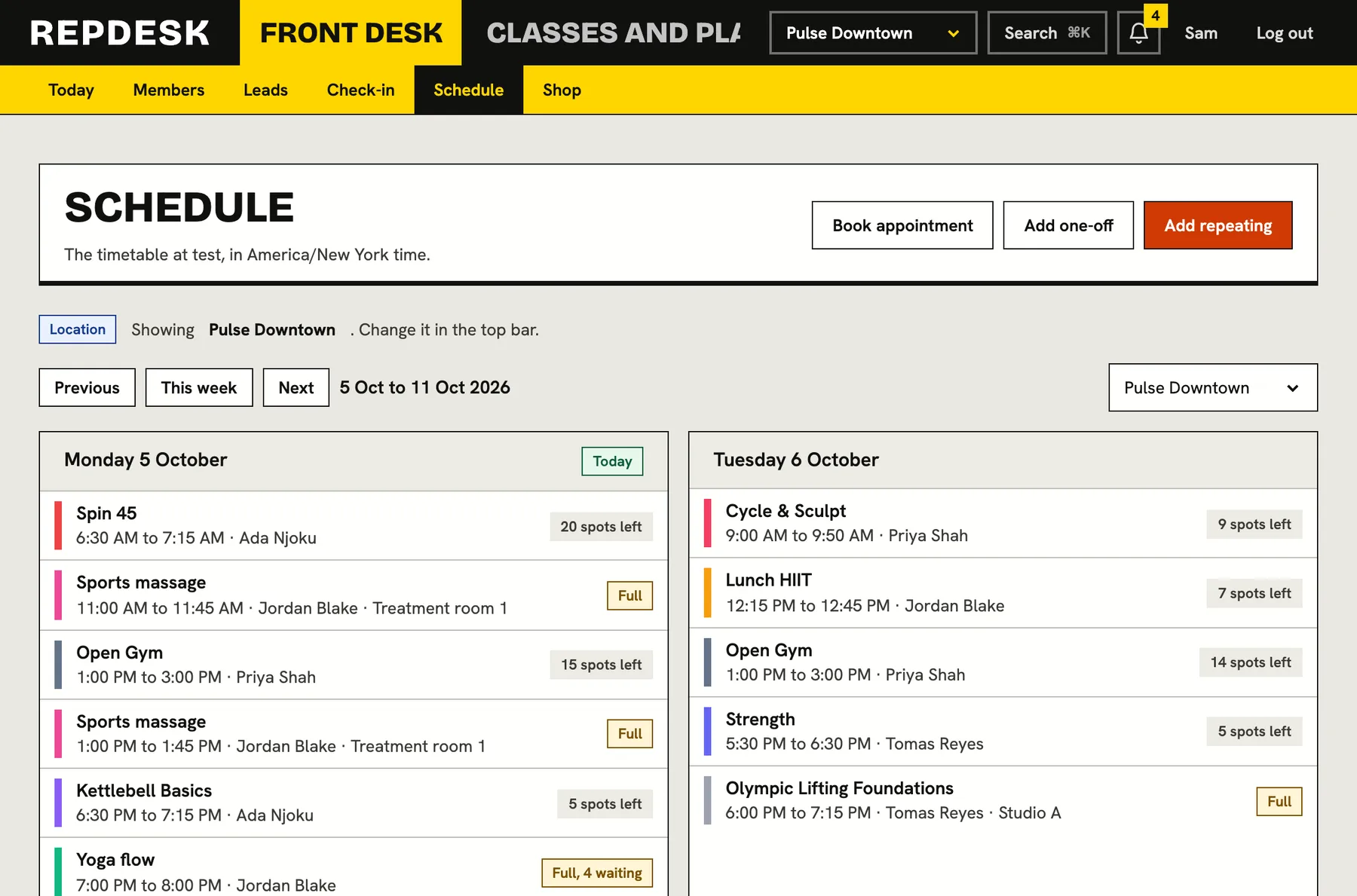
A timetable with real capacity
Set class size, coach and times. Members see what is open and join the waitlist when it is not.
- Recurring classes and open gym windows
- Capacity and waitlist
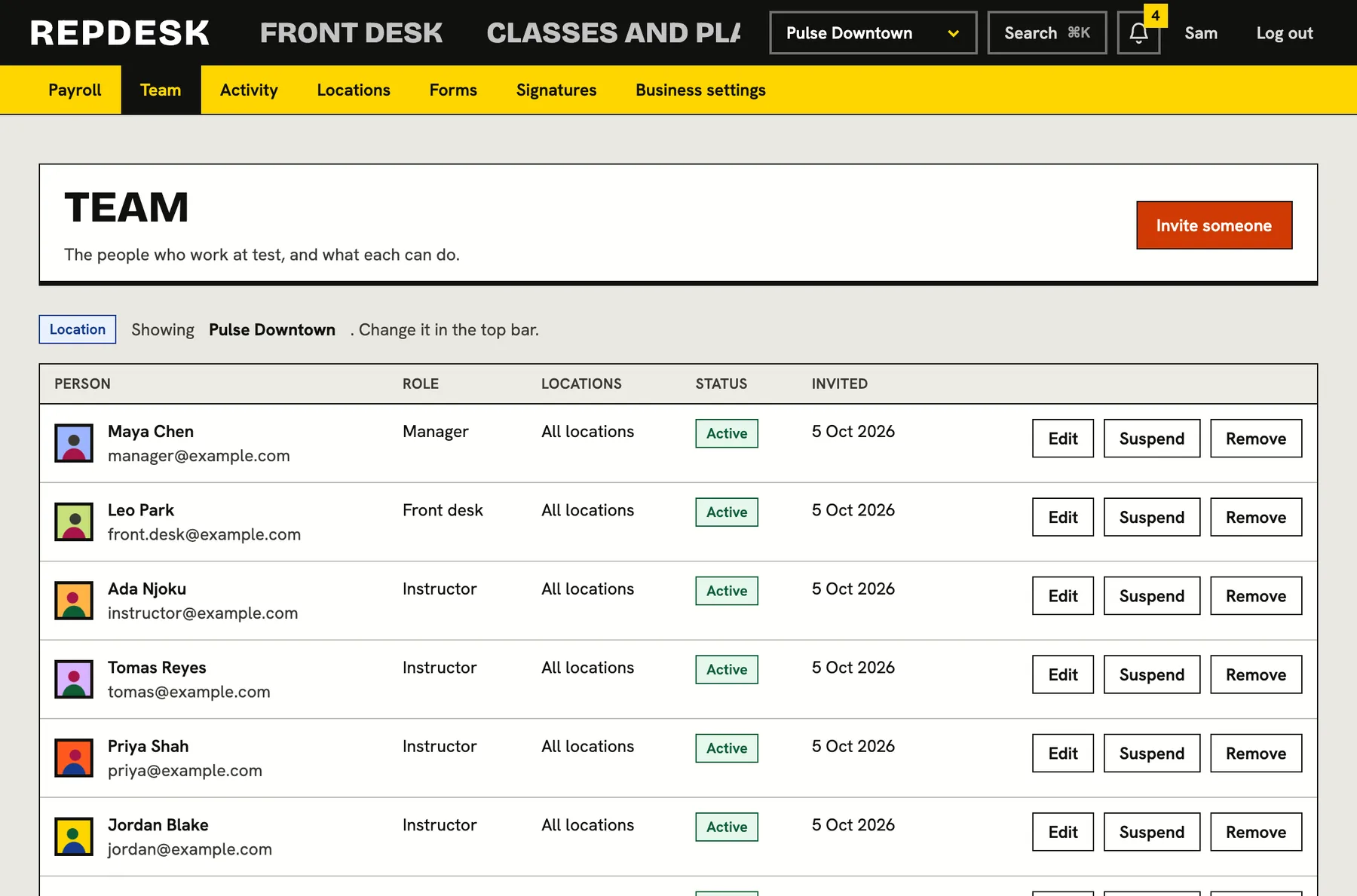
A coaching team with the right access
Give coaches their own accounts and decide what each can see and do, from rosters to billing.
- Roles and permissions
- Activity log of what changed
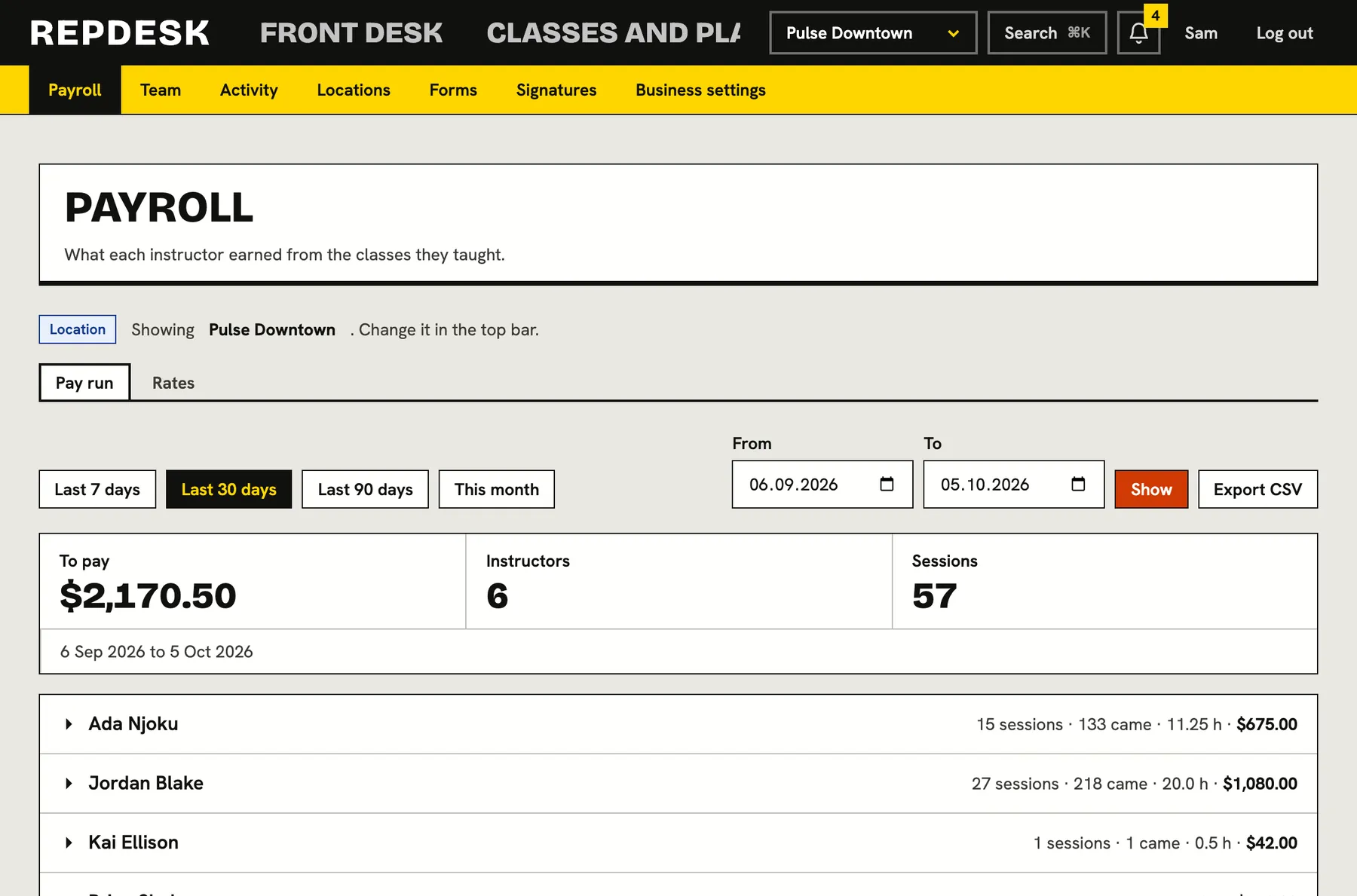
Pay your coaches from the record
Payroll draws on the classes taught, so you are not rebuilding the month from memory.
- Per-coach totals
- Ready at period end
Questions
Can I run open gym alongside classes?
Yes. Open gym sits on the timetable and check-in records every visit, so you can see how busy it gets.
Do you support coach payroll?
Yes. Payroll shows what each coach is owed from the classes they have led.
Can athletes sign waivers on their phone?
Yes. Waivers are signed on any device and stored with the athlete, and can be set to expire and be re-signed.
How are failed payments handled?
Automatically. Retries and reminders run on your schedule, and you decide what happens at the end.
Can I switch from my current system?
Yes. We help you bring athletes, plans and the timetable across so billing carries on.