The follow-up that never forgets
Pick what should start it, add the steps, and the product keeps the conversation going with every lead and member without anyone remembering to. Welcome them, nudge them when they drift, bring them back when they leave and alert your team when someone needs a human.
The messages that keep members are the ones nobody has time to send.
Start from a moment that matters
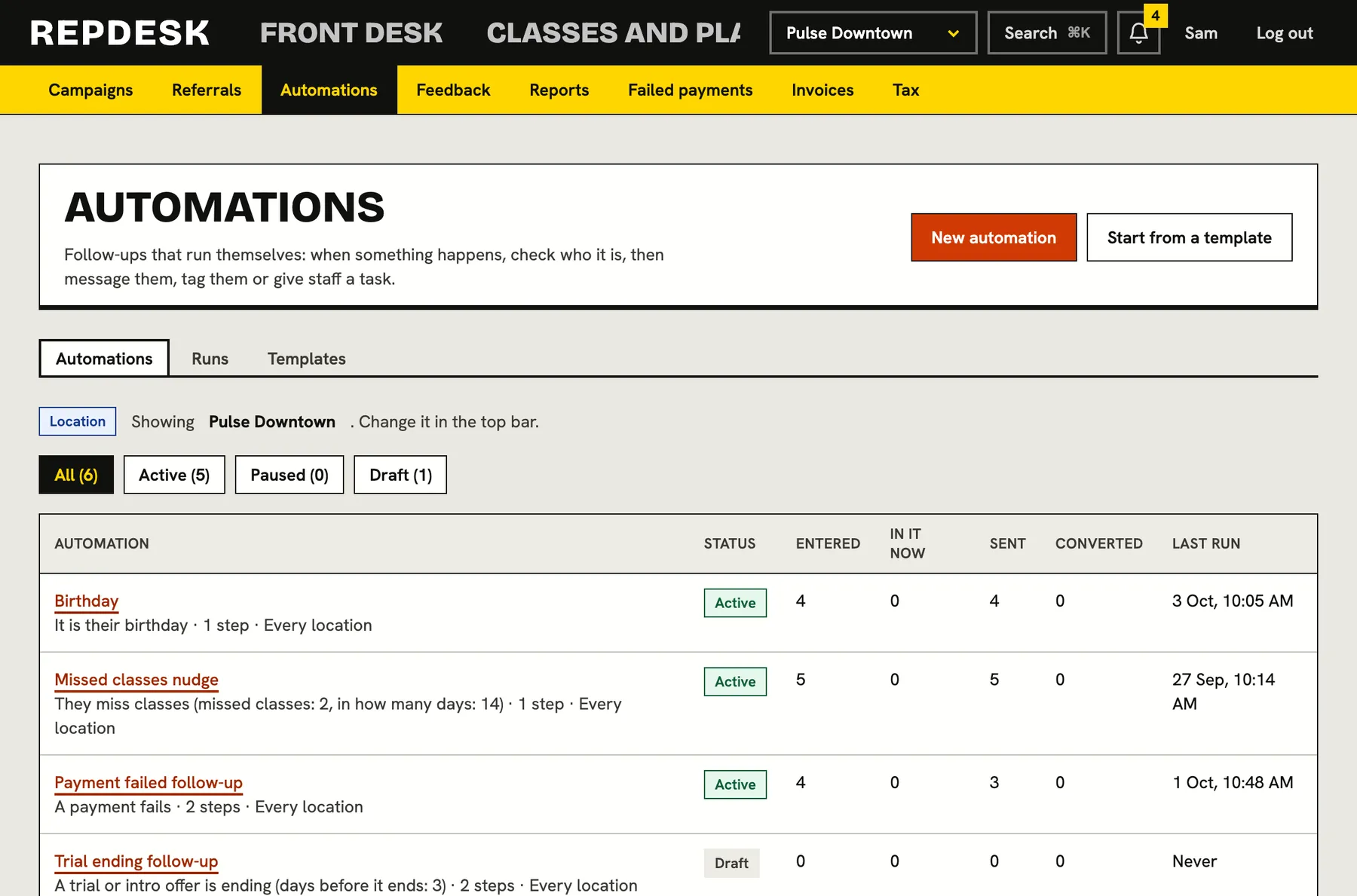
Automations start from things that really happen in your studio. Some fire the instant it happens, others check each day and find the people who qualify.
- People: someone joins, a birthday, a membership anniversary
- Visits: first visit, missed classes, no visit in a while, a booking, a cancellation or a no-show
- Memberships: started, ending soon, ended, frozen, past due, a trial ending, a payment failed
- Leads, forms, referrals, feedback and shop: a new lead, a quiet lead, an unsigned form, a low score, a gift card bought
Steps that do the work
Chain steps in order with waits in between. Message by email, text or push, tag or untag the member, create a follow-up task, notify your team, add account credit, move their lead to another stage, or freeze and unfreeze a membership.
- Add conditions: holds a plan, has a tag, visits in the last days, has spent over an amount, signed a form
- Stop automatically when they book, check in, join or sign
- Personalise with first name, last name and your business name
Good manners built in
Texts and push wait out quiet hours instead of waking anyone. A frequency cap limits how many messages one person can get in a week, and people only enter an automation once unless you allow a repeat.
- Respects unsubscribes and marketing consent
- Messages go out at a sensible hour in your studio's time
- Limit how often one person is contacted
Try it before you trust it
Run a dry run on any member to see whether they would enter, which conditions they pass, and what each step would do and when. Nothing is sent. Once live, every run and step is logged.
- Start from ready made templates: welcome series, win-back, trial follow-up, birthday, missed classes, payment failed, detractor follow-up, post-visit thank you
- Pause or switch off at any time
- A run log of every step taken
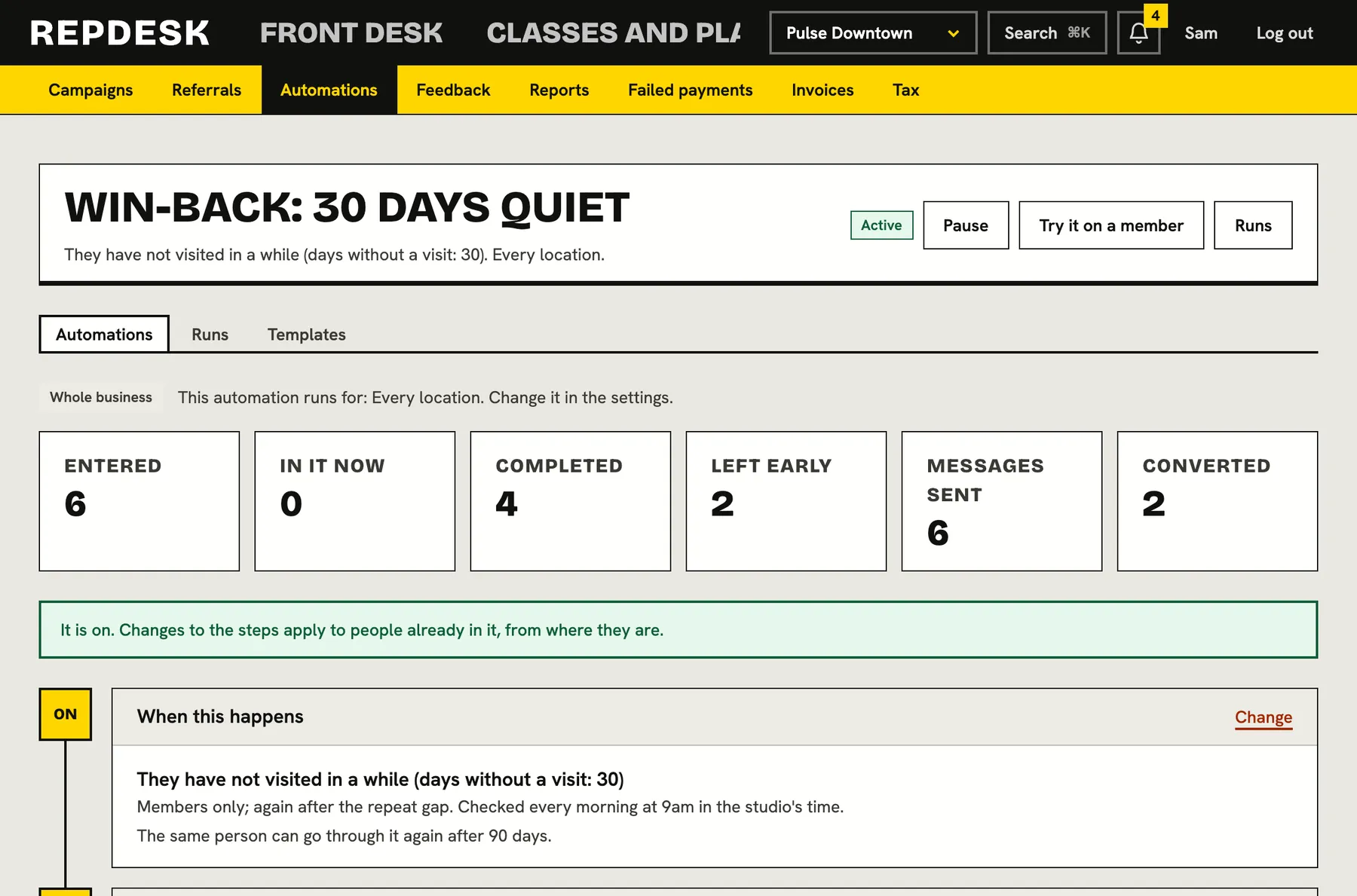
A win-back in action
-
Day 30
They have not visited
The automation finds a member with no visit for a month.
-
Same day
A friendly email
We miss you, written in your voice, sent in the morning.
-
5 days later
A task for your team
If they have not come back, a call is added for the front desk.
-
Any time
It stops itself
The moment they book or check in, the automation ends.
Works together with
Questions
Do I need a developer?
No. You choose a trigger, add conditions and steps from lists, and use a template if you want a head start.
Can I test one before it goes live?
Yes. The dry run shows exactly what would happen for a chosen member, including quiet hours, without sending anything.
Will members get flooded?
No. A frequency cap, quiet hours for texts and push, a repeat gap and stop conditions keep it considerate.
Can it work at certain locations only?
Yes. An automation can cover every location or only the ones you list.
Can I see what it did?
Yes. Every run and step is logged and changes to automations are in the activity log.