Say the right thing to the right members
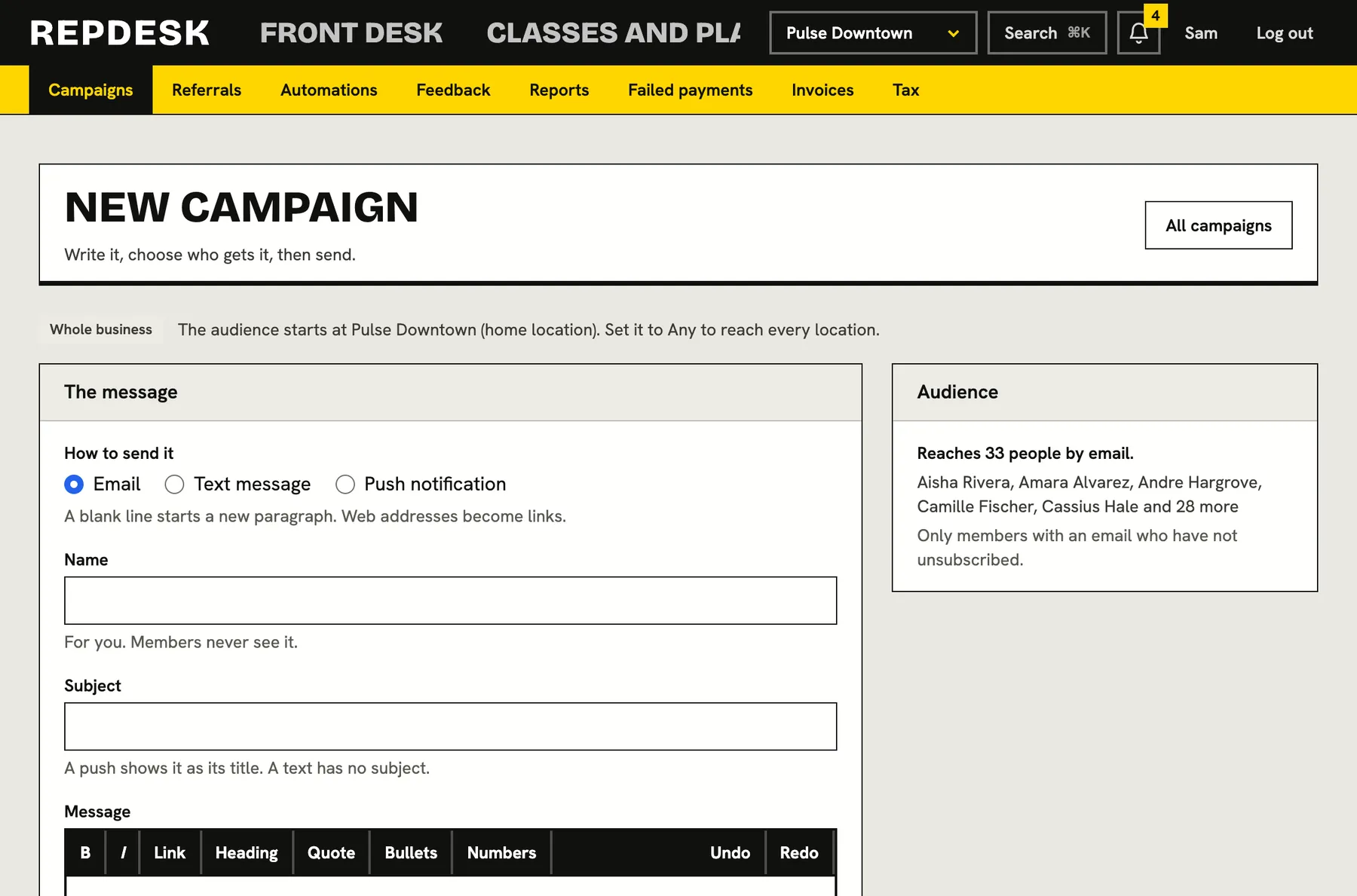
Choose who should hear from you, write the message once and send it by email, text or push, now or at a time you pick. You see who it reached and nobody who opted out is ever contacted.
Blasting everyone gets you unsubscribes. Messaging nobody gets you empty classes.
Build an audience from what you know
Segments are built from your real member data, and the audience size updates as you choose. Nothing chosen means everyone who can be reached and has not opted out. Each rule narrows it.
- Member status, tags and which plan they hold
- Memberships that are past due, frozen or none
- No visit for a number of days, or joined within a number of days
- Birthday month and home location
One message, three channels
Write an email with a subject, a short text message or a push notification. Add each person's first name, last name and your business name so it reads as personal.
- Texts and push are kept short so they fit
- Every email carries an unsubscribe link
- Send yourself a test before it goes out
- Web addresses you type become links
Send now or schedule it
The audience is worked out at send time, so a scheduled campaign reaches whoever fits on the day. Unschedule it if plans change, and read exactly who was sent what once it is done.
- Per recipient results, including anyone who did not get it
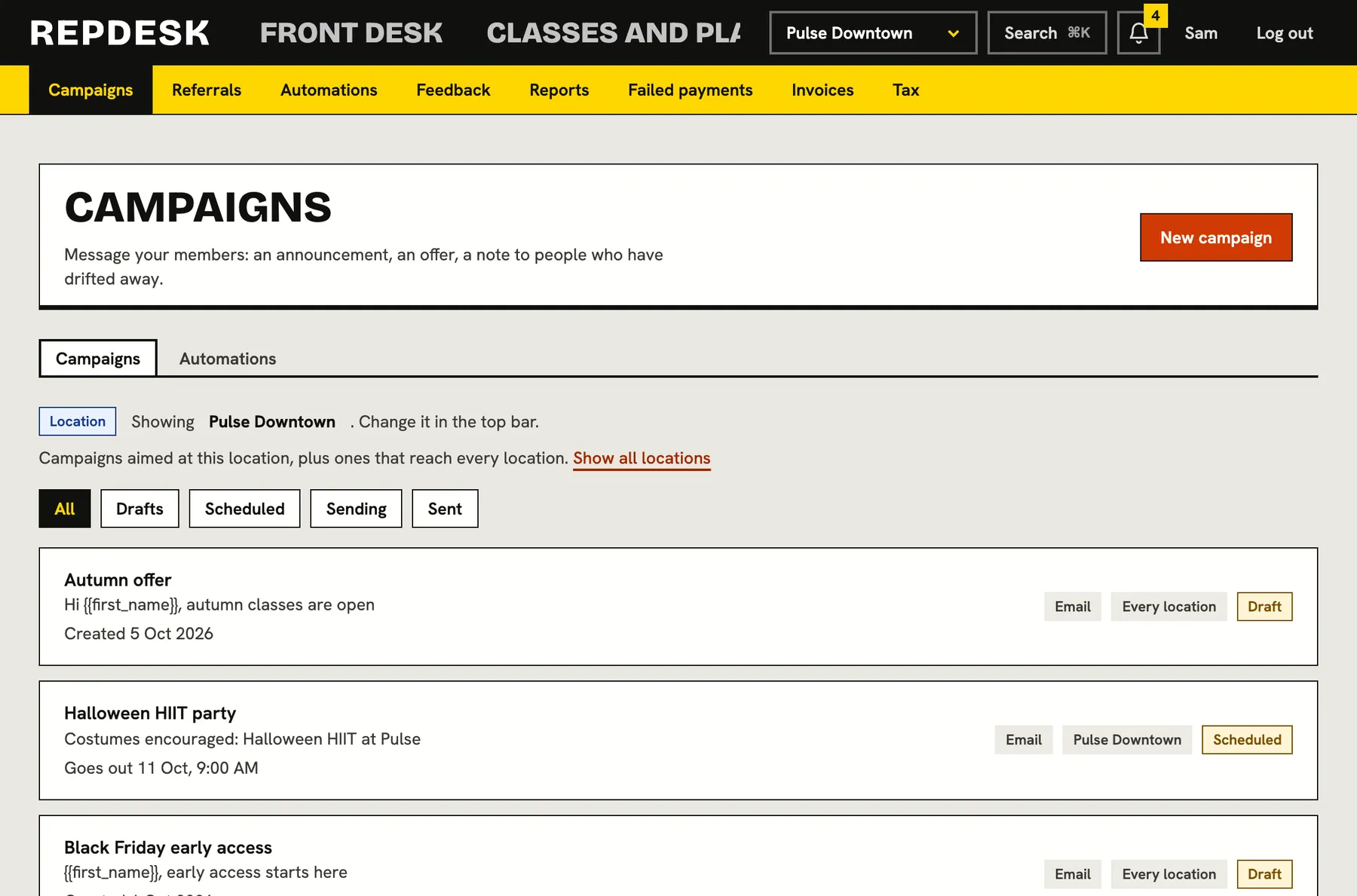
- Sent, scheduled and draft campaigns in one list
- Every send is written to the activity log
Campaigns for one moment, automations for every moment
Use a campaign for the summer timetable or the new plan. Use an automation for the things that should happen every time, like welcoming a new member or inviting back someone who has gone quiet.
- Campaigns are one off and sent by you
- Automations run on their own, all year
- Both respect opt-outs and quiet hours for texts and push
Sending a campaign
-
Step 1
Choose who
Pick the segment and watch the audience count update.
-
Step 2
Write it
Pick the channel, write the message and personalise it.
-
Step 3
Test it
Send a test to yourself and check how it reads.
-
Step 4
Send or schedule
Confirm the audience, then send now or set the time.
Works together with
Questions
Will I message people who unsubscribed?
No. Only members who can be reached on that channel and have not opted out are included, and every email has an unsubscribe link.
Can I schedule a campaign?
Yes. Pick a future time. You can unschedule it before it goes out, and the audience is calculated when it sends.
Can I edit a campaign after sending?
No. Drafts and scheduled campaigns can be changed, but once it starts going out the words are locked so the record is accurate.
Can staff with limited roles send campaigns?
Campaign permissions are set per role. Owners and managers can create and send them.
Can I send to one location only?
Yes. Home location is one of the audience rules.