Software for martial arts schools that keeps the mats full and the fees paid
A martial arts school runs on a busy timetable, a lot of families and a lot of paperwork. Bookings, memberships, waivers and payments run themselves, so instructors teach and parents stop chasing the office.

What gets in the way
- Kids, teens and adults on one timetable
- Little ones at four, teens at five, adults at seven. Classes can be limited by age and by plan, so the right people book the right session and a full class says so.
- Parents and the monthly fee
- A parent pays for a child, or one family shares a plan. A declined card is followed up automatically by email, text and push, so you never have to have that awkward chat at the door.
- Waivers nobody signed
- Build the waiver once, require it before the first class, and see who has signed and who has not. No clipboards, no lost paper.
- Trial classes that go nowhere
- Someone books a free class, turns up, and is never heard from again. Trials are tracked as leads, followed up on a schedule and converted with one click.
What you run on it
- Scheduling Recurring kids and adult classes with capacity limits, instructors and a waitlist when a class fills.
- Memberships and plans Unlimited and limited plans, intro offers, plans limited by age, and a plan one family can share.
- Payment recovery Monthly fees that fail are chased politely until they are paid, not by the instructor.
- Waivers and forms A signed waiver and a medical or emergency contact form before anyone steps on the mat.
- Leads and sales Trial classes tracked from enquiry to member, with follow-ups that do not get forgotten.
- Check-in Check students in at the door and see who actually trained this week.
- Automations A message when someone misses a few classes, so they come back before they drift away.
- Member portal Parents book, pause a plan and update a card from their phone.
- Team and permissions Instructors see their classes and rosters, not your billing.
A Saturday at the school
-
07:30
Waivers checked before the first class
The new starters booked for the 9:00 kids class all signed their waiver online last night. The one who did not has been reminded.
-
08:45
Check-in at the door
Students check in as they arrive. The instructor sees the roster and who is brand new.
-
09:10
A trial class turns up
The enquiry from Tuesday arrives for a free class. Their lead record is already there, with the waiver done.
-
11:00
A cancellation
A parent cancels the adult class from their phone. The next person on the waitlist is booked in and told.
-
13:15
A failed fee, handled
A family's monthly payment declined overnight. The first reminder went out with a link to update the card. Nobody in the office touched it.
-
17:00
Trial follow-up
Everyone who tried a class this week gets a message from you, sent for you, with a link to pick a plan.
One timetable, every age group
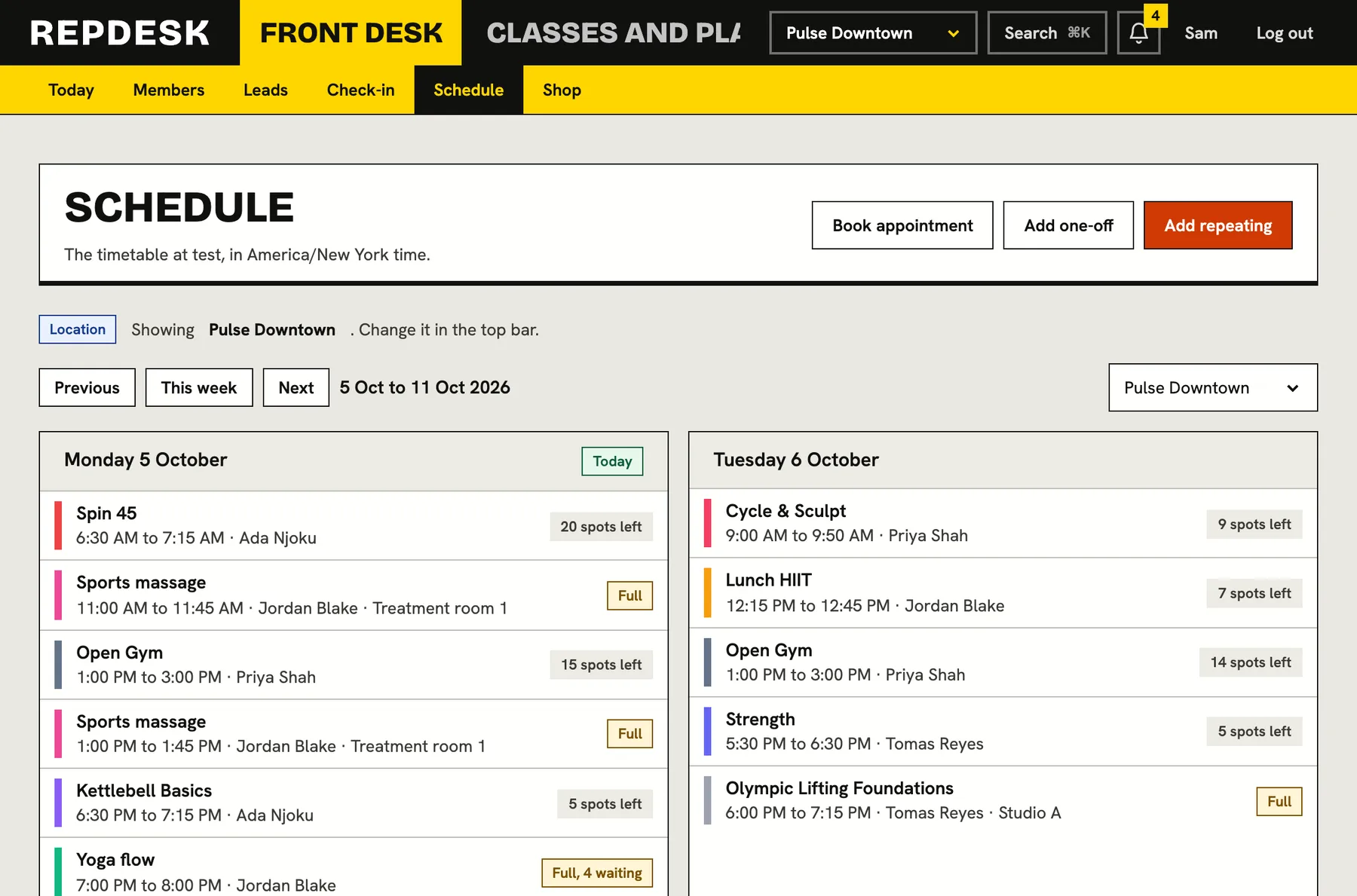
Set up each class once and repeat it every week. Limit a class to an age range, cap the numbers and let people join the waitlist when it is full.
- Capacity and waitlist on every class
- Plans that only apply to certain ages
- Instructors assigned per class
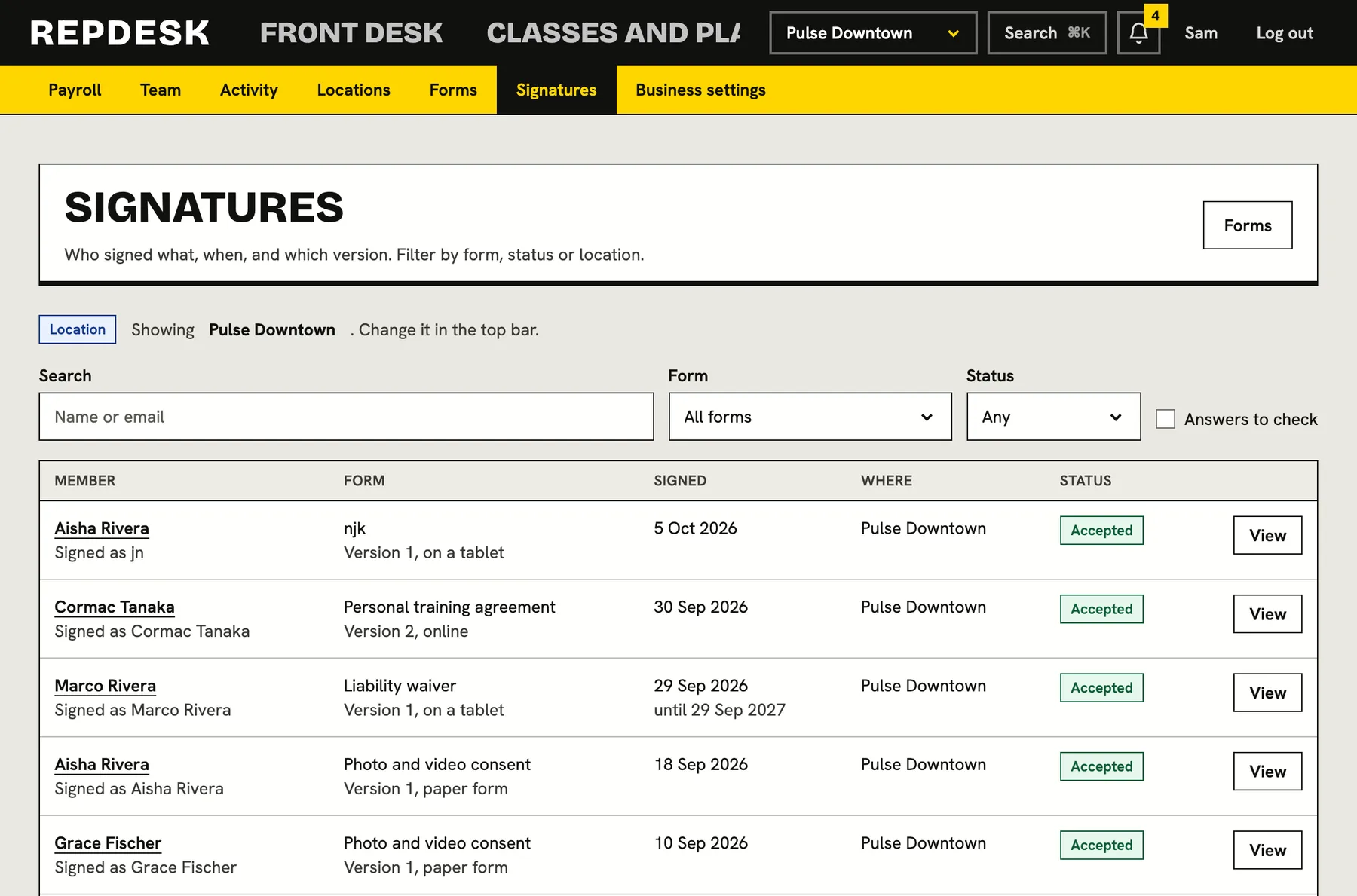
Waivers, signed before the first class
Build your waiver and your intake form with typed or drawn signatures. Make them required, and see on one screen who has signed.
- Required before booking or first visit
- A record of every signature, kept
- Re-sign when you update the document
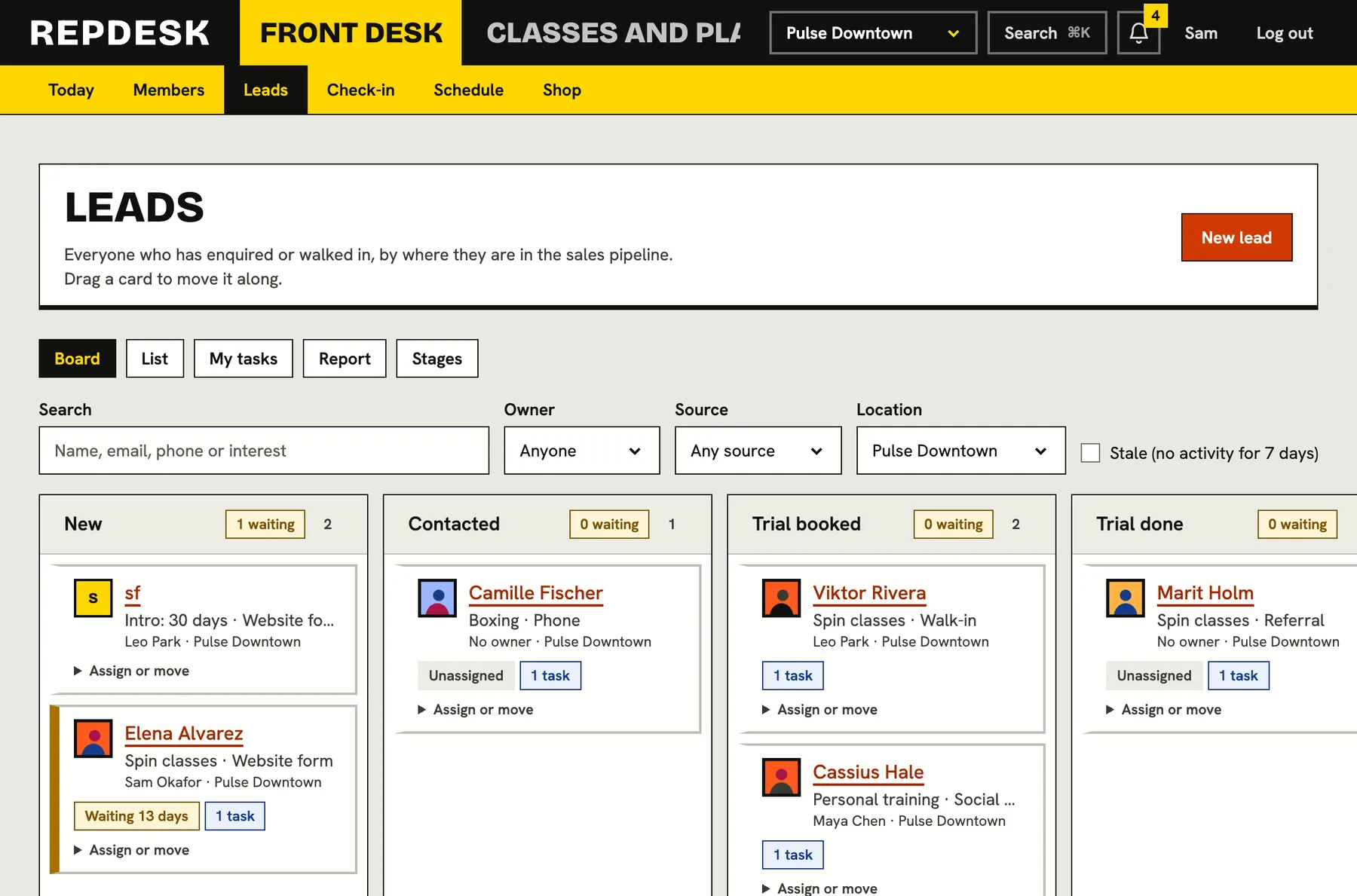
Trials that turn into members
Every enquiry and trial booking lands on a board. Move it along, set a follow-up task and convert it to a member when they sign up.
Questions
Do you support belt grading?
No. We handle classes, memberships, payments, waivers and check-in. Track grading however you do today.
Can one parent pay for more than one child?
Yes. A plan can be shared, so a parent buys it and adds a child or partner to it. Billing stays in one place.
Can we make a waiver compulsory?
Yes. You can require it before someone books or visits, and you can see who has signed and who has not.
What happens when a monthly payment fails?
We retry on the schedule you set and send reminders by email, text and push, each with a link to update the card. You choose what happens after the last reminder.
Can we move from our current system?
Yes. You can import members, memberships and your schedule from a spreadsheet and we guide you through setup.