Software for groups that run several locations and want one clear picture
More sites should not mean more spreadsheets. Switch between locations in one click, set pricing and staff access site by site, and see the whole group in one set of reports.

What gets in the way
- Every site, a separate login
- One business holds all your locations. Switch between them from the top bar, and everything you see follows the site you chose.
- Staff who should only see their own site
- Limit a team member to specific locations. Managers see their sites, owners see everything.
- Members who move around
- One member record covers every site. A plan can be eligible at all locations or only some, so members use the studio nearest them.
- Numbers that live in different places
- Reports show one location or the whole group, so you can compare sites without exporting anything.
What you run on it
- Multiple locations A location switcher, and each site's own timetable, hours and gallery.
- Team and permissions Staff limited to the locations they work at, with roles for what they can do.
- Members One member record shared across every location.
- Memberships and plans Plans eligible at some or all locations.
- Gift cards and promo codes Promo codes limited to the sites you choose.
- Waivers and forms Forms and waivers set per business or per location.
- Point of sale Products sold at the locations you choose.
- Reports Revenue and attendance by site or across the group.
- Payment recovery One recovery policy chasing every site's failed payments.
A day across the group
-
07:00
One screen, every site
The owner opens Today and switches between locations to see each one's classes and arrivals.
-
09:30
A member visits a second site
A member on an all-locations plan checks in at the other studio. Their record and plan come with them.
-
11:00
A manager signs in
The manager of the second site sees their own location's team and schedule, nothing else.
-
13:00
A promo for one site
A code for the new site's opening month works there and nowhere else.
-
16:00
Payments chased group-wide
Failed payments across every site are retried and reminded by the same policy.
-
21:00
The report
Compare the locations side by side before you close the laptop.
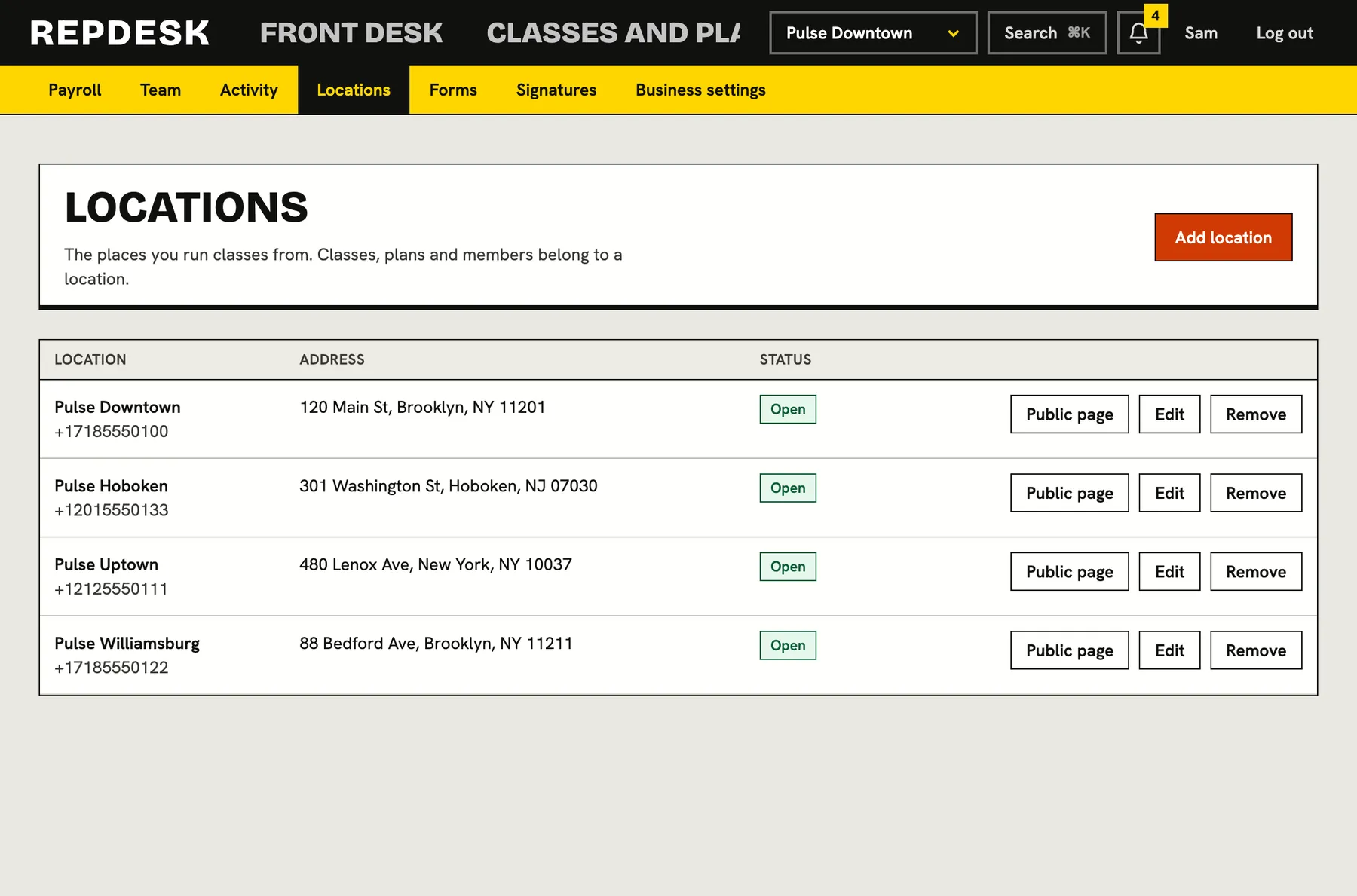
Locations, each with its own page
Each site has its own address, hours, gallery and timetable. Members choose where they train, and the schedule follows the location you have selected.
- A top-bar location switcher
- Hours and photos per site
- Public pages for each location
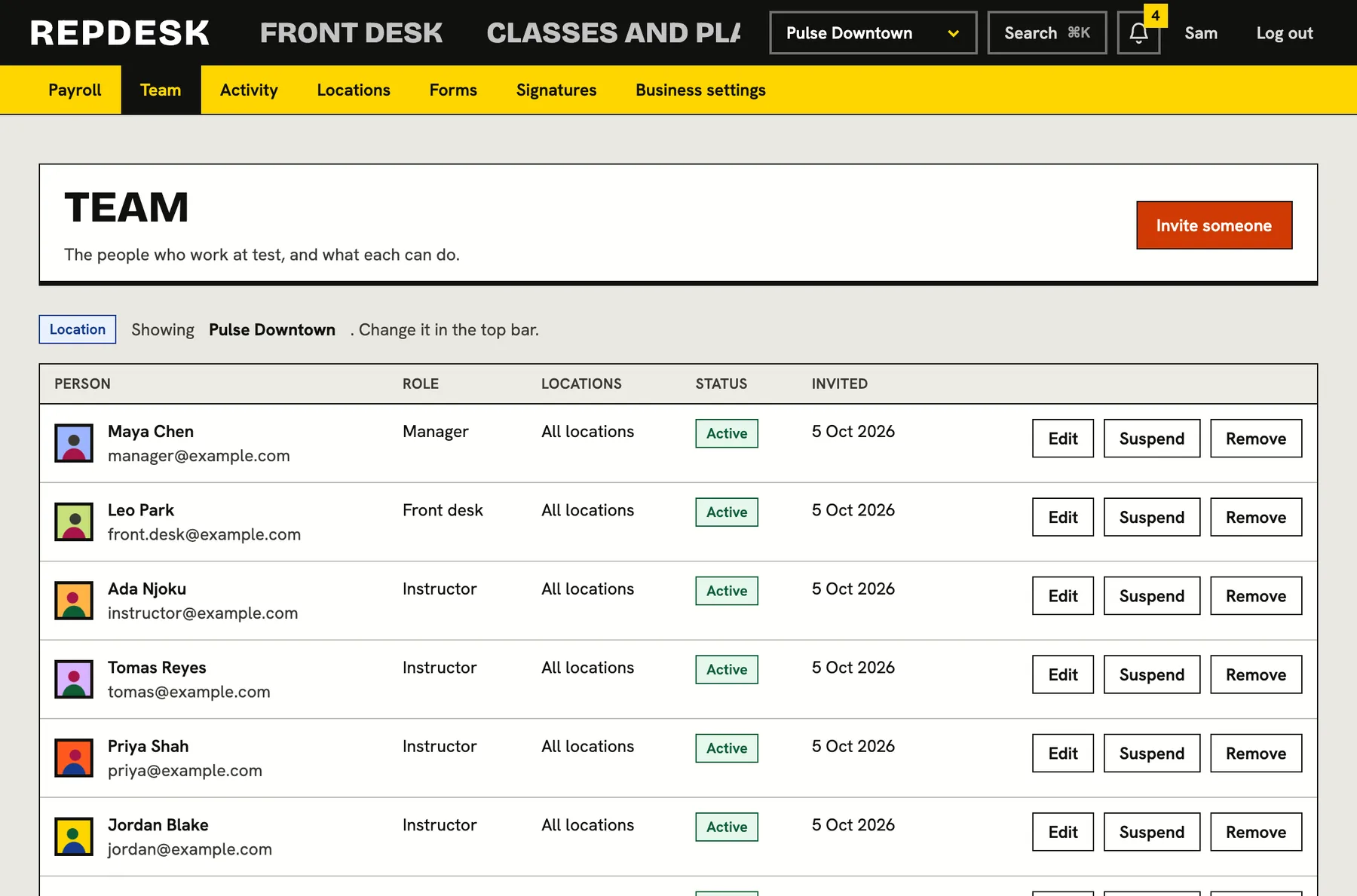
Staff scoped to their sites
Invite a team member and choose which locations they can see and what role they have. Everything is recorded in the activity log.
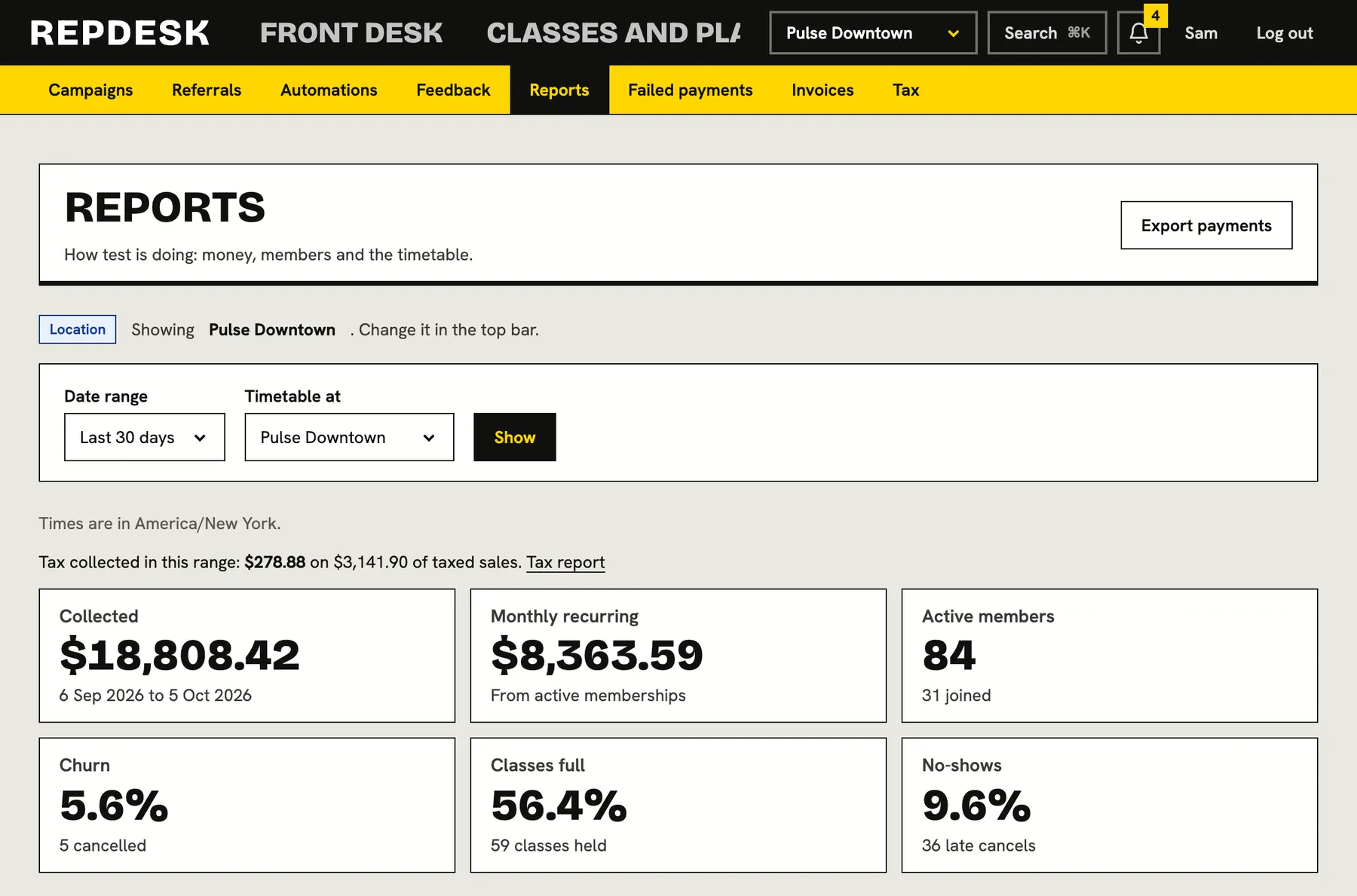
Group reports
Look at one site or the whole business. Revenue, attendance and membership numbers use the same definitions everywhere.
Questions
Can a member use more than one location?
Yes. Each plan can be limited to some locations or open to all of them, and the member record is shared across the business.
Can staff be limited to one site?
Yes. Choose the locations a team member covers. Owners can see everything.
Is stock counted per location?
Products can be set to sell at chosen locations. Stock is one count per product across those locations.
Can pricing differ by site?
Plans can be eligible at the locations you pick, so you can run different plans at different sites.
Can we see the whole group in one report?
Yes. Reports can be viewed for one location or for the whole business.