A declined card is not a lost member
When a payment fails we do not just mark it overdue. We keep reaching out to the member by email, text and push, retry the payment on your schedule, and give them a one-tap page to update the card. Only then do we take the action you chose, and you never chase anyone.
Chasing late payments is the job nobody wants, so it gets done late, awkwardly or not at all, and the money quietly leaves.
We retry the card on your schedule
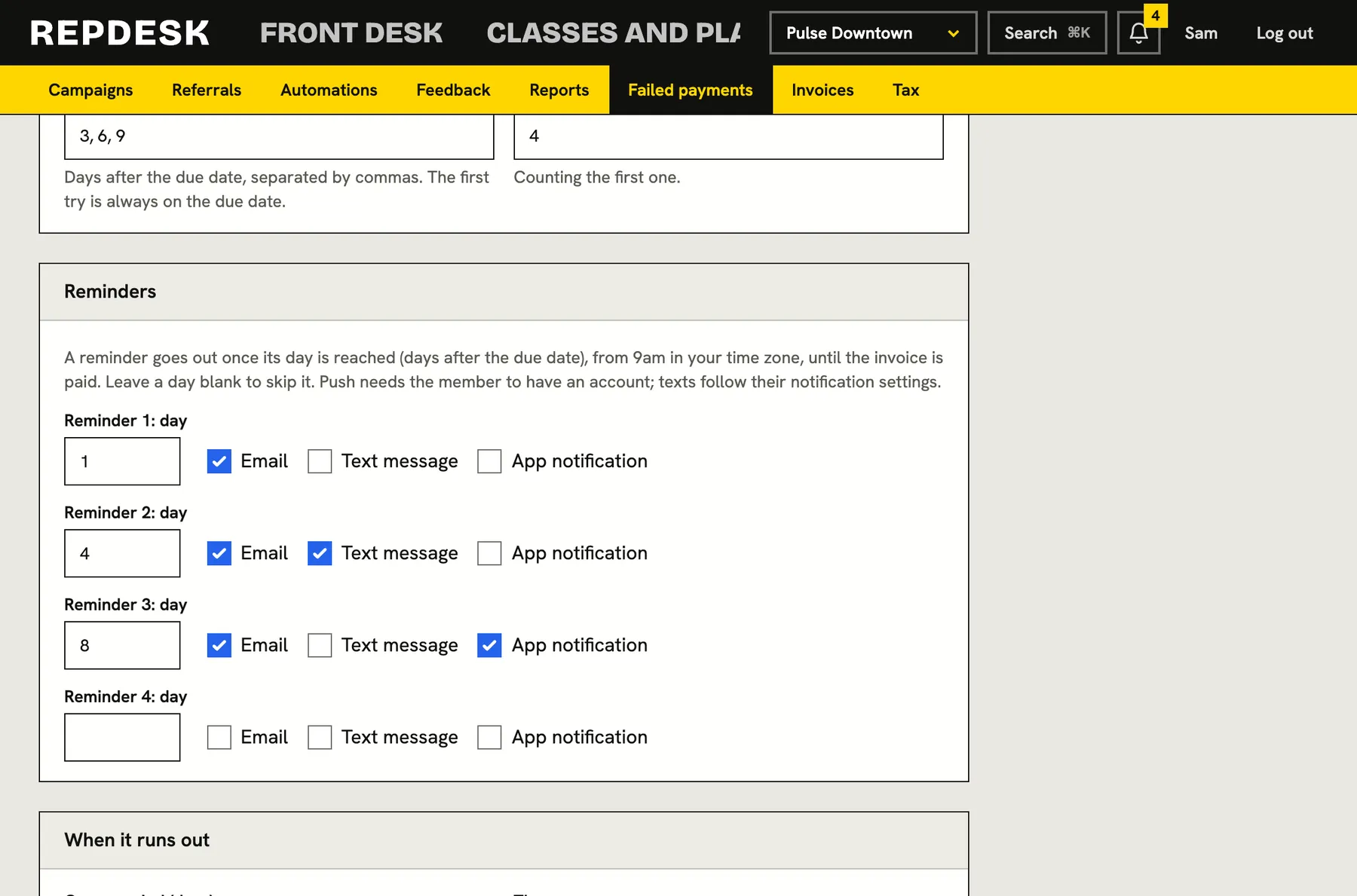
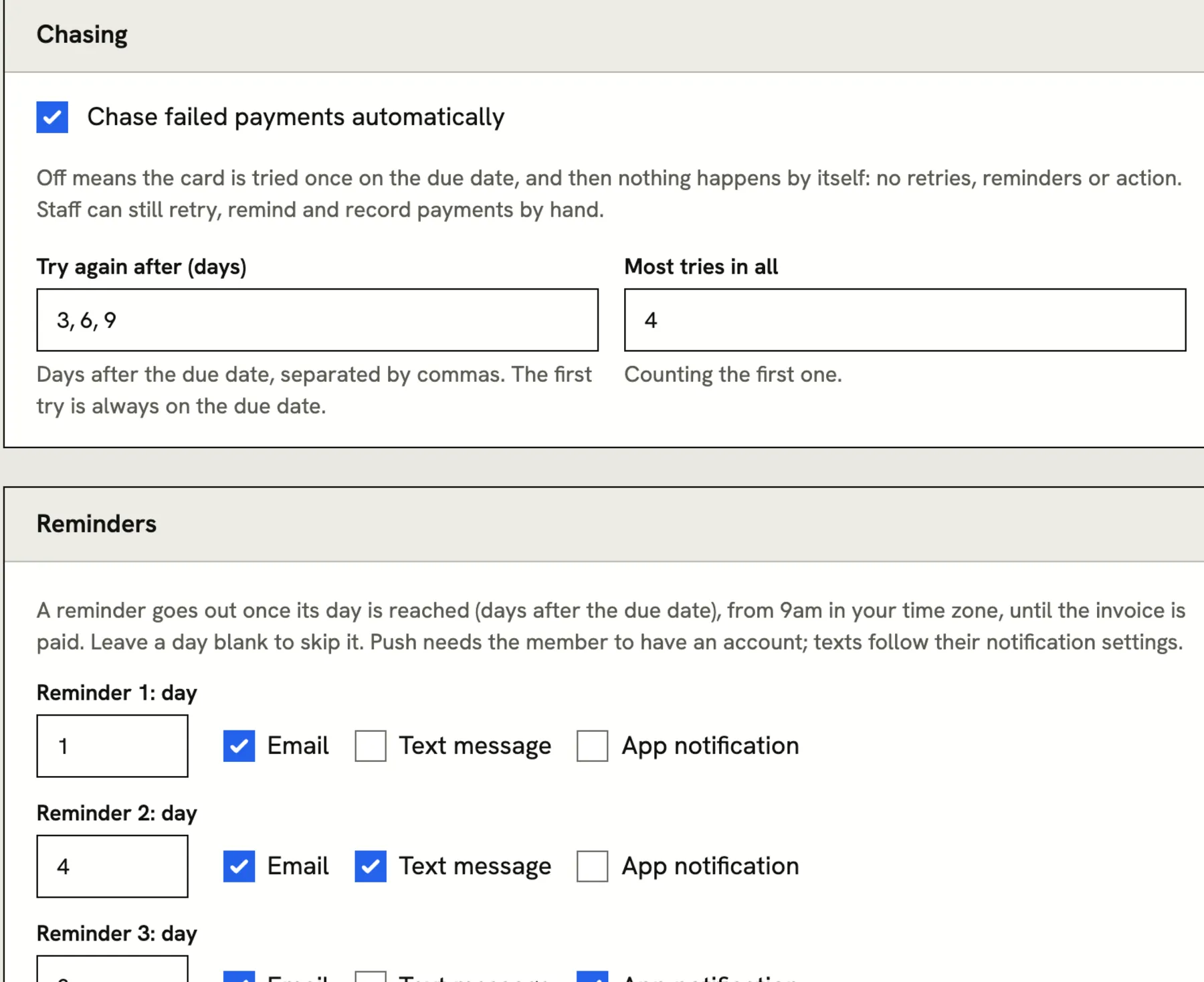
A card that fails on the 1st often works on the 4th. You choose the days after the due date to try again and the most attempts to make. The first try is always on the due date, and the system does the rest without anyone remembering to.
- Retry days and a maximum number of attempts, set for your business
- A decline that cannot clear, like an expired card, is not hammered again and again
- If the payment system cannot be reached, the same attempt is tried again shortly, and it can never charge twice
- Switch chasing off entirely if you would rather handle it by hand
Reminders by email, text and push
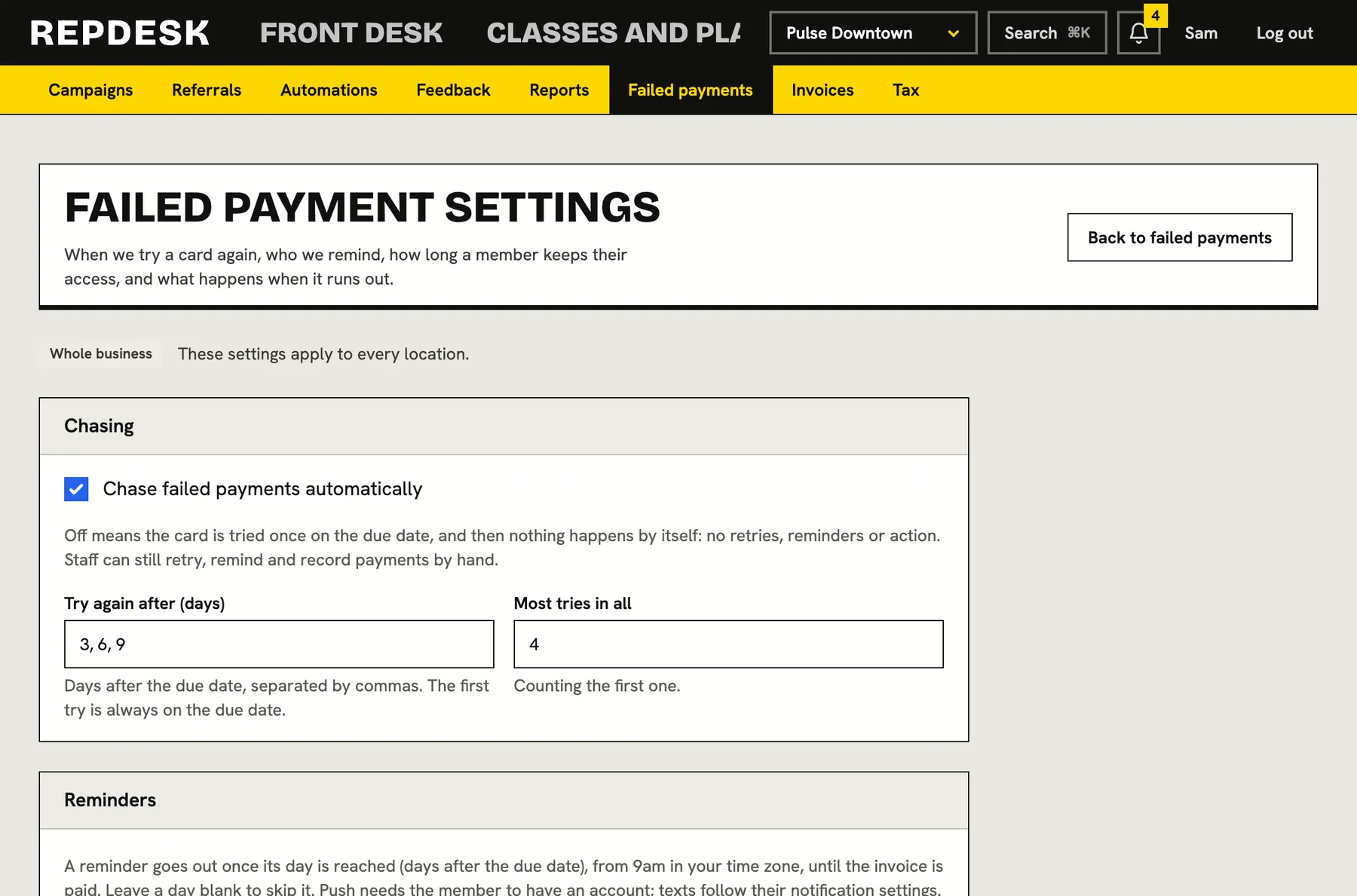
You pick up to six reminders, the day each one goes out and the channels it uses. Each message tells the member what is owed and carries a button that takes them straight to a page where they update the card and pay.
- Choose email, text message, app notification, or any mix, for every step
- Reminders go out from 9am in your own time zone, once per step, until the invoice is paid
- Texts and app notifications follow the member's own notification settings
- Email still reaches a member who has no account
One tap to a page that fixes it
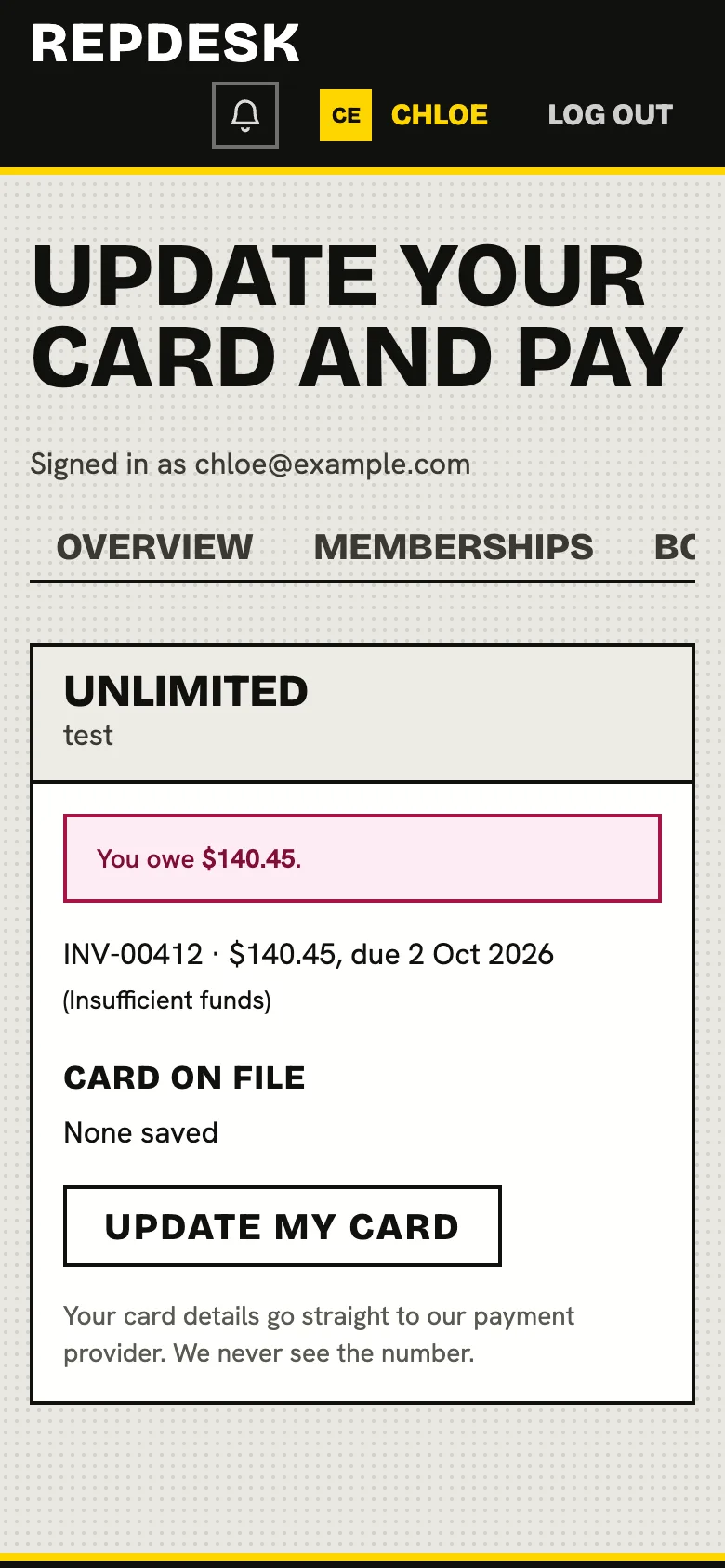
The member opens the link on their phone and sees what they owe, the card on file and whether it has expired. They replace the card and pay in one step, with no front desk call and no hunting for a login.
- Shows every unpaid invoice, how much is owed and the reason it failed
- Update the card, then pay what is owed straight away
- A fresh card is charged at once, not left to wait for the next scheduled retry
- Members can only pay their own memberships, never someone else's
Then the action you chose, and not before
A grace period keeps the member's access while the chase runs. When it ends, the membership goes past due, freezes or cancels, whichever you set. If they pay, a past due membership is active again and a freeze that the chase started is lifted.
- Grace period from 0 to 90 days
- Final action: mark past due, freeze until paid, or cancel for non-payment
- Every automatic action is written to the activity log in plain words
- A membership frozen for any other reason is left alone
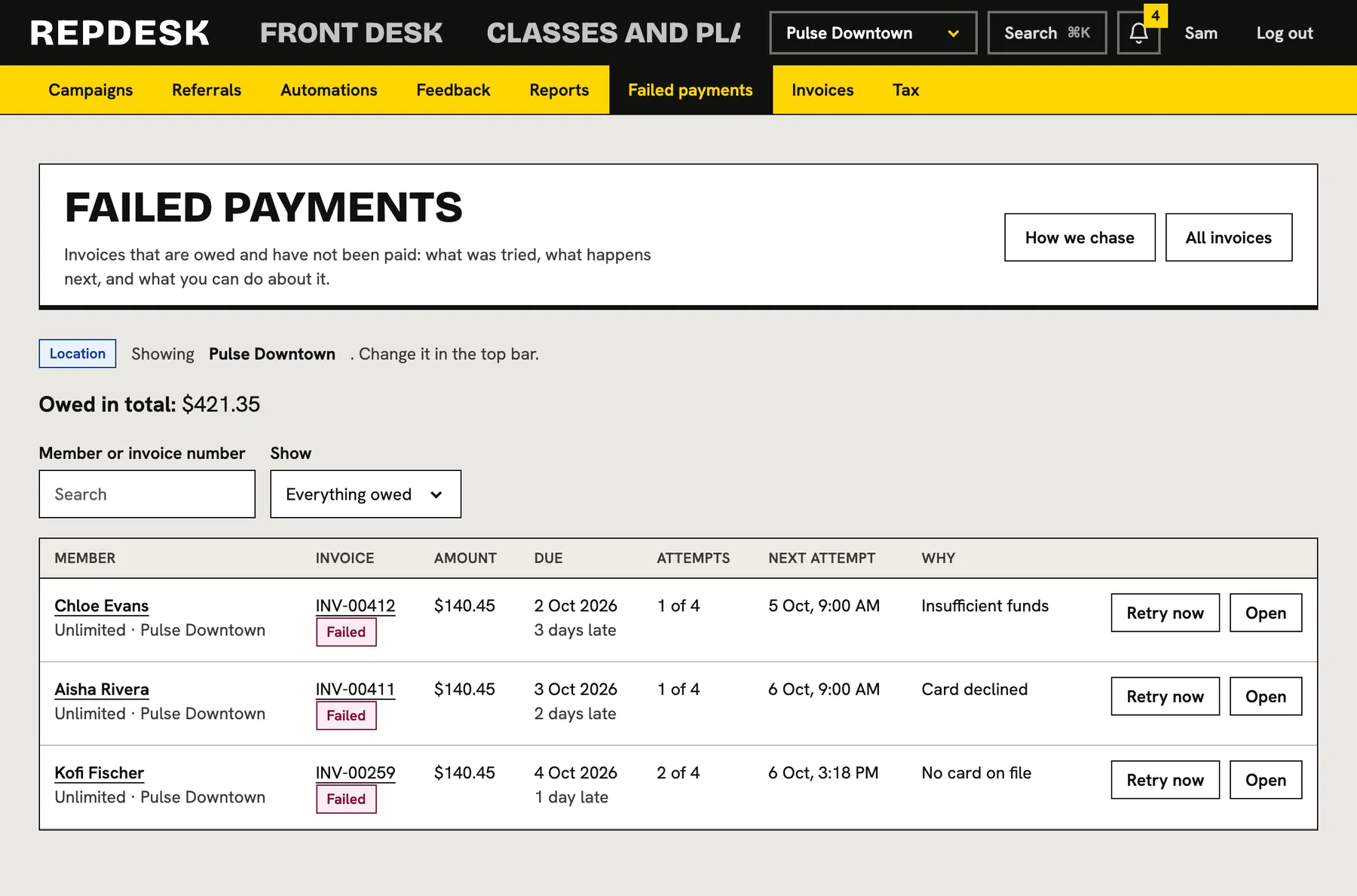
Every attempt on the record, and you can step in
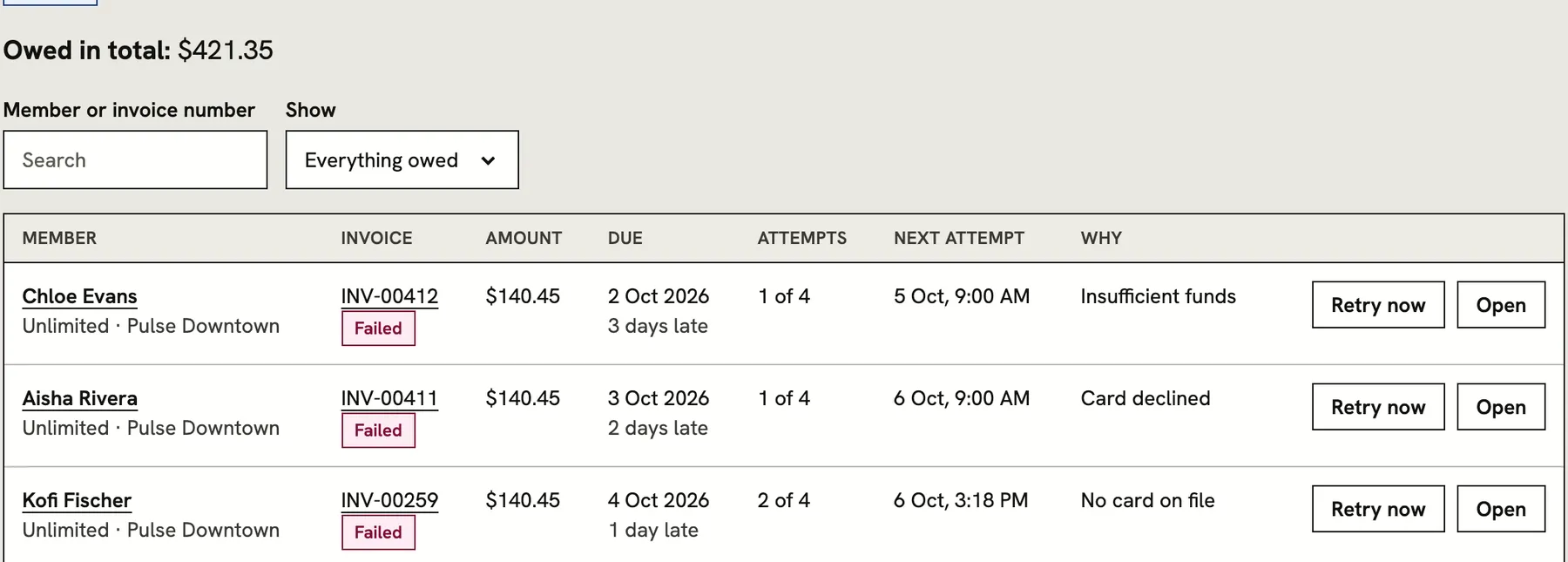
The Failed payments screen lists everything owed, what has been tried and what happens next. Open an invoice to read the full history of charges, reminders and actions, and use the buttons when you want to take over.
- Total owed, with filters for declined, overdue and on hold
- Attempt history with the reason given for each failure
- Retry the card now, send a reminder, or record a payment taken at the desk
- Put chasing on hold for one member, or waive the invoice with a note
What happens when a payment fails
-
Day 0
The card is charged
The billing run tries the card on file on the due date. If it works, the invoice is paid and recorded. If not, the reason is saved.
-
Day 3
We try again quietly
Many declines are temporary, so the card is tried again on the retry days you set, up to your limit. This example uses retries on days 3, 6 and 9.
-
Your reminder days
The member hears from us
Email, text or push, with a one-tap link to update the card. Later steps can be firmer than the first.
-
Any time
Paid in seconds
The member taps the link, replaces the card and pays. The invoice closes and the chase stops.
-
After the grace period
Your chosen action
Past due, freeze or cancel, written to the log. Pay up and the membership comes back.
Works together with
Questions
Do I have to chase members myself?
No. The retries, the reminders and the final action all run on their own under your policy. You can see every step on the Failed payments screen and step in whenever you like.
Do reminders go out the moment a card fails?
You decide. Each reminder has its own day and channels. A first failure that is likely to clear by itself does not trigger an alarmed message to the member.
Can members update their card without calling the front desk?
Yes. Every reminder links to a page where they replace the card and pay what is owed from their phone.
What if I want to be kind to one member?
Put chasing on hold for that invoice and the member keeps their access, or waive the invoice with a note. Both are recorded in the history.
What if someone paid cash at the desk?
Record the payment on the invoice. The invoice is marked paid, the chase stops and a past due membership is reinstated.
Does the money go to us directly?
Payments go to your studio's own account. We charge the member's card on your behalf and record every attempt against the invoice.