Ring it up at the desk, and the books know
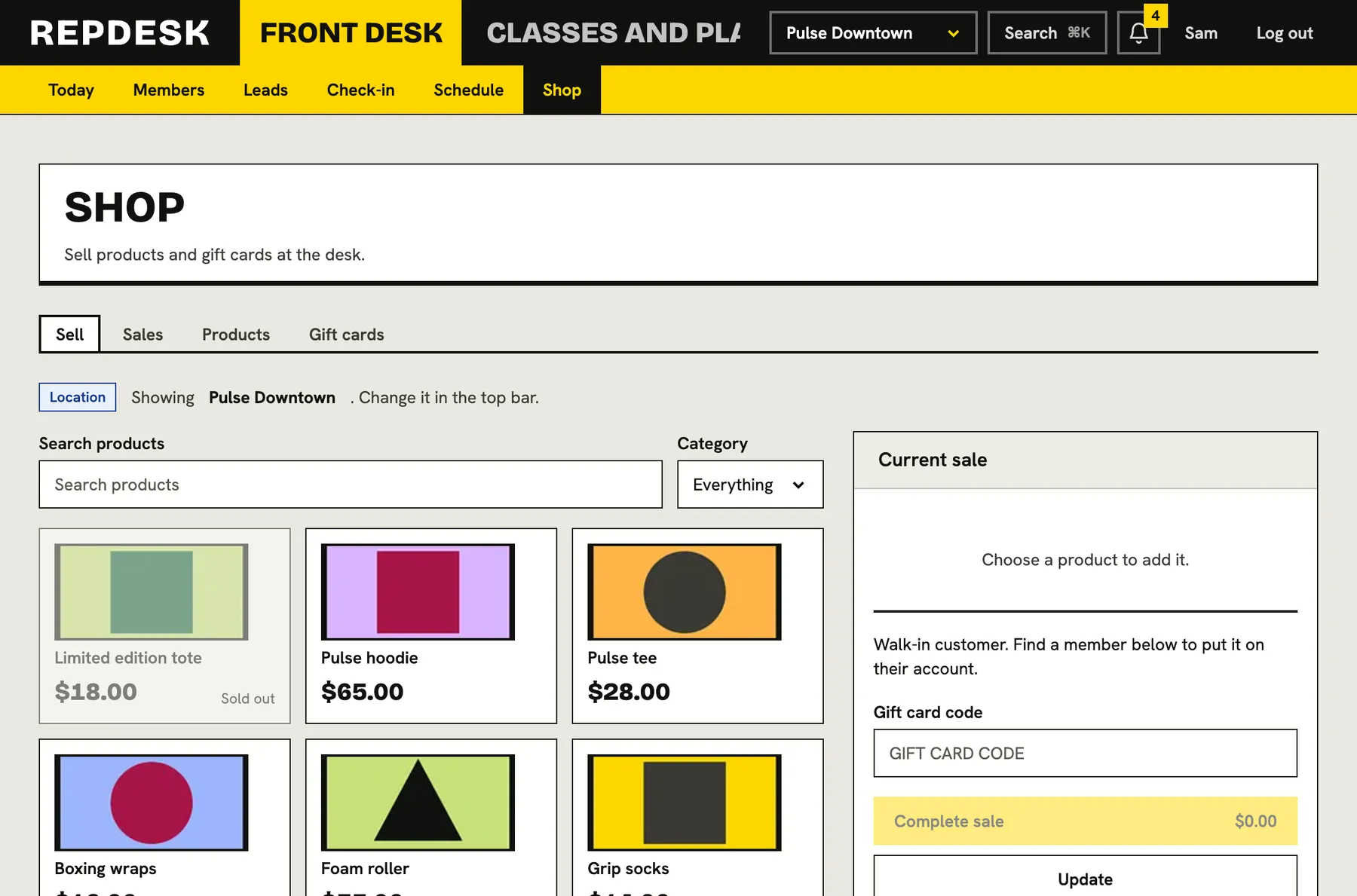
A till built for the front desk: tap a product, add the member, choose how they paid, done. Stock goes down, tax is worked out, and gift cards and member credit are spent in the same sale.
Selling water, mats and merch from a notebook and a card machine means stock nobody trusts and takings nobody can reconcile.
A till that keeps up with the queue
Search or filter your products, tap to add, change quantities and see the total with tax as you go. The sale is all or nothing, so two tills can never sell the last item or spend the same money twice.
- Product tiles with search and category filters
- Out-of-stock items cannot be added
- Tax worked out and shown on the sale
- Walk-in customers, or put the sale on a member's account
Paid any way your members pay
Take cash, a card on your own terminal, or a bank transfer, or mark a sale as complimentary. Part of the sale can be covered by a gift card or by the member's credit, and the rest paid another way.
- Cash, outside card machine, bank transfer or complimentary
- Gift card by code, with the balance shown on the sale
- Member credit used in the same sale
- A sale needs a way to pay for whatever is left
Products and stock you can trust
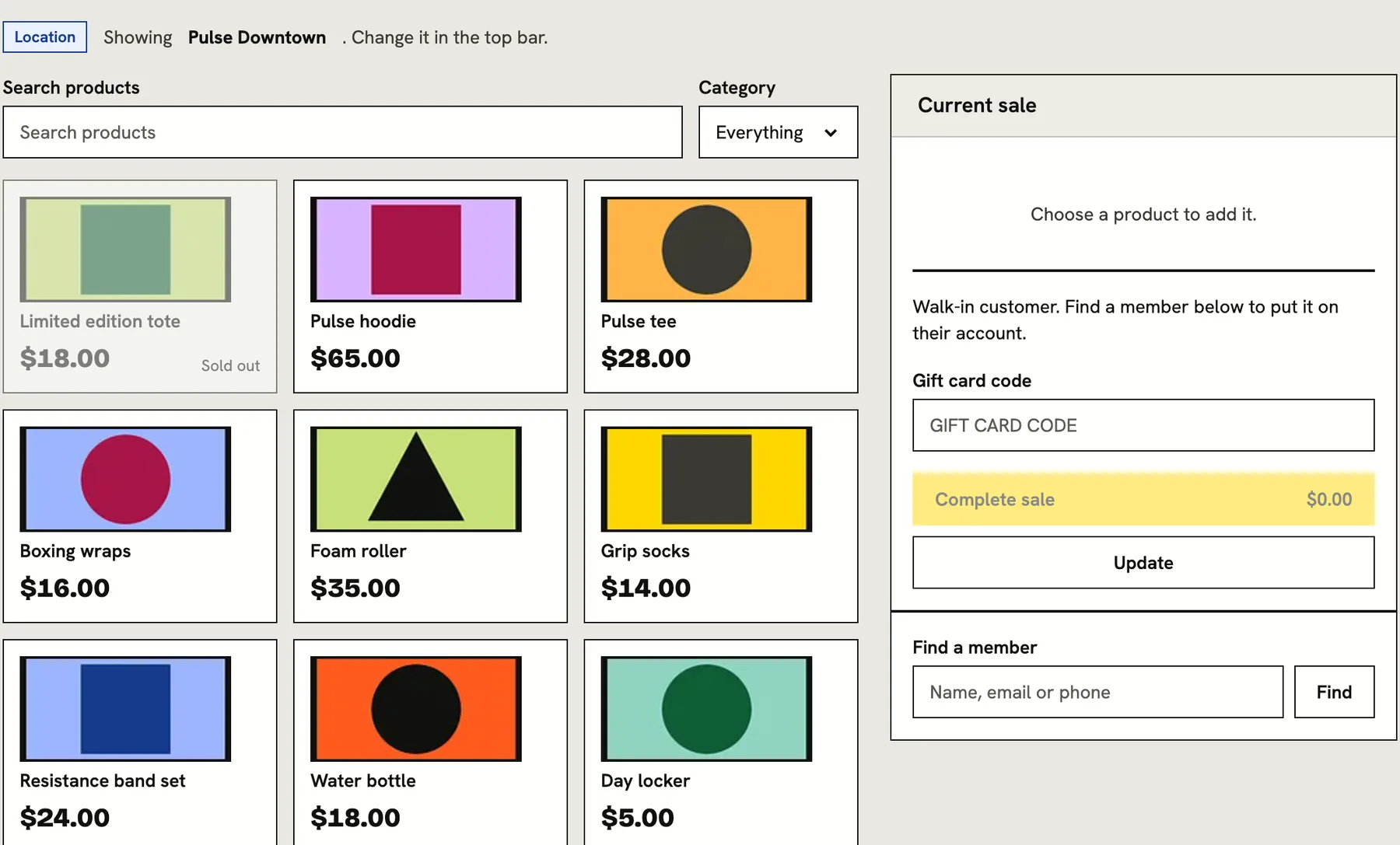
Set a price, track stock, group products by category and choose which locations sell them. Selling a product takes it off the shelf, and archiving one removes it from the till while keeping past sales intact.
- Stock counts that fall with every sale
- Products sold at all locations or just some
- Archive instead of deleting anything that has been sold
Refunds that put things back
Open any sale and refund it. Stock returns to the shelf and whatever a gift card paid goes back onto the card. Money paid another way is flagged for you to hand back. A sale can only be refunded once.
- Sales history with who sold what, to whom, and how it was paid
- Refunding restocks tracked products
- Gift card payments go back onto the card
- Refunded sales stay out of the tax report
A refund, step by step
-
Find the sale
Open the sales list
Every sale shows when, what, who and how it was paid.
-
Confirm
Check what happens
The screen spells out the restock and the money that returns to a card.
-
Done
Stock and cards are updated
Products go back on the shelf and gift card value returns to the card.
-
Afterwards
You hand back the rest
Cash or other payments are marked as owed back to the customer.
Works together with
Questions
Does card money go to us directly?
At the till, a card on your own terminal pays straight into your account without passing through us. Online purchases and membership payments go to your studio's own account.
Can I sell to someone who is not a member?
Yes. A walk-in sale needs no account. Add a member to put it on their record or to use their credit.
Is tax handled?
Yes. Tax comes from your rates and is shown on the sale and in the tax report.
Can I sell the same product at several locations?
Yes. Choose which locations sell each product.
Who can refund?
Roles that you grant sales refund permission, like managers. Front desk staff can ring up sales without it.