Give every person exactly the access their job needs
Invite managers, front desk and instructors by email, choose which locations each can work at, and the system enforces what their role may see and do. Everything they change is written to an activity log you can read in plain words.
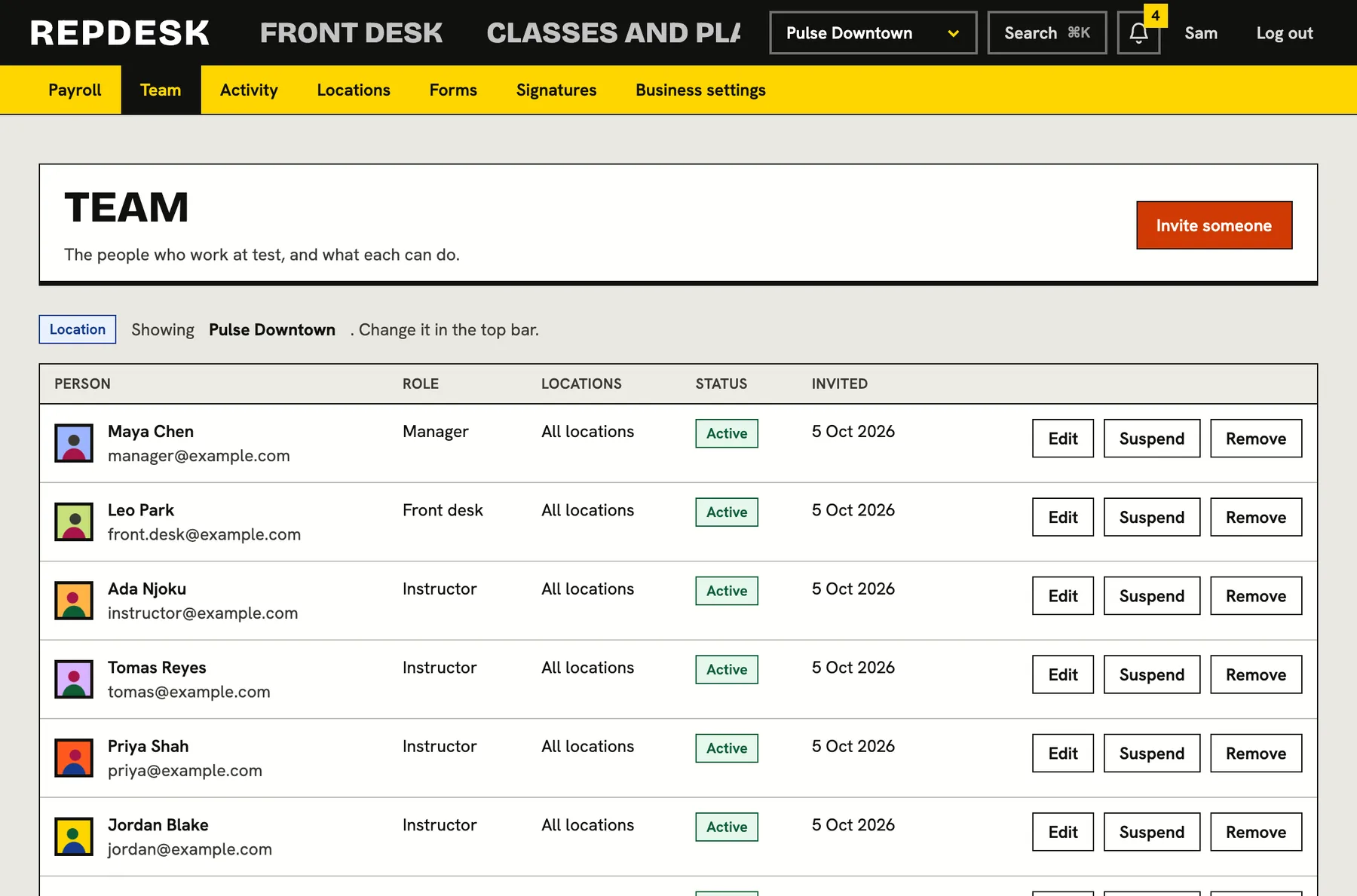
Sharing one login, or giving everyone full access, means anyone can refund, delete or read anything, and nobody can say who did it.
Three roles, built around real jobs
A manager looks after the business day to day. The front desk handles members, bookings, check-in and sales. Instructors see their classes, rosters and members, and can check people in. The owner can always do everything.
- Manager: members, plans, schedule, rooms, forms, reports, campaigns and billing follow-up
- Front desk: add and update members, book, check in and sell
- Instructor: see members, notes and flags, and run the roster
- Refunds, deleting members and changing the business are kept for managers and the owner
Invite by email, in two steps
Enter an email and pick a role and the person receives an invitation. It is valid for two weeks and can be sent again. When they accept, they become part of the team, with an account that exists only to work for your business.
- Pending invitations are visible and can be cancelled
- Suspend someone without deleting them, and reactivate later
- You can only hand out roles at or below your own
- Nobody can change their own role
Limit people to the places they work
Each person can be given all locations or only some. Someone limited to one studio sees that studio's schedule, members and check-in, and records from other locations are simply not found. The menu itself only shows what their role can open.
- Location access set per person and changed at any time
- The menu hides what a role cannot use
- Role checks are enforced on the server, not just hidden in the page
A history you can read
Every meaningful action by your team is written to the activity log as a sentence: who invited whom, who added a class, who cancelled a session, who checked someone in, who voided a signature. Filter it by area, by person or by location.
- Written in words, not codes
- Filter by area, team member and location
- Visible to owners and managers
- Personal details are kept out of the log
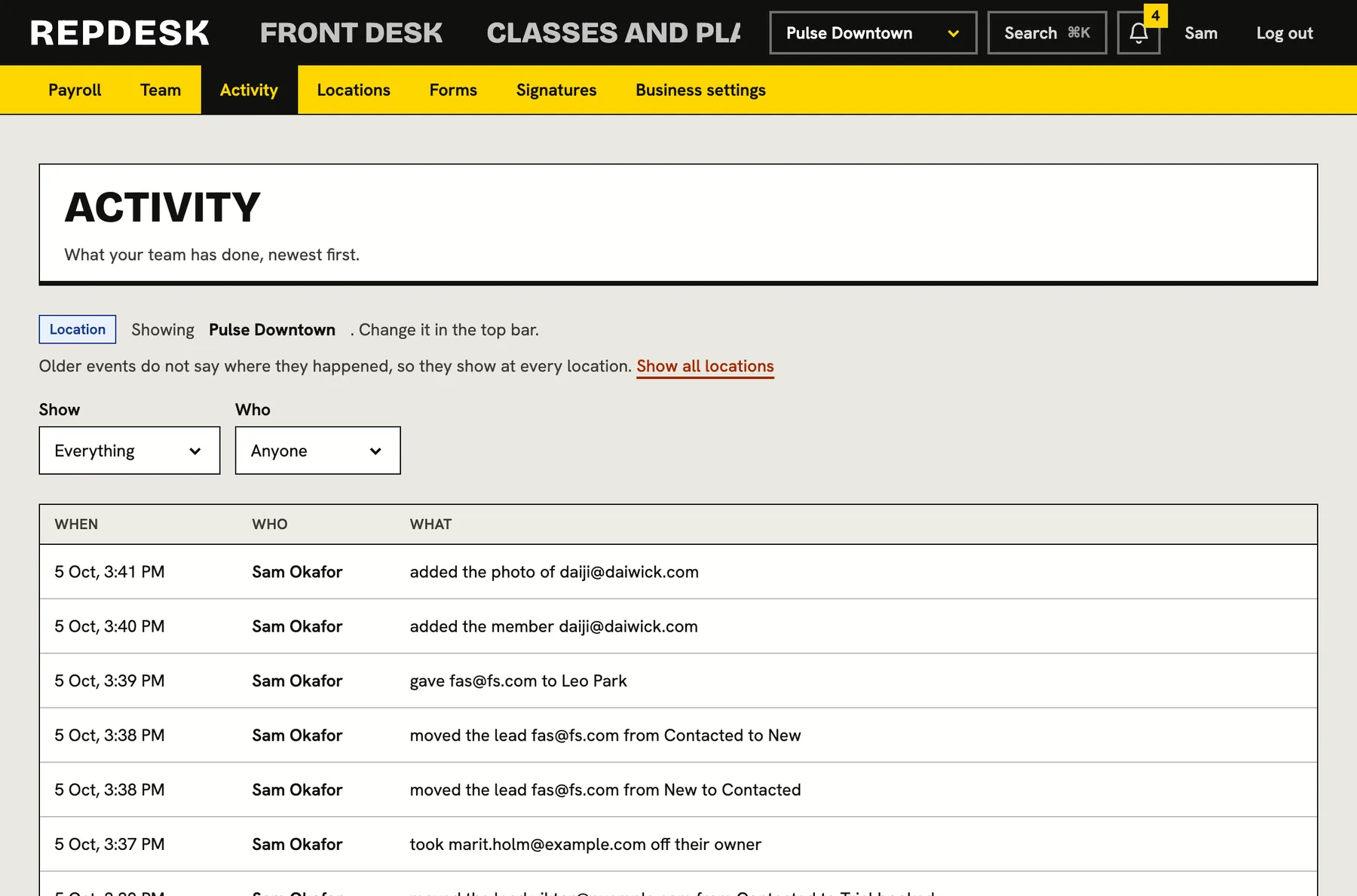
What happens when you add someone
-
Step 1
You invite them
Email, name, role and the locations they work at.
-
Step 2
They accept
The link is valid for two weeks and can be resent.
-
Step 3
Their menu appears
They see only the screens their role allows, at the locations you chose.
-
Ongoing
Their actions are recorded
The activity log shows what they changed, in words.
Works together with
Questions
Can I control what each role can do in more detail?
Roles are fixed to three that match common jobs, plus the owner. What each can do is set in the product, and a person can be limited to certain locations.
Can an instructor see payments or reports?
No. Instructors see members, notes, flags, the schedule, rosters and check-in. Money and reports are for managers and the owner.
What if someone leaves?
Suspend or remove them and their access stops. Their past actions stay in the activity log.
Can a manager remove the owner?
No. The owner is not a staff member and is not listed among the team.
Do staff need a separate login for each business?
An invitation is to one business and the person works there with the role you gave them.