Get every waiver signed before anyone walks in
Build your waiver, contract or health questionnaire once and choose when it is asked for. The system puts it in front of the right people, records exactly what they signed, chases anyone who has not and asks again when it expires.
Paper waivers in a folder, a clipboard at the door and no idea who signed what are a risk you only notice after something goes wrong.
Build the form you actually need
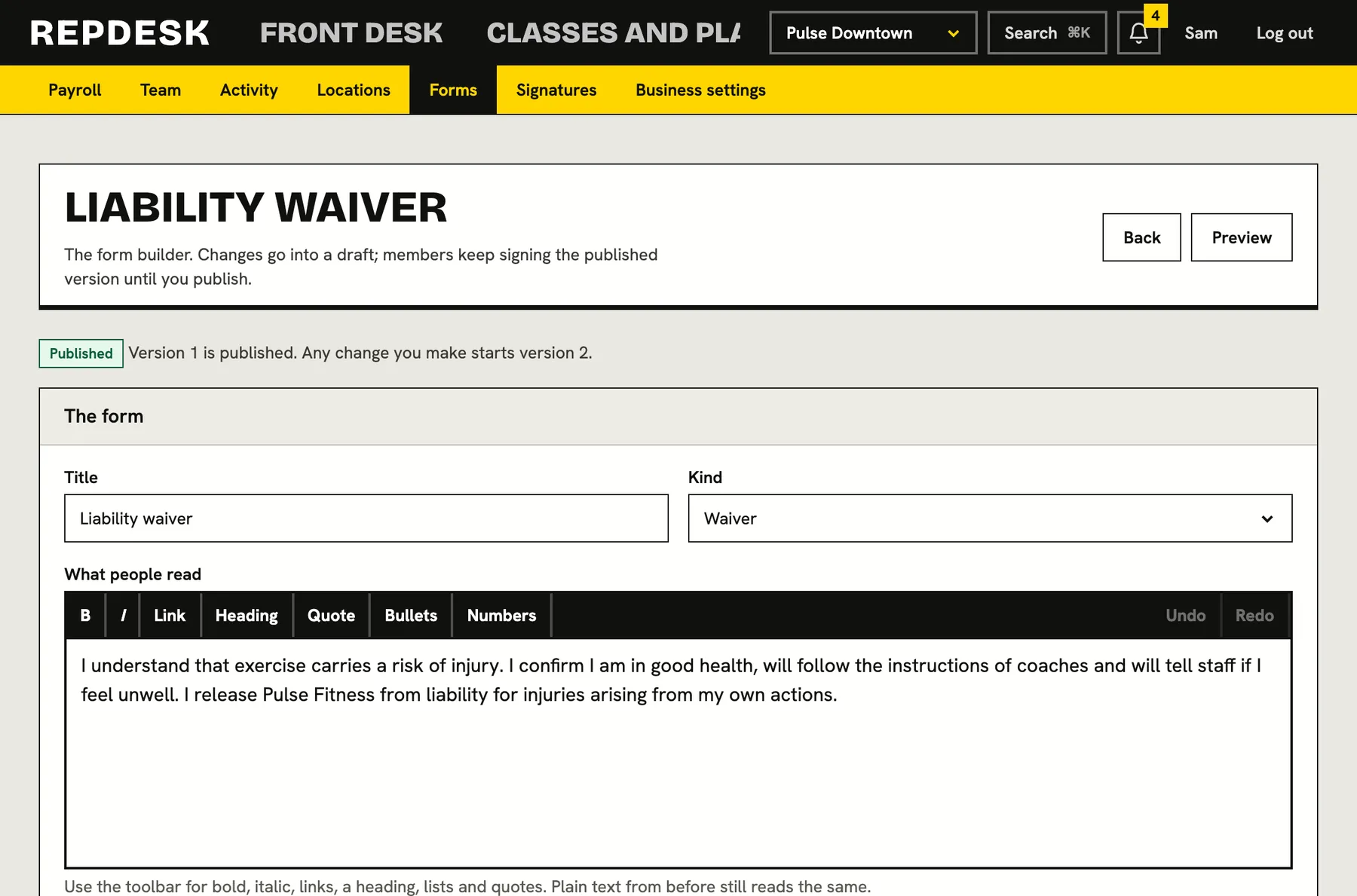
Write the words in plain text with simple headings, lists and bold, then add the questions. A form can be a waiver, a contract or a health questionnaire, and it can ask for short or long text, a choice of one or several, yes or no, a date, a number, a tick to agree and a signature.
- Questions that only appear when an earlier answer calls for them
- Mark an answer, such as an injury, as one the team should be told about
- Preview exactly what the member will see before you publish
- Duplicate a form to start the next one
- Attach PDFs or images, such as your insurance or a competence certificate, for members to read before they sign
Asked for at exactly the right moment
Choose when each form applies. Before a first booking, before buying any membership, before buying chosen plans, at a first visit to a location, or only when staff ask. A form can apply to every location or only some, and an online booking or purchase is held until it has been signed.
- Triggers combine, so one form can be asked at booking and at purchase
- Set expiry to six months, a year, two years, three years or never
- Staff can request a signature from any member whenever they like
- A request goes by email, and by notification and text when the member has an account
Signatures that stand up
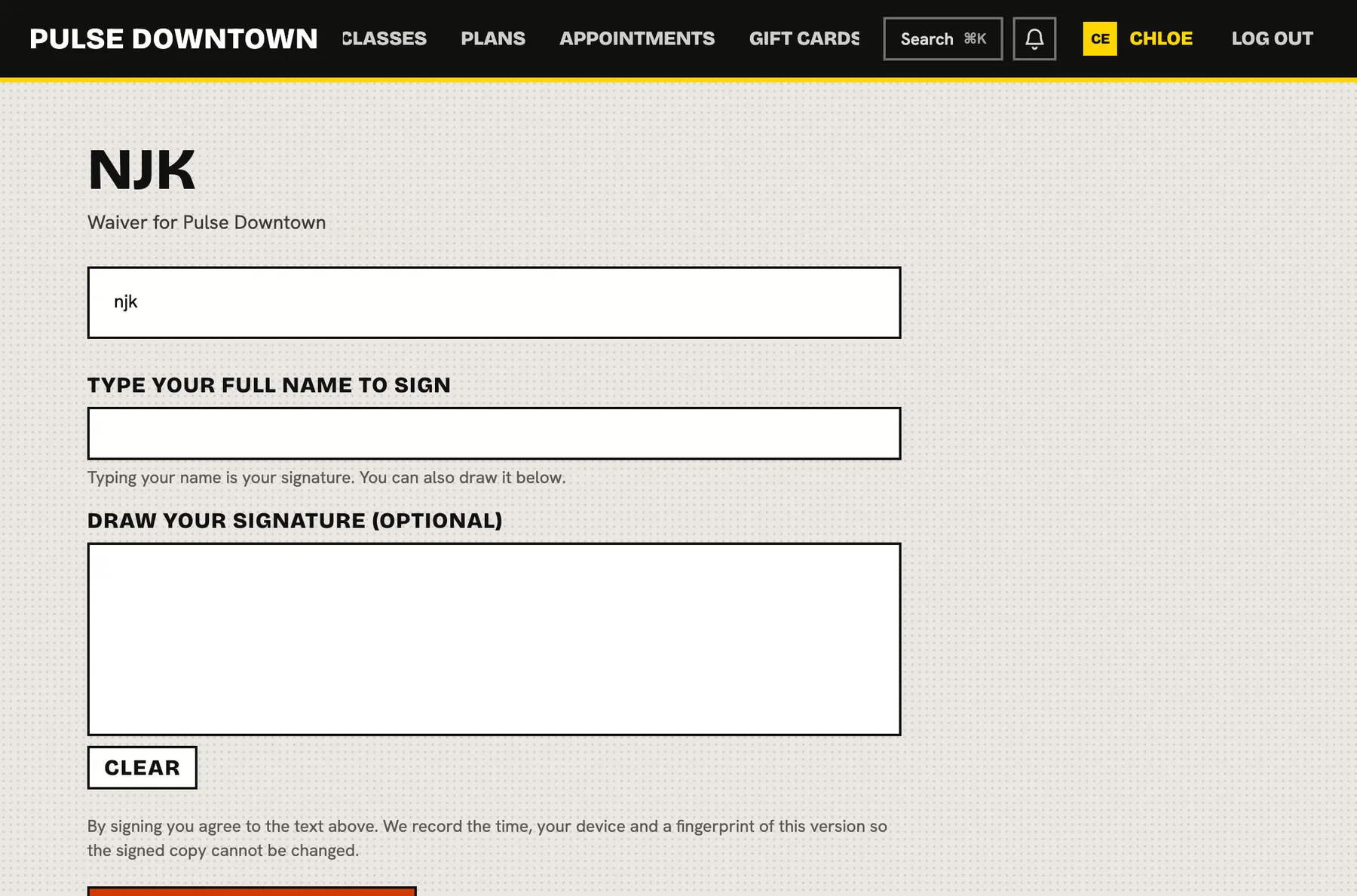
Members type their full name and, where their device allows, draw their signature too. Every signature records the exact version they agreed to, their answers, the time and where it came from, with a fingerprint so any later change to the record would show. A form that is edited never changes what someone already signed.
- Sign online, on a tablet at the desk or record a paper form for them
- Publishing freezes a version and editing starts a new draft
- If a form changes while someone is reading, they are asked to read it again
- A printable receipt for every signature, downloadable
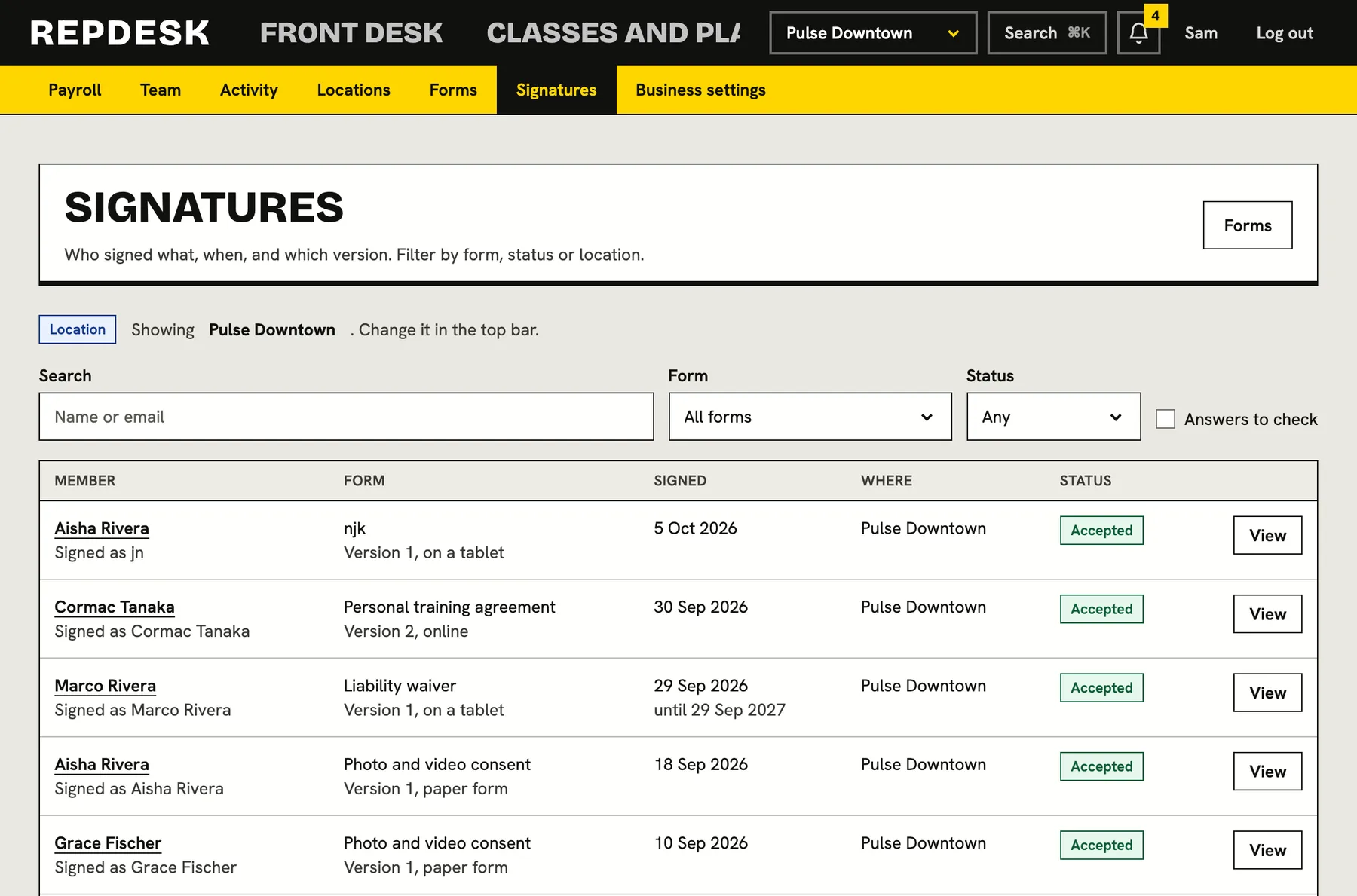
See who has signed, and who has not
The signatures list shows each person, the form and version, how it was signed and its state: signed, expiring soon, expired or void. Filter by form, status or location and search by name. A separate list shows exactly who still needs to sign, with one click to ask them.
- Expiring signatures are flagged thirty days ahead
- Void a mistaken signature and the member is asked again
- Each member's page shows what they have signed and what they owe
- Members see and download their own forms in their portal
What happens when a new member books
-
Step 1
They try to book
The system checks which forms apply at that location and for that event.
-
Step 2
They sign
They read the form, answer any questions and sign with a typed name and, if they like, a drawn one.
-
Step 3
It is recorded
The version, answers, time and fingerprint are kept, and a receipt is available to download.
-
Step 4
Instructors are warned
Any answer you marked as important shows as a badge on the class roster.
-
Later
It is asked for again
When the signature expires or the form changes, the member is asked again.
Works together with
Questions
Is a typed or drawn signature enough?
That is for you and your own legal advice to decide. The system records who signed which version, their answers, the time and where it came from, with a fingerprint that shows if the record is altered.
What if I edit my waiver later?
Editing a published form starts a new draft. When you publish it, the new version is asked for and everyone's earlier signatures stay on record against the version they signed.
Can I ask existing members to sign?
Yes. See who has not signed a form and send them all a request from the unsigned list, or one person at a time from their page.
What about people who will not use a computer?
Record a paper form for them. It is saved with the date they signed and marked as a paper signature.
Can I ask members to read an insurance document or certificate?
Yes. Attach up to five PDFs or images to a form. Members download them on the signing page, and each signature keeps the files that went with the version they signed.
Can I delete a form?
A form with signatures cannot be deleted, because those signatures need it. Archive it and it stops being asked for.