The right message, on the right channel, at a sensible hour
Booking confirmations, class reminders, payment notices and feedback requests go out by email, text, push and in-app on their own. Members choose how they hear from you, and quiet hours keep texts and push from waking anyone.
Messages that do not arrive cost you no-shows. Messages at the wrong time cost you members.
Four channels, one system
Every event knows which channels suit it. A class reminder is an in-app and push notification, a payment notice also goes by email, and a text is used where it matters most. One failing channel never stops the others.
- In-app feed, push to the phone, text message and email
- Sent after the action is safely saved, so nothing is announced that did not happen
- A failed send is reported rather than silently lost
The things members actually need to hear
Notifications cover the whole member journey, so your team is not typing the same message all day.
- Class booked, cancelled, waitlist spot opened, and a reminder the day before
- Payment received, payment failed, payment reminders and price change notices
- Membership changes, forms to sign, feedback requests and referral rewards
- Course enrolment confirmations, session reminders and cancellations
Members stay in control
Each member chooses, by category and by channel, how they want to be contacted. Marketing is off until they opt in. Quiet hours stop texts and push overnight, while the in-app feed always keeps the record.
- Categories: messages, sessions, money, verification and marketing
- Marketing defaults to off on every channel
- Receipts by email are always sent, because they are records
- Quiet hours set by each member
The bell, for you and for them
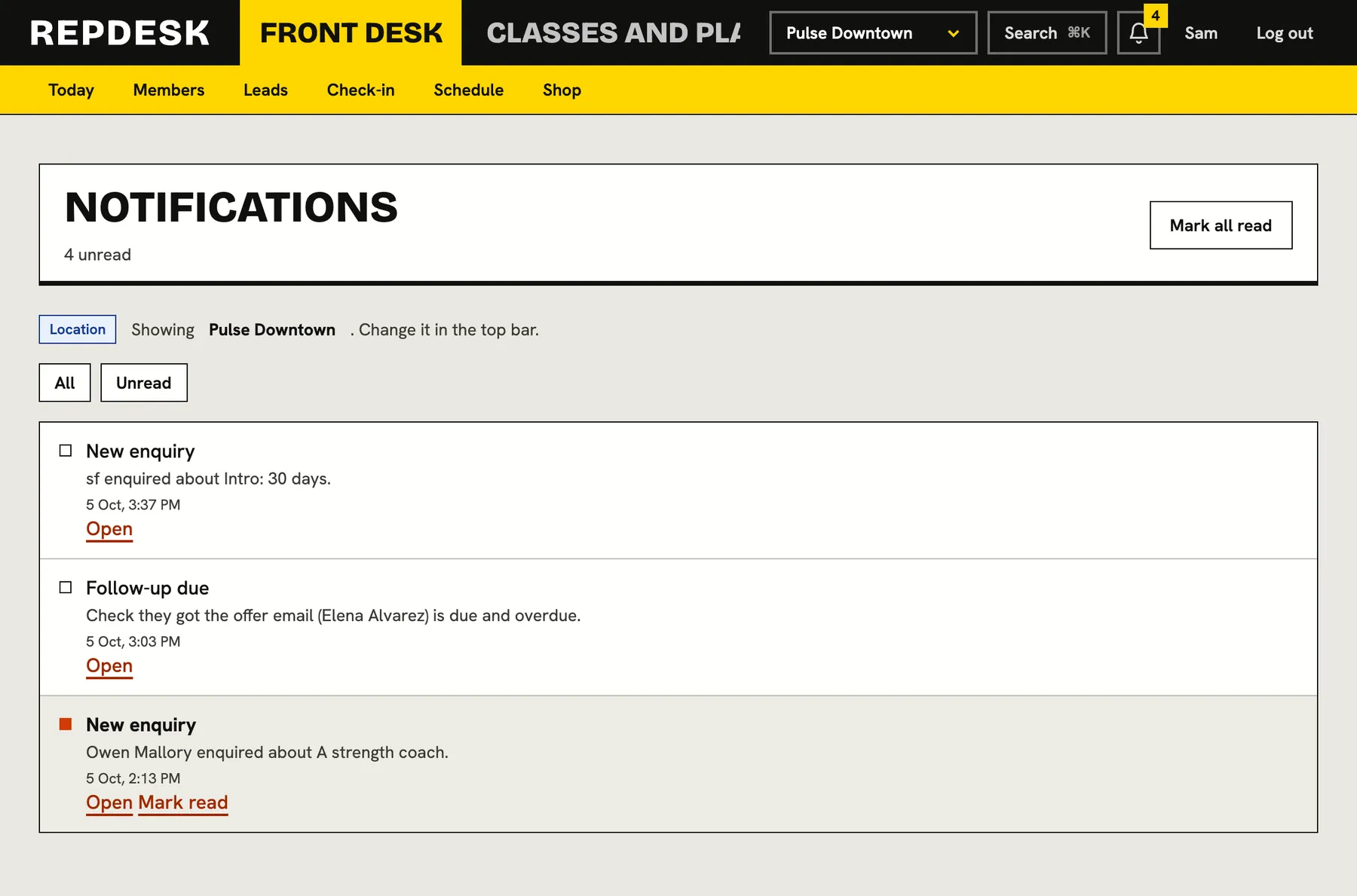
Your team has a bell in the back office and members have one in the portal. Both show unread items, filter to unread, mark everything as read and link straight to what happened. Staff are alerted to new enquiries, tasks that are due, low feedback scores and more.
- Notification panel and full list
- Mark one or all as read from the palette or the bell
- Alerts when an automation needs a person
A class booking, start to finish
-
Booking
Confirmation
The member is told right away that their spot is booked.
-
Day before
Reminder
A reminder with the time and room, and how to cancel in good time.
-
If it fills
Waitlist
A waitlisted member is told the moment a spot opens.
-
After
Feedback
If you have it on, they are asked how it went.
Works together with
Questions
Can members turn notifications off?
Yes, by category and channel. Receipts by email and the in-app record stay on, because they are the member's record.
Do you send marketing without consent?
No. Marketing is off by default on every channel until the member opts in, and campaigns and automations only reach people who have.
What are quiet hours?
A window each member sets during which texts and push wait. Automations also hold messages until the window ends.
Do members need the app for push?
Push needs a device that has registered for it. Everyone else still gets email, text and the in-app feed in the portal.
Can I see what was sent?
Campaigns show per recipient results and automations keep a run log. The bell shows what your team was alerted to.